Markdown Reader icon

Markdown Reader Chrome Extension Analysis

Developer & Designer Tools

Chrome extension ID: medapdbncneneejhbgcjceippjlfkmkg

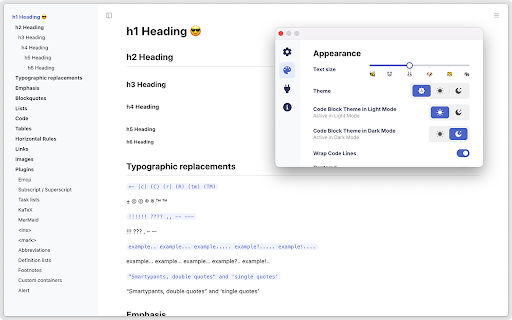
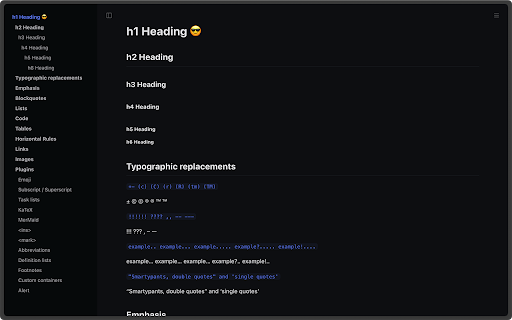
A Chrome extension that renders Markdown files (.md, .mkd, .mdx) into a readable format directly in the browser. It includes a sidebar table of contents, real-time refreshing, and supports both light and dark modes.

Developer:Bener
Version:3.6.30
Size:11.6MiB
Last updated:

Overview

Installs

100K+

Rating

★ 4.7

130 reviews

Languages

8 locales

Includes English, English (United Kingdom), English (United States), українська...

Market analysis

Review-backed positioning, friction, and market signals for this Chrome extension.

Backed by review samples

Macro category

Developer & Designer Tools

Pricing friction

High review signal

Complaint intensity

High review signal

Listing & review signals
Observed signals from store listing text and review samples.

Listing positioning

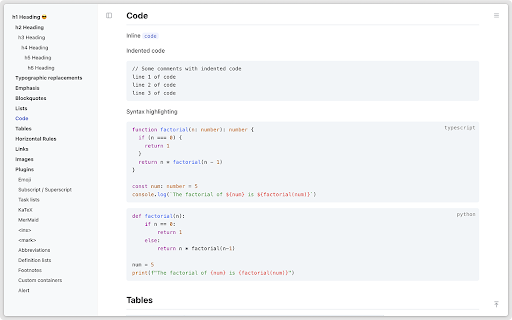
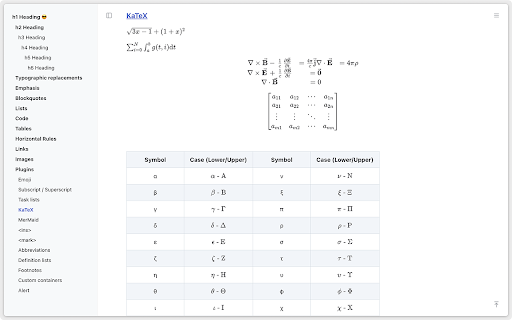
Positions itself as a high-speed, powerful tool for previewing Markdown documents across various protocols (local, http, https). It emphasizes extensive syntax plugin support, including LaTeX and flowcharts, alongside customizable themes.

Inferred product pattern

Utility tool transitioning from free to a gated/paid model, causing significant user churn and sentiment decline.

Review-backed pain points

Users report the extension failing to fetch files after an update that introduced registration, and strong dissatisfaction with the introduction of paid requirements for previously free core features.

Observed feature gaps

Missing support for WikiLinks and Obsidian Flavored Markdown (OFM), as well as missing image caption capabilities.

Tags
Markdown PreviewerDocument ReaderDeveloper ToolMarkdown Renderer
Target users

- Developers

- Technical Writers

- Students

- Knowledge Managers

Primary use cases

- Previewing local .md files

- Reading online Markdown documentation

- Rendering technical documents with mathematical formulas or Gantt charts

Positive themes

- Quick and easy configuration

- Excellent LaTeX and special notation rendering

- Helpful printing support

- Professional developer conduct

Negative themes

- Monetization breaking core functionality

- Frustration over shift to paid/subscription model

- Performance issues with large files

- Repetitive permission prompts

Observed friction

- Payment required for meaningful usage

- Free-tier complaints detected

- Performance complaints detected

- Severe friction reported due to a transition from a free model to a paid/registration-based model, which some users claim has broken the tool's core functionality.

Evidence boundary: Analysis based on the official store listing and 10 sampled user reviews. The review sample size is small and heavily skewed toward recent negative reactions to monetization changes.
Complaint summaries
Review-backed complaint signals grouped by operational area.

Support

No specific support ticket failures mentioned, but significant user anger regarding the developer's monetization strategy.

Reliability

Reports of 'couldn't fetch' errors following updates and issues where large Markdown files are cut in half.

Privacy

Users expressed annoyance at being asked for local file access permissions upon every Chrome restart.

Access & pricing

- Subscription model observed

- Login needed for core features

- Limited free usage observed

Store listing facts

Listing assets

- Screenshots: 5

- Videos: 0

- Languages: 8

Trust signals

- Privacy policy

- Developer contact

- Official website

- Support link

Store metadata

- Version: 3.6.30

- Size: 11.6MiB

- Last updated:

Listing SEO keywords

Search intent keywords
Keyword signals for evaluating how users may discover, compare, or search for this extension category.

Core discovery

Markdown reader chrome extensionpreview .md files in browsermarkdown renderer for chrome

Comparison

best markdown reader chromemarkdown reader vs obsidianmarkdown previewer extension

Problem

how to open .md files in chromemarkdown file not rendering in browserread local markdown files

Alternative

markdown reader alternativesfree markdown viewer chrome

Similar extensions

Jump to related discovery paths:

Screenshots

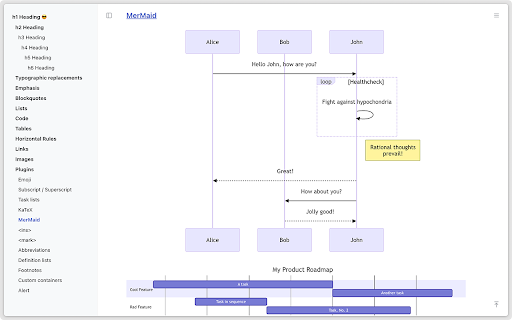
Markdown Reader screenshot

Links

Recommended Chrome extensions

Related listings from the same category, trending peers, and the same publisher portfolio.

Browse tools
Hello Nav icon

Hello Nav

Bener

Quickly find frontend resources in every New-tab!

Installs

31

Rating

★ —

Lightshot (screenshot tool) icon

Lightshot (screenshot tool)

Skillbrains

Simple and convenient screenshot tool. Select an area, edit your screenshot and upload it to the server.

Installs

2.0M+

Rating

★ 4.4

CSFloat Market Checker icon

CSFloat Market Checker

CSFloat Inc.

Shows the float value, paint seed, and more of Counter-Strike (CS:GO & CS2) items on the Steam Market or Inventories

Installs

1.0M+

Rating

★ 3.9

PrintFriendly: Print, PDF Editor & Full Page Screenshot icon

PrintFriendly: Print, PDF Editor & Full Page Screenshot

PrintFriendly

Print clean web pages, save as PDF, edit PDFs, and capture full-page screenshots. Integrates with ChatGPT, Claude, and Gemini.

Installs

1.0M+

Rating

★ 4.6

Ecosia - The search engine that plants trees icon

Ecosia - The search engine that plants trees

Ecosia GmbH

This extension sets your search engine to Ecosia and customizes your new tab page so you can plant trees with every search.

Installs

1.0M+

Rating

★ 4.7

Chat with all AI models (Gemini, Claude, DeepSeek…) & AI Agents | AITOPIA icon

Chat with all AI models (Gemini, Claude, DeepSeek…) & AI Agents | AITOPIA

AITOPIA AI Sidebar

AI Agent Marketplace & AI Sidebar with all AI models (Gemini, Claude, DeepSeek & more) and hundreds of AI Agents

Installs

1.0M+

Rating

★ 4.9

Mobile simulator - responsive testing tool icon

Mobile simulator - responsive testing tool

François Duprat

Phone Simulator — Free Chrome Extension to test and preview your site on 80+ devices.

Installs

1.0M+

Rating

★ 4.9

NaturalReader - AI Text to Speech icon

NaturalReader - AI Text to Speech

NaturalSoft Limited

Read aloud any text with realistic AI voices, compatible with webpages, kindle Ebooks, Google Docs, PDF, Emails, and more.

Installs

1.0M+

Rating

★ 4.2

Transpose: pitch ▸ speed ▸ loop icon

Transpose: pitch ▸ speed ▸ loop

Transpose

Change pitch and speed, loop sections and practice music directly on YouTube, Spotify and other supported sites.

Installs

1.0M+

Rating

★ 4.5

Keywords Everywhere - Keyword Tool icon

Keywords Everywhere - Keyword Tool

Axeman Technology Solutions LLP

Keyword search volume, cpc and competition for 15+ websites like Google™ Search Console, YouTube™, Amazon™ & more

Installs

1.0M+

Rating

★ 4.5