Full Page Screenshot for Google Chrome™ icon

Full Page Screenshot for Google Chrome™ Chrome Extension Analysis

Automation & Workflow Efficiency

Chrome extension ID: mieibeigpaehbjcbibakjcmkocngijjl

A browser extension that allows users to take screenshots of entire webpages by automatically scrolling and combining images. It is designed as a straightforward utility for users who need more than a standard viewport screen capture.

Version:3.3.0
Size:231KiB
Last updated:

Overview

Installs

20K+

Rating

3.6

228 reviews

Languages

39 locales

Includes Deutsch, English, Filipino, Indonesia...

Market analysis

Review-backed positioning, friction, and market signals for this Chrome extension.

Backed by review samples

Macro category

Automation & Workflow Efficiency

Pricing friction

Low review signal

Complaint intensity

Moderate review signal

Listing & review signals
Observed signals from store listing text and review samples.

Listing positioning

The product positions itself as a 100% free, one-click solution for capturing entire web pages. It emphasizes simplicity, minimal permissions, and a strict privacy stance regarding user data.

Inferred product pattern

Simple utility leveraging automated scrolling to simulate full-page captures.

Review-backed pain points

Users report that the tool often stops working entirely after a short period, fails to trigger the scroll-capture mechanism, or produces images with missing content (grey blanks).

Observed feature gaps

Lack of built-in image annotation tools and inability to handle specific complex page structures like long Gmail threads.

Tags
Full Page ScreenshotWeb CaptureProductivity ToolFree Utility
Target users

- Web researchers

- Content archivists

- General web users

- Documentation specialists

Primary use cases

- Capturing long-form articles

- Saving complete web page layouts

- Archiving online content for offline use

Positive themes

- Successful full-page capture without cropping

Negative themes

- Functional failure and non-responsiveness

- Incorrect capture range (only captures visible area)

- Rendering bugs resulting in blank or grey areas

- Lack of editing or annotation tools

Observed friction

- Performance complaints detected

- No pricing friction observed as the tool is claimed to be 100% free.

Evidence boundary: Analysis based on the public store listing and a sample of 10 reviews in multiple languages. The review sample is small and contains several non-English entries, which may not represent the entire user base.
Complaint summaries
Review-backed complaint signals grouped by operational area.

Support

No direct support interactions noted, but users express frustration over the tool becoming unusable.

Reliability

Significant reliability issues reported, including total lack of response upon clicking and failure to capture the full length of the page.

Privacy

No privacy complaints observed; listing emphasizes no data capture.

Access & pricing

- Free usage observed

- No account requirement observed

- Free plan or free usage claimed

Store listing facts

Listing assets

- Screenshots: 1

- Videos: 0

- Languages: 39

Trust signals

- Privacy policy

- Developer contact

- Official website

Store metadata

- Version: 3.3.0

- Size: 231KiB

- Last updated:

Listing SEO keywords

Search intent keywords
Keyword signals for evaluating how users may discover, compare, or search for this extension category.

Core discovery

full page screenshot chromecapture entire webpagefree full page screen capture

Comparison

full page screenshot vs print screenbest free full page screenshot extension

Problem

how to screenshot long webpagecapture whole page chromescreenshot entire site

Alternative

full page screenshot alternativesbest chrome screenshot extension

Similar extensions

Jump to related discovery paths:

Screenshots

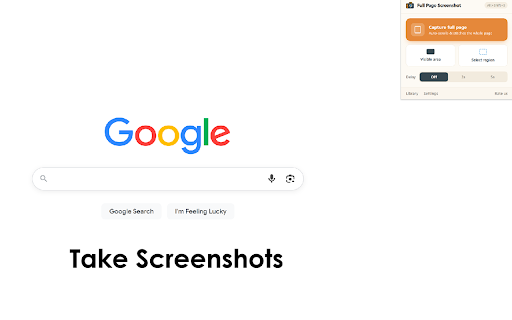
Full Page Screenshot for Google Chrome™ screenshot

Links

Recommended Chrome extensions

Related listings from the same category, trending peers, and the same publisher portfolio.

Browse workflow