DocHub - Sign PDF from Gmail icon

DocHub Chrome Extension Analysis

Automation & Workflow Efficiency

Store listing title: DocHub - Sign PDF from Gmail

Chrome extension ID: mjgcgnfikekladnkhnimljcalfibijha

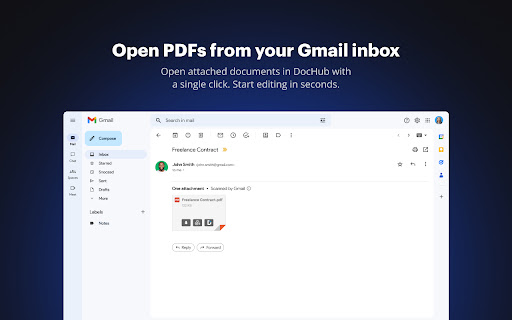
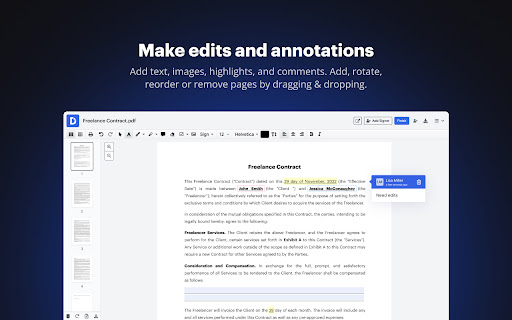
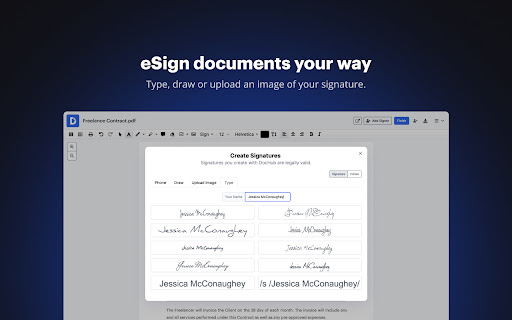
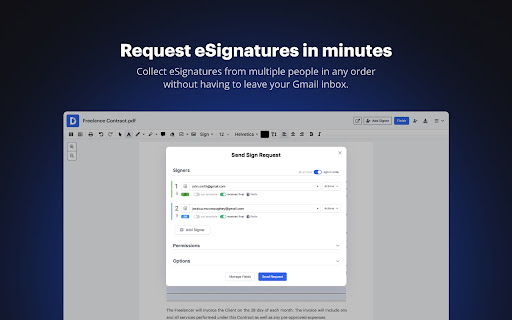
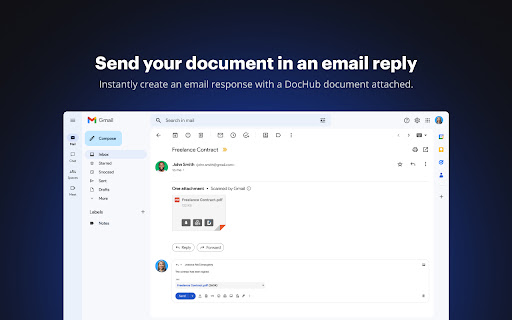
DocHub is a browser-based PDF utility designed for document annotation, page management, and e-signatures. It integrates with Gmail to facilitate quick document handling and supports various file formats for collaborative use.

Developer:DocHub
Version:2.4.0
Size:61.41KiB
Last updated:

Overview

Installs

200K+

Rating

4.4

318 reviews

Languages

1 locales

Includes English

Market analysis

Review-backed positioning, friction, and market signals for this Chrome extension.

Backed by review samples

Macro category

Automation & Workflow Efficiency

Pricing friction

Moderate review signal

Complaint intensity

High review signal

Listing & review signals
Observed signals from store listing text and review samples.

Listing positioning

The product is positioned as a seamless tool for signing, editing, and sharing PDF documents directly within the Chrome browser and Gmail inbox. It emphasizes productivity by allowing users to manage email attachments and create fillable forms without leaving their workflow.

Inferred product pattern

A feature-rich PDF productivity tool that suffers from technical stability issues and friction between free and premium feature expectations.

Review-backed pain points

Users report significant issues with uploading files from local storage or Google Drive, broken Gmail 'Sign with DocHub' buttons resulting in white screens, and slow application loading times.

Observed feature gaps

Some users report difficulty interacting with local files that lack a URL and express dissatisfaction with the extension feeling like just a simple button launcher.

Tags
PDF EditorE-signatureGmail ExtensionDocument Management
Target users

- Business professionals

- Gmail users

- Administrative staff

- Academic users

Primary use cases

- Signing email attachments in Gmail

- Editing PDF text and images

- Creating fillable PDF forms

- Merging and rearranging PDF pages

Positive themes

- Powerful editing tools

- Effective document export and download functionality

Negative themes

- Broken Gmail integration

- Upload and file access failures

- Slow performance and loading errors

Observed friction

- Free-tier complaints detected

- Performance complaints detected

- Users expressed frustration with encountering upgrade prompts and paywalls when attempting to perform actions they expected to be free.

Evidence boundary: Analysis based on the official Chrome Web Store listing and a sample of 10 user reviews. Review data is heavily weighted toward low-rating samples, which may not represent the entire user sentiment distribution.
Complaint summaries
Review-backed complaint signals grouped by operational area.

Support

No specific support complaints were found in the provided review samples.

Reliability

High frequency of complaints regarding 'Loading chunk failed' errors, slow mouse registration, and the Gmail integration failing to load content.

Privacy

No direct privacy complaints were observed, though one user noted client concerns regarding browser 'unsafe' warnings during e-signature requests.

Access & pricing

- Free entry with paid features

- Account required for core usage

- Limited free usage observed

Store listing facts

Listing assets

- Screenshots: 5

- Videos: 1

- Languages: 1

Trust signals

- Privacy policy

- Developer contact

- Official website

- Support link

Store metadata

- Version: 2.4.0

- Size: 61.41KiB

- Last updated:

Listing SEO keywords

Search intent keywords
Keyword signals for evaluating how users may discover, compare, or search for this extension category.

Core discovery

Sign PDF GmailEdit PDF ChromePDF Editor ExtensionE-signature tool

Comparison

DocHub vs AdobeDocHub alternatives

Problem

PDF upload errorGmail PDF signing not workingSlow PDF editor

Alternative

Free PDF signerOnline PDF editor

Similar extensions

Jump to related discovery paths:

Screenshots

DocHub - Sign PDF from Gmail screenshot

Links

Website: dochub.com

Privacy policy: https://dochub.com/site/privacy

Support links: http://support.dochub.com/

Videos: Watch

Recommended Chrome extensions

Related listings from the same category, trending peers, and the same publisher portfolio.

Browse workflow