Open in MS Edge™ icon

Open in MS Edge™ Chrome Extension Analysis

Automation & Workflow Efficiency

Chrome extension ID: mjoebkkejejidnkfdekpbooceogbapnf

This tool facilitates the seamless transition of browsing sessions from a primary browser to Microsoft Edge. It requires an external native messaging host to enable communication between the extension and the local operating system.

Developer:rynu.smith
Version:0.3.4
Size:223KiB
Last updated:

Overview

Installs

20K+

Rating

★ 3.9

41 reviews

Languages

11 locales

Includes Deutsch, English, Nederlands, español...

Market analysis

Review-backed positioning, friction, and market signals for this Chrome extension.

Backed by review samples

Macro category

Automation & Workflow Efficiency

Pricing friction

Low review signal

Complaint intensity

Moderate review signal

Listing & review signals
Observed signals from store listing text and review samples.

Listing positioning

The extension positions itself as a productivity utility for cross-browser workflows, allowing users to send active tabs or links from their current browser to Microsoft Edge. It emphasizes automation features like automatic tab closing and hostname-based routing rules.

Inferred product pattern

Native-host dependent browser interop utility.

Review-backed pain points

Users frequently express discomfort regarding the requirement to install external 'native' software or batch files to enable extension functionality, with some perceiving it as a potential security risk.

Observed feature gaps

Lack of UI customization (e.g., removing context menu items), outdated branding (old Edge logo), and lack of granular control over how the new window/tab is launched (background vs. foreground).

Tags
Browser InteropCross-BrowserProductivityWorkflow Automation
Target users

- Power users juggling multiple browsers

- Web developers

- Productivity-focused professionals

Primary use cases

- Opening specific URLs in Edge based on hostname rules

- Migrating entire sessions or specific tabs between browsers

- Context menu integration for rapid link redirection

Positive themes

- Efficiency in cross-browser workflows

- Reliable functionality when configured correctly

- Easy-to-follow setup instructions for the required native component

Negative themes

- Concerns regarding the security/integrity of required external scripts

- Unnecessary bloat/resource requirements for a simple task

- Bugs where the extension fails to redirect correctly

- UI/branding stagnation

Observed friction

- Privacy complaints detected

- No direct pricing friction reported, but technical friction exists due to the mandatory installation of an external native host application.

Evidence boundary: Evidence based on user reviews highlighting both functional utility and significant distrust of the native host installation requirement. Review sample size is relatively small and spans several years, which may not reflect current technical performance after recent updates.
Complaint summaries
Review-backed complaint signals grouped by operational area.

Support

No specific support channel complaints, but users criticize the perceived 'shady' nature of the installation process.

Reliability

Some reports of the extension failing to redirect or simply duplicating tabs within the same browser.

Privacy

High level of concern regarding the necessity of downloading and executing 3rd-party scripts/binaries for the extension to operate.

Access & pricing

- Free usage observed

- No account requirement observed

- Free plan or free usage claimed

Store listing facts

Listing assets

- Screenshots: 1

- Videos: 1

- Languages: 11

Trust signals

- Privacy policy

- Developer contact

- Official website

Store metadata

- Version: 0.3.4

- Size: 223KiB

- Last updated:

Listing SEO keywords

Search intent keywords
Keyword signals for evaluating how users may discover, compare, or search for this extension category.

Core discovery

open in edgebrowser redirectorchrome to edge extensioncross-browser automation

Comparison

chrome vs edgebrowser switcher extension

Problem

open link in another browsermanually copying urls

Alternative

browser extension for cross-browserurl redirect manager

Similar extensions

Jump to related discovery paths:

Screenshots

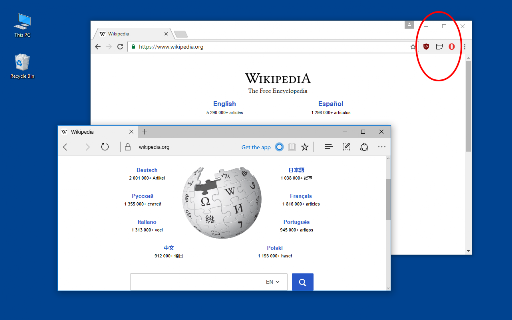
Open in MS Edge™ screenshot

Links

Recommended Chrome extensions

Related listings from the same category, trending peers, and the same publisher portfolio.

Browse tools
User-Agent Switcher and Manager icon

User-Agent Switcher and Manager

rynu.smith

Spoof websites trying to gather information about your web navigation to deliver distinct content you may not want

Installs

400K+

Rating

★ 4.3

Open in PDF Reader icon

Open in PDF Reader

rynu.smith

Send PDF links directly to your favorite PDF viewer like Adobe Acrobat Reader

Installs

90K+

Rating

★ 3.5

Sider: Chat with all AI: GPT-5, Claude, DeepSeek, Gemini, Grok icon

Sider: Chat with all AI: GPT-5, Claude, DeepSeek, Gemini, Grok

ChatGPT Sidebar

ChatGPT, DeepSeek, Gemini, Claude, Grok all in one AI sidebar, for AI search, read, and write.

Installs

5.0M+

Rating

★ 4.9

Norton Safe Search icon

Norton Safe Search

NortonLifeLock Inc

Search safely online by enabling Norton Safe Search as your default search provider for maximum protection on Chrome.

Installs

5.0M+

Rating

★ 2.4

Shazam: Find song names from your browser icon

Shazam: Find song names from your browser

Shazam

Identify music, search lyrics & more

Installs

5.0M+

Rating

★ 4.7

Microsoft Bing Homepage & Search for Chrome icon

Microsoft Bing Homepage & Search for Chrome

Microsoft Corporation

Set Microsoft Bing as your default homepage and default search engine

Installs

5.0M+

Rating

★ 3.8

Google Input Tools icon

Google Input Tools

cloud-input-team

Input Tools lets you type in the language of your choice.

Installs

4.0M+

Rating

★ 4.0

Ad Blocker: Stands AdBlocker icon

Ad Blocker: Stands AdBlocker

Stands

Stands AdBlocker – it's a free ad blocker for YouTube, Twitch, Pop-Ups, Video Ads, and websites. Block ads everywhere with Stands!

Installs

4.0M+

Rating

★ 4.8

IE Tab icon

IE Tab

Blackfish Software

Display web pages using IE within Chrome. Use Java, Silverlight, ActiveX, Sharepoint, and more.

Installs

4.0M+

Rating

★ 4.3

Google Dictionary (by Google) icon

Google Dictionary (by Google)

dictionary-extension-dev

View definitions easily as you browse the web.

Installs

4.0M+

Rating

★ 4.4