Save image as TIFF — Uncompressed Format Converter for Print icon

Save image as TIFF Chrome Extension Analysis

Developer & Designer Tools

Store listing title: Save image as TIFF — Uncompressed Format Converter for Print

Chrome extension ID: mkiaiofcofmigkmfkfimfgfdpangjiia

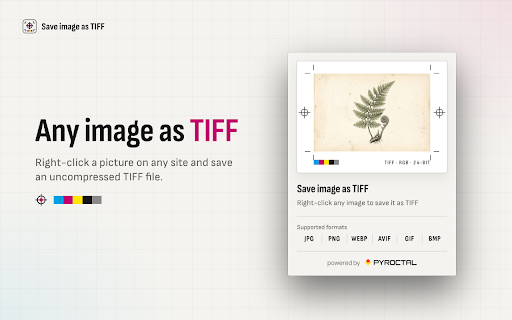
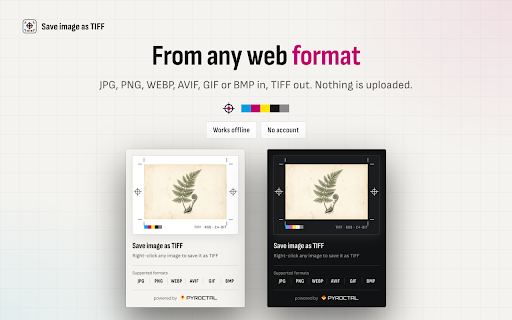
This Chrome extension allows users to instantly save web images as uncompressed TIFF files. It operates entirely within the browser to ensure zero data transmission to external servers.

Developer:PYROCTAL
Version:2.9.1
Size:231KiB
Last updated:

Overview

Installs

27

Rating

★ —

0 reviews

Languages

55 locales

Includes Deutsch, English, English (Australia), English (United Kingdom)...

Market analysis

Review-backed positioning, friction, and market signals for this Chrome extension.

No review samples found

Macro category

Developer & Designer Tools

Pricing friction

Low review signal

Complaint intensity

Low review signal

Listing & review signals
Observed signals from store listing text and review samples.

Listing positioning

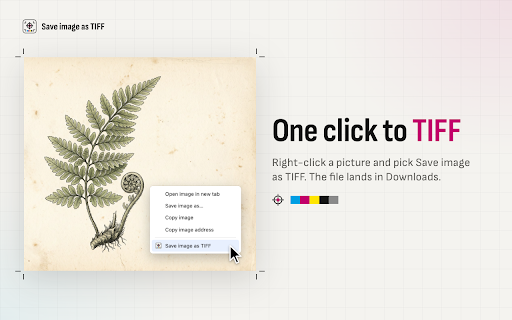
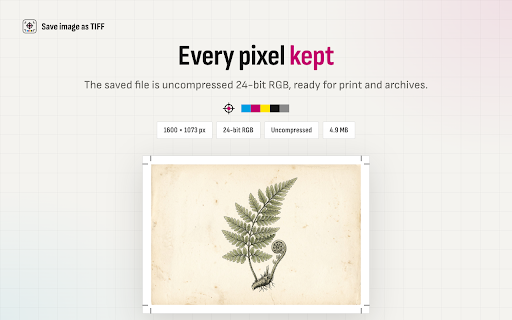
The extension is positioned as a professional-grade utility for converting web images to lossless TIFF format via a right-click context menu. It emphasizes privacy through local, offline processing and highlights the absence of accounts, fees, or ads.

Inferred product pattern

Single-purpose, privacy-centric utility tool for professional image format conversion.

Review-backed pain points

Review-backed data is not available

Observed feature gaps

Review-backed data is not available

Tags
TIFF ConverterLossless ImageDesign ToolsPrivacy Focused
Target users

- Graphic Designers

- Photographers

- Print Professionals

- Archivists

Primary use cases

- Converting web assets for professional print workflows

- Archiving web graphics in lossless formats

- Downloading design references with high fidelity

Positive themes

- Review-backed data is not available

Negative themes

- Review-backed data is not available

Observed friction

- No pricing friction observed; the product is advertised as completely free.

Evidence boundary: Data was extracted from the Chrome Web Store product listing. No user reviews were available to verify claims or identify real-world pain points.
Complaint summaries
Review-backed complaint signals grouped by operational area.

Support

No support complaints observed.

Reliability

No reliability complaints observed.

Privacy

No privacy complaints observed; the listing focuses heavily on local processing.

Access & pricing

- Free usage observed

- No account requirement observed

- Free plan or free usage claimed

Store listing facts

Listing assets

- Screenshots: 4

- Videos: 0

- Languages: 55

Trust signals

- Developer contact

- Official website

Store metadata

- Version: 2.9.1

- Size: 231KiB

- Last updated:

Listing SEO keywords

Search intent keywords
Keyword signals for evaluating how users may discover, compare, or search for this extension category.

Core discovery

save image as tiffconvert web image to tifflossless tiff downloaderright click save tiffbrowser image converter

Comparison

online tiff converterpng to tiffjpeg to tiff

Problem

web image compressionsave high quality images from webconvert jpg to lossless

Alternative

image converter extensionlossless downloadertiff format tool

Similar extensions

Jump to related discovery paths:

Screenshots

Save image as TIFF — Uncompressed Format Converter for Print screenshot

Links

Website: pyroctal.com

Recommended Chrome extensions

Related listings from the same category, trending peers, and the same publisher portfolio.

Browse tools
YouTube Auto Quality icon

YouTube Auto Quality

PYROCTAL

Automatically set your preferred video quality on YouTube. Save bandwidth or enjoy HD/4K every time.

Installs

4K+

Rating

★ 5.0

Save image as PNG — Background Remover for Transparent Cutouts icon

Save image as PNG — Background Remover for Transparent Cutouts

PYROCTAL

Keep web artwork as PNG with transparency intact, or turn on optional AI background removal for cutouts processed on your device.

Installs

1K+

Rating

★ 4.0

WPS PDF - Read, Edit, Fill, Convert, and AI Chat PDF with Ease icon

WPS PDF - Read, Edit, Fill, Convert, and AI Chat PDF with Ease

www.wps.com

Easy-to-use PDF tools to view, edit, convert, fill, e-sign PDF files, and more in your browser.

Installs

6.0M+

Rating

★ 4.5

Microsoft Bing Homepage & Search for Chrome icon

Microsoft Bing Homepage & Search for Chrome

Microsoft Corporation

Set Microsoft Bing as your default homepage and default search engine

Installs

6.0M+

Rating

★ 3.8

Sider: Chat with all AI: GPT-5, Claude, DeepSeek, Gemini, Grok icon

Sider: Chat with all AI: GPT-5, Claude, DeepSeek, Gemini, Grok

ChatGPT Sidebar

ChatGPT, DeepSeek, Gemini, Claude, Grok all in one AI sidebar, for AI search, read, and write.

Installs

5.0M+

Rating

★ 4.9

Norton Safe Search icon

Norton Safe Search

NortonLifeLock Inc

Search safely online by enabling Norton Safe Search as your default search provider for maximum protection on Chrome.

Installs

5.0M+

Rating

★ 2.6

Google Input Tools icon

Google Input Tools

cloud-input-team

Input Tools lets you type in the language of your choice.

Installs

4.0M+

Rating

★ 3.6

Ad Blocker: Stands AdBlocker icon

Ad Blocker: Stands AdBlocker

Stands

Stands AdBlocker – it's a free ad blocker for YouTube, Twitch, Pop-Ups, Video Ads, and websites. Block ads everywhere with Stands!

Installs

4.0M+

Rating

★ 4.8

IE Tab icon

IE Tab

Blackfish Software

Display web pages using IE within Chrome. Use Java, Silverlight, ActiveX, Sharepoint, and more.

Installs

4.0M+

Rating

★ 4.0

Google Dictionary (by Google) icon

Google Dictionary (by Google)

dictionary-extension-dev

View definitions easily as you browse the web.

Installs

4.0M+

Rating

★ 3.8