Screenshot & Bookmark Manager by Lasso icon

Screenshot & Bookmark Manager by Lasso Chrome Extension Analysis

Tab & Bookmark Productivity

Chrome extension ID: mpgmpojhkikacbjcdgibnhckgogphelc

Lasso is a browser-based utility that allows users to take screenshots, capture full pages, and save web links. It provides annotation tools, tagging, and cloud-based collection management to help users organize research and creative projects.

Developer:Lasso.net
Version:1.5.12
Size:1.35MiB
Last updated:

Overview

Installs

1K+

Rating

4.5

8 reviews

Languages

1 locales

Includes English (United States)

Market analysis

Review-backed positioning, friction, and market signals for this Chrome extension.

Backed by review samples

Macro category

Tab & Bookmark Productivity

Pricing friction

Low review signal

Complaint intensity

Low review signal

Listing & review signals
Observed signals from store listing text and review samples.

Listing positioning

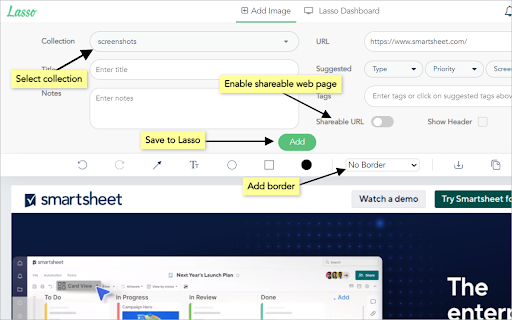
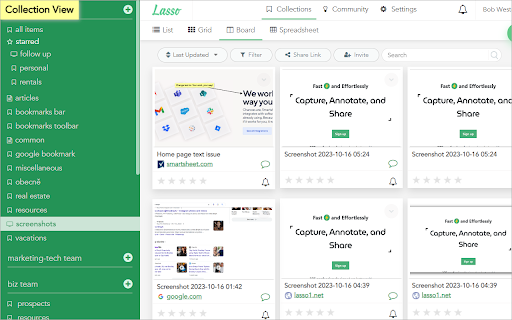
Lasso positions itself as a comprehensive visual capture and organization tool designed to streamline creative workflows. It emphasizes the ability to capture, annotate, tag, and collaborate on visual assets and web content.

Inferred product pattern

A visual capture and knowledge management extension designed to replace ad-hoc bookmarking workflows.

Review-backed pain points

Minor reports of functionality failure on specific video platforms.

Observed feature gaps

No major gaps identified, though some site-specific compatibility issues exist.

Tags
Screenshot ToolBookmark ManagerCollaborationProductivitySwipe File
Target users

- Creative professionals

- Researchers

- Designers

- Remote collaborative teams

Primary use cases

- Visual research

- Creating swipe files

- Project-based asset organization

- Communication via annotated screenshots

Positive themes

- Intuitive interface for organizing creative research

- Effective tagging and collection management

- High responsiveness of the founding team

- Productivity gains in collaborative settings

Negative themes

- Incompatibility with specific platforms like YouTube

Observed friction

- No pricing friction reported; users appreciate the free tier and value provided.

Evidence boundary: The analysis is based on public store listing descriptions and user reviews highlighting ease of use, organization capabilities, and team collaboration features. Review sample size is small, and feedback is predominantly positive, potentially lacking depth on edge-case technical failures.
Complaint summaries
Review-backed complaint signals grouped by operational area.

Support

No support complaints; founders are cited as highly responsive.

Reliability

Isolated reports of the extension not functioning on certain websites.

Privacy

None observed.

Access & pricing

- Free entry with paid features

- Account required for core usage

- Limited free usage observed

Store listing facts

Listing assets

- Screenshots: 4

- Videos: 0

- Languages: 1

Trust signals

- Privacy policy

- Developer contact

- Official website

Store metadata

- Version: 1.5.12

- Size: 1.35MiB

- Last updated:

Listing SEO keywords

Search intent keywords
Keyword signals for evaluating how users may discover, compare, or search for this extension category.

Core discovery

screenshot managerbookmark organizercollaborative swipe filevisual bookmarking tool

Comparison

Lasso vs bookmark managersLasso vs screenshot tools

Problem

organize web researchsave screenshot with notesbookmark management for teams

Alternative

browser-based swipe file toolsvisual bookmarking alternatives

Similar extensions

Jump to related discovery paths:

Screenshots

Screenshot & Bookmark Manager by Lasso screenshot

Links

Recommended Chrome extensions

Related listings from the same category, trending peers, and the same publisher portfolio.

Browse communication