Save Webpages Offline As MHTML icon

Save Webpages Offline As MHTML Chrome Extension Analysis

Tab & Bookmark Productivity

Chrome extension ID: nfbcfginnecenjncdjhaminfcienmehn

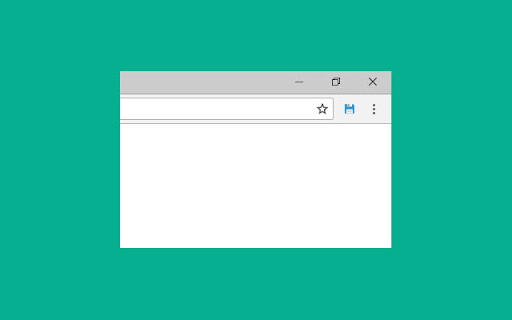
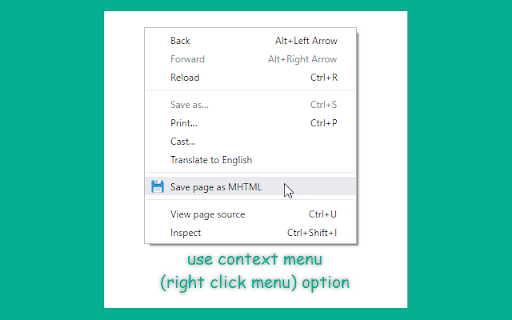
A productivity tool that allows users to save the current active browser tab as an MHTML file. This enables users to access web content without an internet connection.

Developer:BrowserNative
Version:1.2.0
Size:12.61KiB
Last updated:

Overview

Installs

30K+

Rating

4.3

63 reviews

Languages

1 locales

Includes English

Market analysis

Review-backed positioning, friction, and market signals for this Chrome extension.

Backed by review samples

Macro category

Tab & Bookmark Productivity

Pricing friction

Low review signal

Complaint intensity

Moderate review signal

Listing & review signals
Observed signals from store listing text and review samples.

Listing positioning

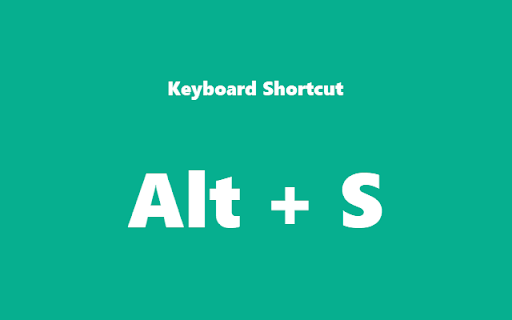
The extension positions itself as a utility to archive web pages for offline viewing and sharing. It highlights ease of use through a dedicated keyboard shortcut (Alt+S).

Inferred product pattern

A single-purpose utility for local web content archiving via the MHTML format.

Review-backed pain points

Users report issues with filenames being saved incorrectly (e.g., losing extensions, using only the domain name, or using random characters), failure to handle non-ASCII characters in titles, and interference with other download extensions.

Observed feature gaps

Users have requested a toggle to disable timestamps in filenames and a dialog box to rename files before saving.

Tags
Web ArchivingOffline ReadingMHTML SaverPage Downloader
Target users

- Researchers

- Digital Archivists

- Students

- Content Consumers

Primary use cases

- Saving web pages for offline reading

- Archiving web content for sharing

- Capturing web pages with embedded media

Positive themes

- Fast execution

- Reliable video link saving

- Functional on Brave browser

Negative themes

- Broken filename logic

- Poor handling of non-ASCII characters

- Extension interference

Observed friction

- Performance complaints detected

- No pricing friction observed in the provided data.

Evidence boundary: Data extracted from the Chrome Web Store listing and a sample of user reviews detailing functional performance and file management issues. The analysis is based on a limited number of review samples which may not represent the entire user base.
Complaint summaries
Review-backed complaint signals grouped by operational area.

Support

No support or account-related complaints were identified.

Reliability

Users reported reliability issues following updates, specifically regarding file naming errors and character encoding failures.

Privacy

No privacy or security complaints were observed.

Access & pricing

- No clear monetization signal

- No account requirement observed

- No clear pricing signal

Store listing facts

Listing assets

- Screenshots: 3

- Videos: 0

- Languages: 1

Trust signals

- Privacy policy

- Developer contact

- Official website

Store metadata

- Version: 1.2.0

- Size: 12.61KiB

- Last updated:

Listing SEO keywords

Search intent keywords
Keyword signals for evaluating how users may discover, compare, or search for this extension category.

Core discovery

save webpage offlineMHTML downloaderwebpage archiving toolsave tab as mhtmloffline web browsing

Comparison

SingleFileSave Page WEMHTML extension

Problem

save website for offlinearchive web pagesdownload webpage as mhtml

Alternative

web page archiveroffline page saver

Similar extensions

Jump to related discovery paths:

Screenshots

Save Webpages Offline As MHTML screenshot

Links

Recommended Chrome extensions

Related listings from the same category, trending peers, and the same publisher portfolio.

Browse tools