Audio Recorder icon

Audio Recorder Chrome Extension Analysis

Automation & Workflow Efficiency

Chrome extension ID: ngkihcngbjapjmenfaglhpneoacehhgo

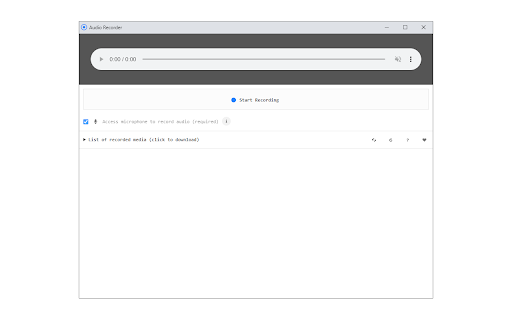
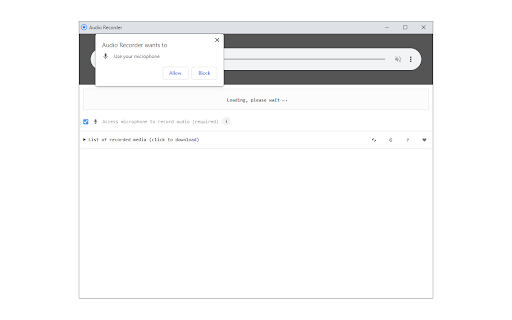
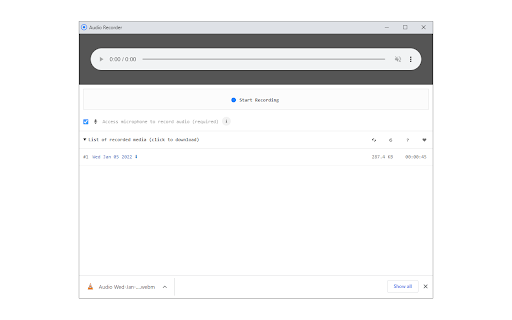
Audio Recorder is a browser-based tool designed to record sound via the computer's microphone. It saves recorded files in WebM format to the user's local system download directory.

Developer:Grephy
Version:0.1.5
Size:27.51KiB
Last updated:

Overview

Installs

60K+

Rating

★ 1.9

13 reviews

Languages

1 locales

Includes English

Market analysis

Review-backed positioning, friction, and market signals for this Chrome extension.

Backed by review samples

Macro category

Automation & Workflow Efficiency

Pricing friction

Low review signal

Complaint intensity

High review signal

Listing & review signals
Observed signals from store listing text and review samples.

Listing positioning

The store listing positions this extension as a simple, straightforward utility for capturing audio directly from a computer's microphone. It emphasizes a basic interface and provides specific technical details regarding file output formats and expected download behaviors.

Inferred product pattern

A simple, utility-based Chrome extension that appears to suffer from significant technical maintenance issues.

Review-backed pain points

Users consistently report that the extension fails to initiate recording, produces silent audio files, or fails to record new sessions after the initial use.

Observed feature gaps

The extension lacks reliable core functionality, persistent state management for recordings, and user-friendly file format options beyond WebM.

Tags
Audio RecorderMicrophoneWebM
Target users

- Casual computer users

- Users needing quick voice memos

Primary use cases

- Recording microphone audio

- Creating simple audio files

Positive themes

- None documented; no positive sentiment identified in the provided samples.

Negative themes

- Complete functional failure

- Inability to initiate recording

- Looping/caching errors where old audio persists

- Mute output

- Redirects to privacy pages instead of functionality

Observed friction

- Performance complaints detected

- No pricing friction reported; the primary complaint is total product failure.

Evidence boundary: Analysis based on 10 negative user reviews indicating consistent functional failure and technical bugs across multiple versions. The evidence is heavily skewed toward negative experiences as no positive reviews were provided in the input set.
Complaint summaries
Review-backed complaint signals grouped by operational area.

Support

Users express high frustration with the product's inability to perform its advertised function, leading to reports of the tool being 'garbage' or 'useless'.

Reliability

High; users report the extension is non-functional, records silence, or fails to start.

Privacy

One user reported being redirected to a privacy page instead of accessing the recording interface.

Access & pricing

- No clear monetization signal

- No account requirement observed

- Free plan or free usage claimed

Store listing facts

Listing assets

- Screenshots: 3

- Videos: 0

- Languages: 1

Trust signals

- Developer contact

- Official website

Store metadata

- Version: 0.1.5

- Size: 27.51KiB

- Last updated:

Listing SEO keywords

Search intent keywords
Keyword signals for evaluating how users may discover, compare, or search for this extension category.

Core discovery

Chrome audio recorder extensionrecord microphone in browserWebM audio capture tool

Comparison

Sodaphonic alternativebrowser audio capture

Problem

extension not workingaudio recorder won't recordChrome microphone issue

Alternative

online audio recordervoice capture extension

Similar extensions

Jump to related discovery paths:

Screenshots

Audio Recorder screenshot

Links

Recommended Chrome extensions

Related listings from the same category, trending peers, and the same publisher portfolio.

Browse tools