CPU and Memory Performance Monitor icon

CPU and Memory Performance Monitor Chrome Extension Analysis

Automation & Workflow Efficiency

Chrome extension ID: nmpbhigddhbbhopeeagpnnmnihgagbfk

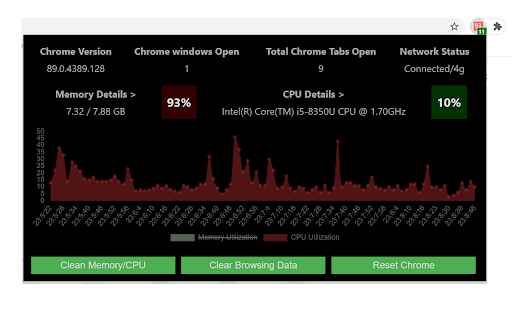
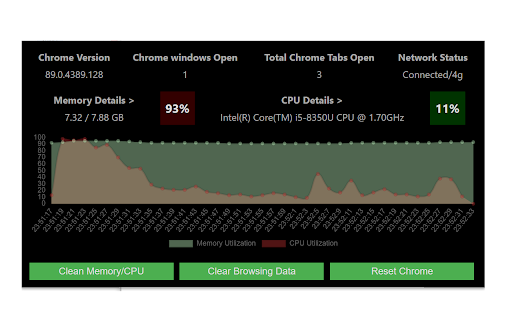
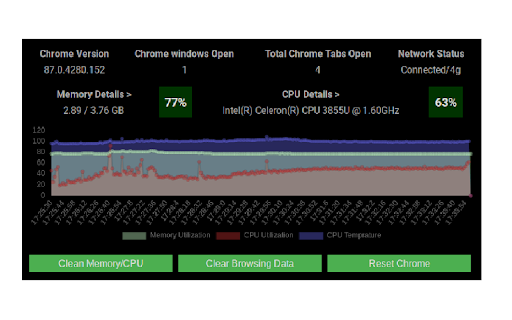
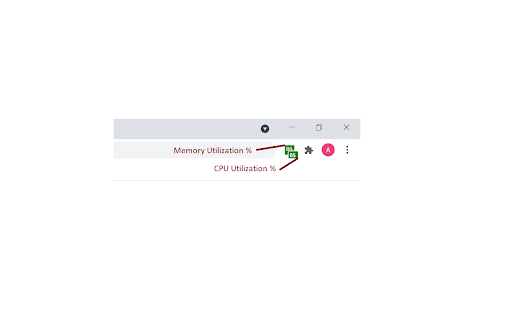
The CPU and Memory Performance Monitor extension provides real-time monitoring of CPU and memory utilization, along with CPU temperature readings on Chrome OS. It includes functionalities to manage active tabs, clear browsing data, and reset Chrome, aiming to improve browser performance.

Version:1.8
Size:82.85KiB
Last updated:

Overview

Installs

9K+

Rating

4.1

22 reviews

Languages

1 locales

Includes English (United States)

Market analysis

Review-backed positioning, friction, and market signals for this Chrome extension.

Backed by review samples

Macro category

Automation & Workflow Efficiency

Pricing friction

Low review signal

Complaint intensity

Moderate review signal

Listing & review signals
Observed signals from store listing text and review samples.

Listing positioning

This extension positions itself as a performance monitoring tool for Chrome OS, allowing users to track CPU, memory, and CPU temperature. It also offers features to clean up memory by discarding inactive tabs and clearing browsing data.

Inferred product pattern

A system resource monitoring utility for Chrome browsers, with added performance-enhancing features like tab discarding and data clearing.

Review-backed pain points

Users are frustrated by the removal of numerical usage percentages directly on the extension icon in recent updates, forcing them to open the dashboard for this information. Some users also report issues with the extension not working correctly in alternative Chromium-based browsers, with blank data or inaccurate readings.

Observed feature gaps

The listing and reviews suggest that direct display of usage percentages on the toolbar icon has been removed in recent versions, which was a previously valued feature. Additionally, compatibility issues are reported with browsers other than Chrome, indicating a potential gap in cross-browser functionality.

Tags
Performance MonitorCPU UsageMemory MonitorChrome OS
Target users

- Chrome OS users

- Users experiencing browser slowdowns

- Users managing multiple tabs

Primary use cases

- Monitoring system resource usage

- Optimizing browser performance

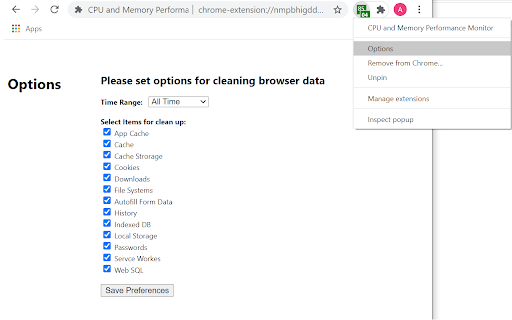
- Clearing browsing data

- Managing memory consumption

Positive themes

- Useful for real-time monitoring of CPU and RAM

- Appreciates the return of glance view in the taskbar

- Effective in discarding background tabs to release memory

Negative themes

- Recent versions removed the display of numbers in the icon, requiring users to open the dashboard

- Issues with data not displaying or showing inaccurate percentages

- Extension not working in alternative Chromium-based browsers like Vivaldi and Brave

- Concerns about processes being killed, leading to non-real-time data display

Observed friction

- Performance complaints detected

- The extension is free to use, with no explicit pricing friction mentioned in the listing or reviews.

Evidence boundary: The analysis is based on the chrome web store listing and a set of user reviews, including helpful, high-rating, and low-rating samples. The review data is limited in volume, and some reviews are from users of alternative Chromium-based browsers, which may not fully reflect the experience on Chrome.
Complaint summaries
Review-backed complaint signals grouped by operational area.

Support

No specific complaints regarding support were found in the provided reviews.

Reliability

Users report that the extension sometimes stops displaying real-time data, requiring them to click into the extension to refresh. Performance issues also arise when the extension is used in browsers other than Chrome, with inaccurate readings or blank data.

Privacy

The extension claims to only read CPU & Memory, clear browsing data (delete only), and use local storage, and explicitly states it does not interact with applications or transfer data. No privacy complaints were observed.

Access & pricing

- Free usage observed

- No clear access signal

- Free plan or free usage claimed

Store listing facts

Listing assets

- Screenshots: 5

- Videos: 0

- Languages: 1

Trust signals

- Developer contact

Store metadata

- Version: 1.8

- Size: 82.85KiB

- Last updated:

Listing SEO keywords

Search intent keywords
Keyword signals for evaluating how users may discover, compare, or search for this extension category.

Core discovery

CPU monitorMemory monitorPerformance trackerChrome extensionSystem resourcesTab managementBrowser cleanup

Comparison

alternative to system monitorChrome task managerbrowser resource usage

Problem

slow browserhigh CPU usagehigh memory usagebrowser performancefree up memory

Alternative

browser performance optimizertab suspendersystem resource viewer

Similar extensions

Jump to related discovery paths:

Screenshots

CPU and Memory Performance Monitor screenshot

Recommended Chrome extensions

Related listings from the same category, trending peers, and the same publisher portfolio.

Browse developer