LocatorJS icon

LocatorJS Chrome Extension Analysis

Developer & Designer Tools

Chrome extension ID: npbfdllefekhdplbkdigpncggmojpefi

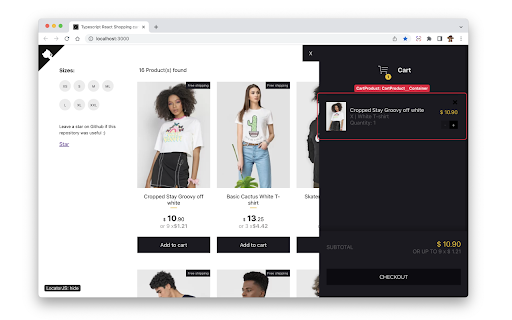
LocatorJS is an open-source Chrome extension that enables developers to click on a component in the browser to automatically open the corresponding code in their chosen IDE. It supports multiple JavaScript frameworks and provides integration for various development environments.

Developer:michael
Version:1.3.2
Size:190KiB
Last updated:

Overview

Installs

40K+

Rating

4.3

86 reviews

Languages

1 locales

Includes English (United States)

Market analysis

Review-backed positioning, friction, and market signals for this Chrome extension.

Backed by review samples

Macro category

Developer & Designer Tools

Pricing friction

Low review signal

Complaint intensity

Moderate review signal

Listing & review signals
Observed signals from store listing text and review samples.

Listing positioning

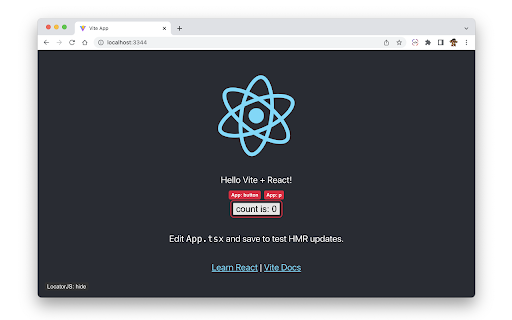
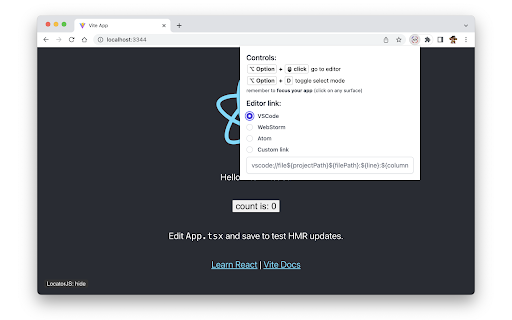
The product is positioned as a productivity bridge between the browser and the IDE, allowing developers to jump directly to the source code of a UI component. It emphasizes compatibility with React, Preact, and SolidJS via a simple option-click interaction.

Inferred product pattern

Open-source developer utility for source-mapping browser components to local IDE files.

Review-backed pain points

Users report that the extension has stopped working for VS Code and WebStorm, encounters compatibility issues with React 19 and Next.js 13, and occasionally causes severe memory leaks in the console.

Observed feature gaps

Lack of support for multiple simultaneous projects and missing compatibility updates for the latest React versions (19.0.0) and SWC.

Tags
Component LocatorFrontend DevelopmentReactJSIDE IntegrationDeveloper Productivity
Target users

- Frontend Developers

- React Engineers

- Web Application Developers

Primary use cases

- Locating source code for specific UI components

- Accelerating debugging workflows

- Navigating large component libraries

Positive themes

- High utility when functioning correctly

Negative themes

- Version incompatibility

- IDE integration failure

- Performance degradation

- Framework-specific errors

Observed friction

- Performance complaints detected

- No pricing friction observed as the tool is listed as open-source.

Evidence boundary: Data extracted from the Chrome Web Store listing and a sample of low-rating/helpful reviews. The provided review samples are predominantly negative, which may not reflect the experience of the total user base.
Complaint summaries
Review-backed complaint signals grouped by operational area.

Support

Users are using reviews to request technical fixes for version incompatibilities, suggesting a need for more frequent updates.

Reliability

Reports of the tool becoming non-functional for specific IDEs and causing browser freezes due to memory leaks.

Privacy

No privacy or security complaints observed.

Access & pricing

- Free usage observed

- No account requirement observed

- Free plan or free usage claimed

Store listing facts

Listing assets

- Screenshots: 3

- Videos: 1

- Languages: 1

Trust signals

- Developer contact

- Official website

Store metadata

- Version: 1.3.2

- Size: 190KiB

- Last updated:

Listing SEO keywords

Search intent keywords
Keyword signals for evaluating how users may discover, compare, or search for this extension category.

Core discovery

React component locatorclick to code Reactbrowser to IDE extension

Comparison

LocatorJS vs React DevToolsbest component locator for React

Problem

find react component source codehow to jump from browser to vscode

Alternative

React inspector alternativessource mapping extension

Similar extensions

Jump to related discovery paths:

Screenshots

LocatorJS screenshot

Links

Website: locatorjs.com

Videos: Watch

Recommended Chrome extensions

Related listings from the same category, trending peers, and the same publisher portfolio.

Browse developer