Google Analytics Name Changer for Chrome Extensions icon

Google Analytics Name Changer for Chrome Extensions Chrome Extension Analysis

SEO & Traffic Analytics

Chrome extension ID: obnonobiobpgbnippbmadlccaffkhefk

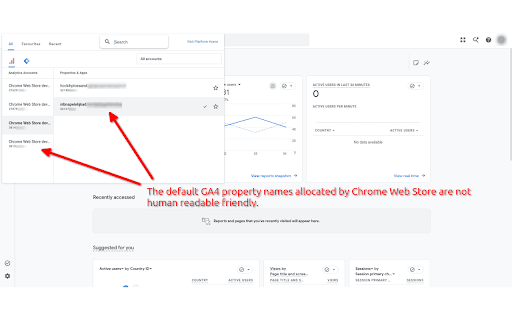
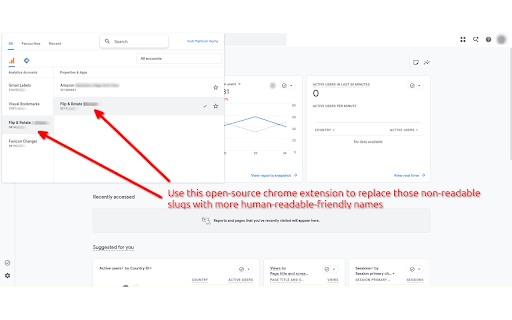
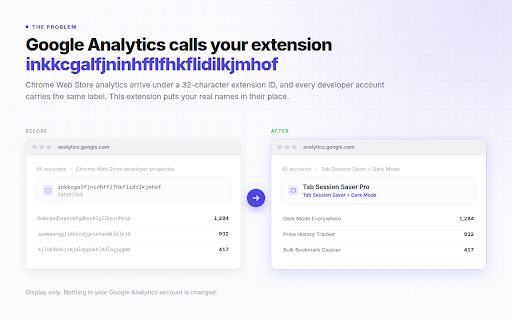
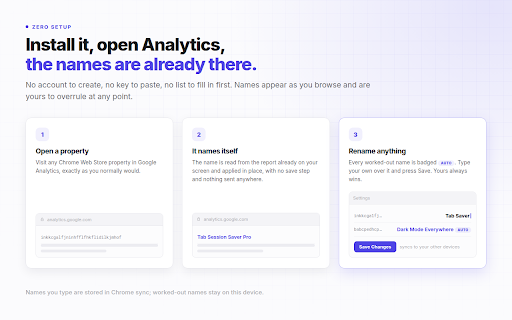
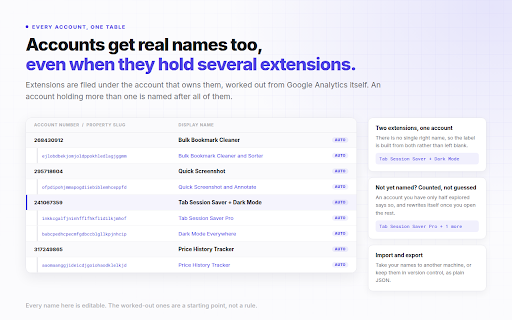
GA4 Name Changer is a browser extension that allows users to create custom, human-readable names for Google Analytics 4 property slugs and account numbers. It automatically replaces these cryptic identifiers with user-defined names directly on the Google Analytics website, improving usability for those managing multiple accounts. The extension features a quick popup for editing mappings and a full settings page with…

Developer:palworks.ai
Version:1.0.0
Size:42.09KiB
Last updated:

Overview

Installs

7

Rating

0 reviews

Languages

1 locales

Includes English

Market analysis

Review-backed positioning, friction, and market signals for this Chrome extension.

No review samples found

Macro category

SEO & Traffic Analytics

Pricing friction

Low review signal

Complaint intensity

Low review signal

Listing & review signals
Observed signals from store listing text and review samples.

Listing positioning

This Chrome extension positions itself as a solution to the frustration of managing multiple Google Analytics 4 properties by replacing cryptic slugs and account numbers with human-friendly names. It targets users who find it difficult to distinguish between different GA4 accounts and properties, offering a live text replacement feature directly within the Google Analytics interface.

Inferred product pattern

A utility extension that modifies the user interface of a specific web application to improve user experience and efficiency.

Review-backed pain points

Review-backed data is not available.

Observed feature gaps

Review-backed data is not available.

Tags
Google AnalyticsGA4Name Changer
Target users

- Digital Agencies

- Analytics Managers

- Web Developers

- SEO Specialists

Primary use cases

- Simplifying Google Analytics 4 property identification

- Improving efficiency in managing multiple GA4 accounts

- Easily distinguishing between different client GA4 properties

Positive themes

No positive theme data.

Negative themes

No negative theme data.

Observed friction

- The extension is presented as a free tool with no explicit mention of paid tiers or limitations.

Evidence boundary: Data for this analysis was derived solely from the Chrome Web Store listing information, including the title, short and long descriptions, developer name, website, and review status. No user reviews were available, which limits the ability to provide review-backed themes, pain points, or sentiment analysis.
Complaint summaries
Review-backed complaint signals grouped by operational area.

Support

Review-backed data is not available.

Reliability

Review-backed data is not available.

Privacy

The listing explicitly states that no data is collected and all mappings stay on the user's device.

Access & pricing

- Free usage observed

- No clear access signal

- Free plan or free usage claimed

Store listing facts

Listing assets

- Screenshots: 3

- Videos: 0

- Languages: 1

Trust signals

- Privacy policy

- Developer contact

- Official website

- Support link

Store metadata

- Version: 1.0.0

- Size: 42.09KiB

- Last updated:

Listing SEO keywords

Search intent keywords
Keyword signals for evaluating how users may discover, compare, or search for this extension category.

Core discovery

Google Analytics Name ChangerGA4 Property RenamerCustom GA4 NamesAnalytics Account Alias

Comparison

Google Analytics ToolGA4 ManagementAnalytics Identifier

Problem

Unreadable GA4 IDsConfusing Analytics PropertiesCryptic Account Numbers

Alternative

GA4 Admin ToolAnalytics Name ToolProperty Name Converter

Similar extensions

Jump to related discovery paths:

Screenshots

Google Analytics Name Changer for Chrome Extensions screenshot

Links

Recommended Chrome extensions

Related listings from the same category, trending peers, and the same publisher portfolio.

Browse developer