
Tweaks for YouTube Chrome Extension Analysis
Niche Lifestyle & Gaming HacksChrome extension ID: ogkoifddpkoabehfemkolflcjhklmkge
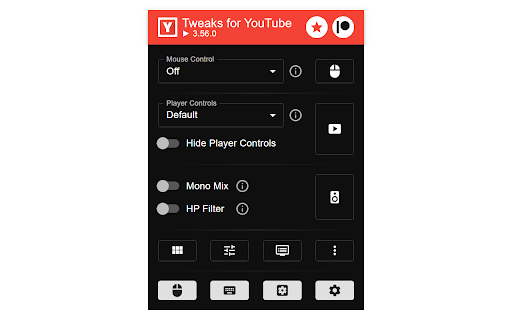
An all-in-one media utility that enhances video playback control, UI layouts, and audio processing on YouTube. It allows users to set custom mouse shortcuts, control speeds up to 16x, normalize audio, and remove distracting feed elements like Shorts or sidebar clutter.
Overview
Installs
70K+
Rating
★ 4.6
637 reviews
Languages
1 locales
Includes English
Market analysis
Review-backed positioning, friction, and market signals for this Chrome extension.
Macro category
Niche Lifestyle & Gaming Hacks
Pricing friction
Low review signal
Complaint intensity
Moderate review signal
Listing positioning
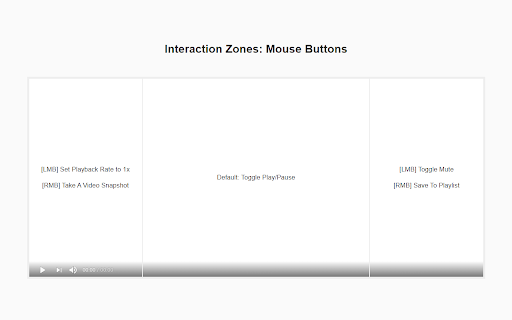
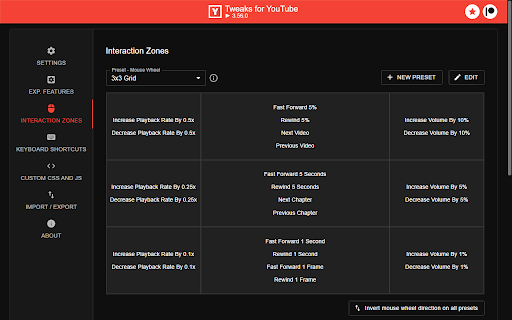
Tweaks for YouTube positions itself as a feature-rich, local-first power-user tool offering over 100 customizable adjustments for YouTube, YouTube Music, and Google Drive. It emphasizes that all features are disabled by default, encouraging users to explore the settings popup and toggle on only the specific mouse, keyboard, layout, and audio enhancements they need.
Inferred product pattern
Highly-modular client-side DOM injector and media event manipulator.
Review-backed pain points
The highly-requested 'Disable Auto Pause' and video loop settings frequently fail to trigger correctly for users. Additionally, some users experience headphone audio clipping over time when utilizing the 'Auto Gain' feature, which eventually forces a system reboot to clear.
Observed feature gaps
Reviews indicate a desire for a built-in video or audio downloader function, and point out layout bugs where combining 'Sticky Player' with 'Hide Sidebar' causes the comments section to render incorrectly.
- YouTube power users seeking fine-grained interface control
- Audiophiles looking for volume normalization and mono-mixing tools
- Minimalists wanting to declutter YouTube's default layout and recommendations
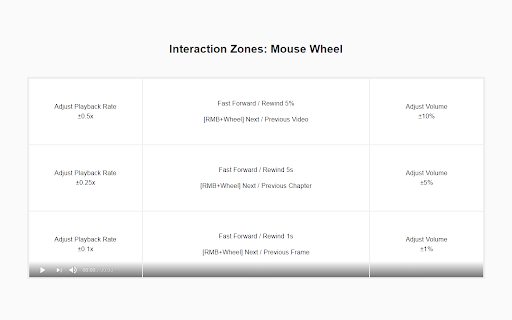
- Customizing keyboard and mouse-wheel hotkeys for seeking and volume
- Removing platform clutter, autoplay next prompts, and annotations
- Adjusting video audio output levels and balancing uneven audio channels
- Deeply configurable interface options
- Helpful layout adjustments like Sticky Player and Cinema Mode
- A wide variety of distinct quality-of-life adjustments
- Inconsistent or non-functional features like loop and auto-pause blocking
- Audio artifacts such as cumulative clipping during long browsing sessions
- Browser performance issues, including freezes and unwanted video reloads on tab switches
- Performance complaints detected
- The extension is entirely free to use, relying on voluntary user donations via Patreon, resulting in no observed pricing complaints.
Support
There are no direct complaints about support channels, though some users note that specific long-standing bugs (like hidden streams not working) have remained unaddressed.
Reliability
Users report that key automation features like stopping auto-pause, disabling autoplay, and looping videos are unreliable and frequently fail. Performance bugs include the browser freezing when scrolling shorts and videos re-rendering upon switching back to the YouTube tab.
Privacy
The extension claims to store all user settings locally on the PC without sending data to remote servers, and no privacy or security complaints were found in reviews.
- Free usage observed
- No account requirement observed
- Free plan or free usage claimed
Store listing facts
- Screenshots: 4
- Videos: 0
- Languages: 1
- Developer contact
- Official website
- Version: 3.93.0
- Size: 689KiB
- Last updated:
Listing SEO keywords
Core discovery
Comparison
Problem
Alternative
Similar extensions
Jump to related discovery paths:
Screenshots
Links
Website: inzk.dev