Screenshot - Webpage Screen Capture icon

Screenshot Chrome Extension Analysis

Automation & Workflow Efficiency

Store listing title: Screenshot - Webpage Screen Capture

Chrome extension ID: okkffdhbfplmbjblhgapnchjinanmnij

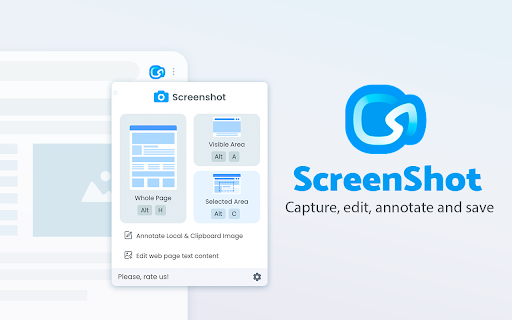
A Chrome extension designed for capturing web content in JPEG, GIF, or PNG formats. It allows users to capture entire pages regardless of length or specific selected areas for easy editing and sharing.

Developer:Screen App
Version:1.4.1
Size:1.9MiB
Last updated:

Overview

Installs

60K+

Rating

★ 4.4

1,077 reviews

Languages

3 locales

Includes English, English (United States), русский

Market analysis

Review-backed positioning, friction, and market signals for this Chrome extension.

Backed by review samples

Macro category

Automation & Workflow Efficiency

Pricing friction

Low review signal

Complaint intensity

Moderate review signal

Listing & review signals
Observed signals from store listing text and review samples.

Listing positioning

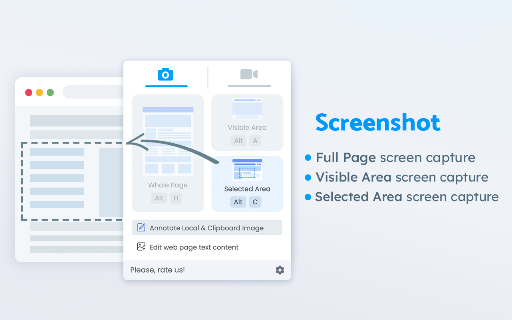
The product is positioned as a free, all-in-one screenshot platform that requires no sign-in. It emphasizes versatility by offering whole-page, visible area, and selected area captures.

Inferred product pattern

Low-friction free utility focusing on immediate utility without registration barriers.

Review-backed pain points

Users report frustration with images not saving or being impossible to find, crashes during long recording sessions, and the extension overriding the Ctrl+Shift+V system shortcut.

Observed feature gaps

Lack of clear documentation regarding file save locations and inconsistent availability of recording features for some users.

Tags
Screen CaptureFull Page ScreenshotProductivity ToolImage EditorWeb Capture
Target users

- General web users

- Researchers

- Content creators

- Productivity enthusiasts

Primary use cases

- Capturing long web pages for documentation

- Saving visual snippets of websites

- Sharing screen captures without account registration

Positive themes

- High aggregate store rating suggests general satisfaction

Negative themes

- Difficulty locating saved files

- Stability issues during recording

- Keyboard shortcut conflicts

- Inconsistent functionality across versions

Observed friction

- Performance complaints detected

- The listing claims the tool is completely free with no hidden costs or subscriptions.

Evidence boundary: Data extracted from the store listing and a set of helpful low-rating reviews. No high-rating review samples were provided to verify specific positive themes, despite the high overall score.
Complaint summaries
Review-backed complaint signals grouped by operational area.

Support

No direct support interaction complaints, but users express frustration over the lack of documentation for basic functions like file saving.

Reliability

Reports of the extension crashing during important recordings, failing to trigger captures, and causing browser instability on certain sites.

Privacy

No privacy or security complaints observed in the provided samples.

Access & pricing

- Free usage observed

- No account requirement observed

- Free plan or free usage claimed

Store listing facts

Listing assets

- Screenshots: 3

- Videos: 0

- Languages: 3

Trust signals

- Privacy policy

- Developer contact

- Official website

Store metadata

- Version: 1.4.1

- Size: 1.9MiB

- Last updated:

Listing SEO keywords

Search intent keywords
Keyword signals for evaluating how users may discover, compare, or search for this extension category.

Core discovery

Chrome screenshot extensionFull page screen captureWebpage to JPEGFree screen capture tool

Comparison

best free screenshot extensionfull page capture vs selected area

Problem

how to capture full web pagesave webpage as imagebrowser screen capture not working

Alternative

screenshot extension alternativesfree webpage capture tool

Similar extensions

Jump to related discovery paths:

Screenshots

Screenshot - Webpage Screen Capture screenshot

Links

Recommended Chrome extensions

Related listings from the same category, trending peers, and the same publisher portfolio.

Browse workflow