Chat to Markdown: auto-save ChatGPT, Claude & Gemini AI chats to Obsidian icon

Chat to Markdown Chrome Extension Analysis

AI & Writing Assistants

Store listing title: Chat to Markdown: auto-save ChatGPT, Claude & Gemini AI chats to Obsidian

Chrome extension ID: omghghflcjkgoeilaljlomahdjdjgijo

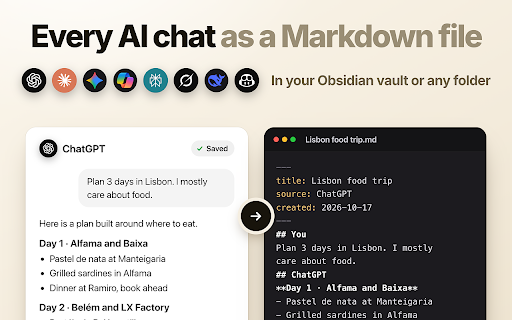
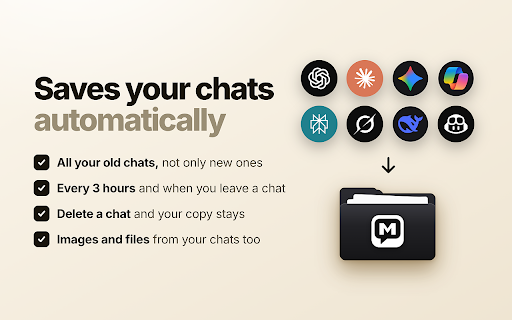
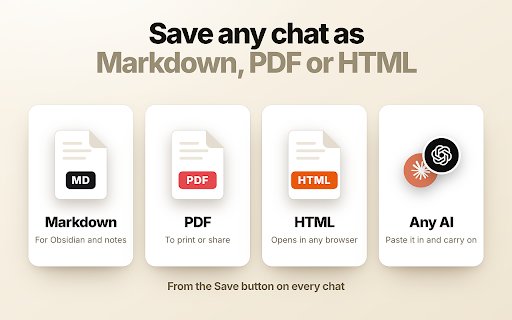
An automation extension that captures and saves chat histories from services like ChatGPT, Claude, and Gemini as Markdown files. It supports automated scheduling, version history, and the preservation of images and code blocks.

Version:1.0.5
Size:4.13MiB
Last updated:

Overview

Installs

34

Rating

★ 5.0

2 reviews

Languages

55 locales

Includes Deutsch, English, English (Australia), English (United Kingdom)...

Market analysis

Review-backed positioning, friction, and market signals for this Chrome extension.

No review samples found

Macro category

AI & Writing Assistants

Pricing friction

Low review signal

Complaint intensity

Low review signal

Listing & review signals
Observed signals from store listing text and review samples.

Listing positioning

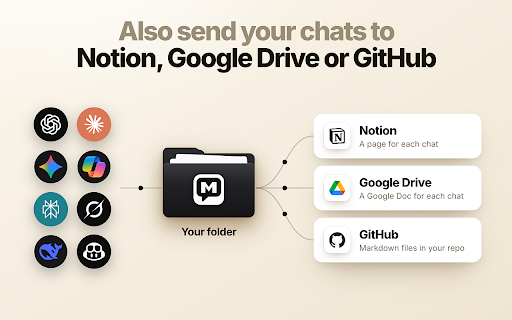
The product positions itself as a local-first backup solution for AI conversations, emphasizing user ownership and long-term readability. It highlights seamless integration with productivity tools like Obsidian, Notion, and GitHub to help users organize their AI knowledge.

Inferred product pattern

A productivity utility focused on data portability and local-first storage for generative AI interactions.

Review-backed pain points

review-backed data is not available

Observed feature gaps

The free tier is limited to 10 chats across all services, which may act as a functional barrier for high-volume users.

Tags
AI Chat ExporterMarkdown ConverterObsidian IntegrationChat Backup
Target users

- AI power users

- Obsidian and Notion users

- Knowledge workers

- Researchers

Primary use cases

- Backing up AI chat history

- Syncing AI conversations with personal knowledge bases

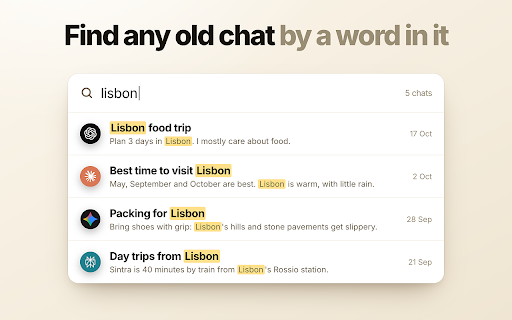
- Searching through past AI interactions

Positive themes

- review-backed data is not available

Negative themes

- review-backed data is not available

Observed friction

- The product operates on a freemium model where the free tier allows for only 10 total chats to be kept up to date.

Evidence boundary: Data was extracted from the Chrome Web Store product title, long description, and pricing details. No user reviews were available to validate product performance, reliability, or sentiment.
Complaint summaries
Review-backed complaint signals grouped by operational area.

Support

No review-backed data available.

Reliability

No review-backed data available.

Privacy

No review-backed data available.

Access & pricing

- Free entry with paid features

- No account requirement observed

- Limited free usage observed

Store listing facts

Listing assets

- Screenshots: 5

- Videos: 0

- Languages: 55

Trust signals

- Privacy policy

- Developer contact

- Official website

- Support link

Store metadata

- Version: 1.0.5

- Size: 4.13MiB

- Last updated:

Listing SEO keywords

Search intent keywords
Keyword signals for evaluating how users may discover, compare, or search for this extension category.

Core discovery

export ChatGPT to Markdownsave Claude chatsGemini chat backupAI chat to Obsidianauto-save AI conversations

Comparison

ChatGPT official exportGoogle Takeout

Problem

lost AI chat historyhard to find old ChatGPT chatsAI chat backup

Alternative

Chat to MarkdownAI history saver

Similar extensions

Jump to related discovery paths:

Screenshots

Chat to Markdown: auto-save ChatGPT, Claude & Gemini AI chats to Obsidian screenshot

Links

Recommended Chrome extensions

Related listings from the same category, trending peers, and the same publisher portfolio.

Browse tools
LinkedIn Text Formatter: Bold Text & 20+ Fonts | Post Formatter icon

LinkedIn Text Formatter: Bold Text & 20+ Fonts | Post Formatter

Artyom Shimanski

LinkedIn text formatter & font generator by Post Formatter: bold, italic, 20+ styles & lists for LinkedIn, X, Facebook & more.

Installs

6K+

Rating

★ 4.9

Use Emoji: Emoji Keyboard, Copy & Paste Emojis, Kaomoji & Symbols icon

Use Emoji: Emoji Keyboard, Copy & Paste Emojis, Kaomoji & Symbols

Artyom Shimanski

Emoji keyboard: search, copy and paste any emoji, or type :fire: on sites you pick. Plus 2,300+ kaomoji, symbols and shortcuts.

Installs

2K+

Rating

★ 5.0

AnyDoc Translator - Translate Web and PDF icon

AnyDoc Translator - Translate Web and PDF

www.wps.com

Handwritten notes, course reading, creased scans, TED/Coursera lectures: layout kept, bilingual subtitles. Web instant, auto match.

Installs

6.0M+

Rating

★ 4.6

WPS PDF - Read, Edit, Fill, Convert, and AI Chat PDF with Ease icon

WPS PDF - Read, Edit, Fill, Convert, and AI Chat PDF with Ease

www.wps.com

Easy-to-use PDF tools to view, edit, convert, fill, e-sign PDF files, and more in your browser.

Installs

6.0M+

Rating

★ 4.5

Sider: Chat with all AI: GPT-5, Claude, DeepSeek, Gemini, Grok icon

Sider: Chat with all AI: GPT-5, Claude, DeepSeek, Gemini, Grok

ChatGPT Sidebar

ChatGPT, DeepSeek, Gemini, Claude, Grok all in one AI sidebar, for AI search, read, and write.

Installs

5.0M+

Rating

★ 4.9

Norton Safe Search icon

Norton Safe Search

NortonLifeLock Inc

Search safely online by enabling Norton Safe Search as your default search provider for maximum protection on Chrome.

Installs

5.0M+

Rating

★ 2.7

Shazam: Find song names from your browser icon

Shazam: Find song names from your browser

Shazam

Identify music, search lyrics & more

Installs

5.0M+

Rating

★ 4.7

Google Input Tools icon

Google Input Tools

cloud-input-team

Input Tools lets you type in the language of your choice.

Installs

4.0M+

Rating

★ 3.7

IE Tab icon

IE Tab

Blackfish Software

Display web pages using IE within Chrome. Use Java, Silverlight, ActiveX, Sharepoint, and more.

Installs

4.0M+

Rating

★ 4.0

Ad Blocker: Stands AdBlocker icon

Ad Blocker: Stands AdBlocker

Stands

Stands AdBlocker – it's a free ad blocker for YouTube, Twitch, Pop-Ups, Video Ads, and websites. Block ads everywhere with Stands!

Installs

4.0M+

Rating

★ 4.8