SAFEQ Cloud Chrome Extension icon

SAFEQ Cloud Chrome Extension Chrome Extension Analysis

Automation & Workflow Efficiency

Chrome extension ID: onigagklpeimkhiehoojpoloonfiplie

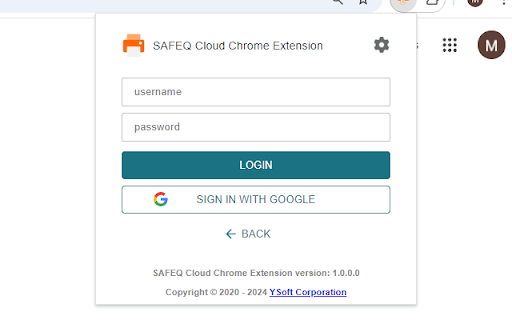
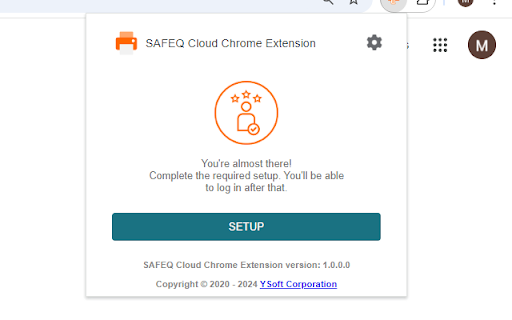
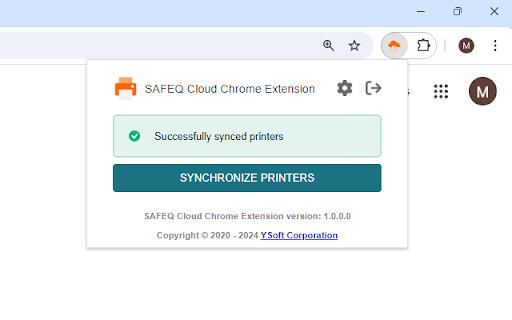
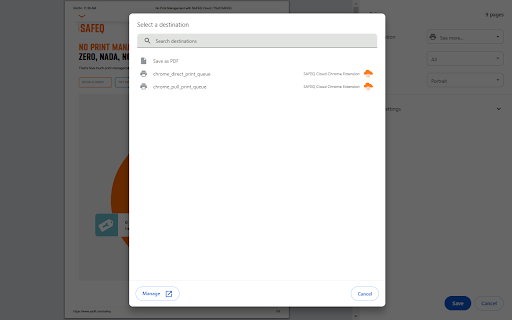
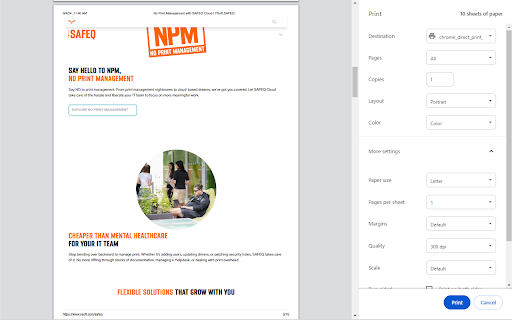
This extension facilitates cloud-based printing for Chrome and Chromebook users. It supports both secure print workflows, which require physical authentication at the printing device, and direct print queue submission.

Developer:YSOFT
Version:2026.10.29.2
Size:2.85MiB
Last updated:

Overview

Installs

90K+

Rating

★ 1.7

7 reviews

Languages

29 locales

Includes Deutsch, English, Indonesia, Melayu...

Market analysis

Review-backed positioning, friction, and market signals for this Chrome extension.

Backed by review samples

Macro category

Automation & Workflow Efficiency

Pricing friction

Low review signal

Complaint intensity

High review signal

Listing & review signals
Observed signals from store listing text and review samples.

Listing positioning

The SAFEQ Cloud Chrome Extension is positioned as a bridge between the Chrome OS environment and the YSoft SAFEQ Cloud platform. It enables users to interface with secure and direct print queues, specifically targeting organizations that require cloud-managed printing services.

Inferred product pattern

Enterprise-grade print management client connector.

Review-backed pain points

Review-backed data indicates a pattern of users characterizing the extension as a virus or harmful software, though these claims lack technical evidence.

Observed feature gaps

Review-backed data is not available to confirm feature gaps; negative feedback consists exclusively of generic user hostility.

Tags
Cloud PrintingEnterprise PrintingChromebook UtilityPrint Management
Target users

- Enterprise Employees

- Chromebook Users

- IT Administrators

Primary use cases

- Cloud-based document printing

- Secure print authentication

- Printing from Chrome OS

Positive themes

No positive theme data.

Negative themes

- Unsubstantiated claims of malware/viruses

- Strong dissatisfaction with functionality

Observed friction

- Privacy complaints detected

- No specific pricing friction reported.

Evidence boundary: The analysis relies on public listing documentation and a series of low-rated reviews that contain limited qualitative data, mostly consisting of unsubstantiated security claims. Review sample size is small and characterized by high-emotion, low-information feedback, which limits technical insights into product functionality.
Complaint summaries
Review-backed complaint signals grouped by operational area.

Support

No specific support or refund complaints identified.

Reliability

No specific technical performance complaints identified; negative reviews are high-level sentiment without diagnostic detail.

Privacy

Users have labeled the software as a virus, suggesting perceived security concerns, though no specific privacy breaches or data mishandling incidents are documented.

Access & pricing

- No clear monetization signal

- Account required for core usage

- No clear pricing signal

Store listing facts

Listing assets

- Screenshots: 5

- Videos: 0

- Languages: 29

Trust signals

- Developer contact

- Support link

Store metadata

- Version: 2026.10.29.2

- Size: 2.85MiB

- Last updated:

Listing SEO keywords

Search intent keywords
Keyword signals for evaluating how users may discover, compare, or search for this extension category.

Core discovery

SAFEQ cloud printing extensionChrome OS print managementChromebook secure printYSoft printing client

Comparison

enterprise print solutions for chromebookscloud print software alternatives

Problem

cannot print from chromebookSAFEQ cloud extension issues

Alternative

cloud print servicemanaged print software

Similar extensions

Jump to related discovery paths:

Screenshots

SAFEQ Cloud Chrome Extension screenshot

Links

Recommended Chrome extensions

Related listings from the same category, trending peers, and the same publisher portfolio.

Browse workflow
Free Download Manager icon

Free Download Manager

Free Download Manager.ORG

Free Download Manager integration with browser

Installs

3.0M+

Rating

★ 3.8

Signer.Digital Digital Signature, PKI icon

Signer.Digital Digital Signature, PKI

Chartered Information Systems Pvt. Ltd.

Digital Signature of eReturns, PDF & Web User Auth, RSA Encryption/Decryption, Certificate Enrollment/Download on Smartcard.

Installs

3.0M+

Rating

★ 4.1

Sound Booster - increase volume up icon

Sound Booster - increase volume up

Sound-ultimate.com

Volume Booster helps boost sound video or music on any tab! Increase volume and bass booster, equalizer. Volume control.

Installs

3.0M+

Rating

★ 4.8

Web Threat Shield icon

Web Threat Shield

Webroot

Keeps you safe when browsing the web by identifying and blocking dangerous websites.

Installs

3.0M+

Rating

★ 2.0

TeraBox Download Assistant icon

TeraBox Download Assistant

terabox-developers

Supports screenshots, uploads, and other TeraBox features

Installs

3.0M+

Rating

★ 2.4

夸克网盘-网页嗅探 icon

夸克网盘-网页嗅探

广州市动悦信息技术有限公司

识别到网页资源时,可一键存夸克网盘

Installs

3.0M+

Rating

★ 1.6

Mendeley Web Importer icon

Mendeley Web Importer

Mendeley

Fast, convenient import of references and PDFs to your Mendeley Reference Manager library.

Installs

3.0M+

Rating

★ 2.0

Enable local file links icon

Enable local file links

Takashi Sugimoto (tksugimoto)

Make it possible to open by click a link to a local file that is disabled by Chrome.

Installs

3.0M+

Rating

★ 3.9

Microsoft Defender Browser Protection icon

Microsoft Defender Browser Protection

Microsoft Corporation

Protect yourself against online threats, like phishing and malicious websites, with real-time protection from Microsoft.

Installs

3.0M+

Rating

★ 3.1

Content Server Browser Web Extension icon

Content Server Browser Web Extension

OpenText Corporation

Content Server Browser Web Extension for Chrome

Installs

3.0M+

Rating

★ 2.8