SAML Chrome Panel icon

SAML Chrome Panel Chrome Extension Analysis

Developer & Designer Tools

Chrome extension ID: paijfdbeoenhembfhkhllainmocckace

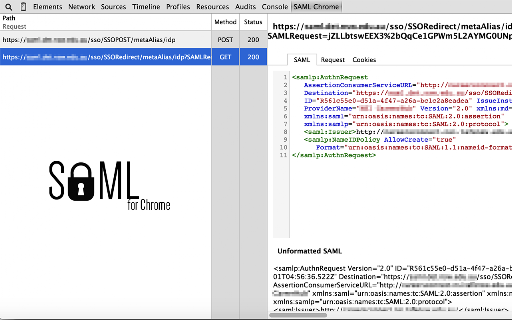
A developer utility that adds a specialized panel to Chrome DevTools to monitor, format, and export SAML requests and responses. It includes features for network traffic monitoring and link scrubbing to facilitate SSO debugging.

Developer:MLai
Version:1.9.6
Size:183KiB
Last updated:

Overview

Installs

100K+

Rating

★ 3.8

52 reviews

Languages

1 locales

Includes English

Market analysis

Review-backed positioning, friction, and market signals for this Chrome extension.

Backed by review samples

Macro category

Developer & Designer Tools

Pricing friction

Low review signal

Complaint intensity

High review signal

Listing & review signals
Observed signals from store listing text and review samples.

Listing positioning

The product positions itself as an open-source SAML debugger that integrates directly into the Chrome Developer Tools. It aims to replicate the functionality of the Firefox SAML Tracer for Chrome users.

Inferred product pattern

A developer utility that has suffered significant functional regression or compatibility breakage due to Chrome environment changes.

Review-backed pain points

Users report the extension frequently becomes broken or invisible in the DevTools panel following Chrome browser updates, rendering it unusable for its intended purpose.

Observed feature gaps

Some users noted that unlike competitors, the extension may fail to capture traffic if the DevTools panel is not actively inspecting before the SAML transaction begins.

Tags
SAML DebuggerDeveloper ToolsNetwork InspectorSSO Testing
Target users

- Software Developers

- Security Engineers

- QA Testers

Primary use cases

- Debugging SAML authentication flows

- Inspecting SSO requests and responses

- Analyzing SAML network traffic

Positive themes

- Previously highly valued as a go-to SAML debugging tool

Negative themes

- Failure to appear in Developer Tools

- Incompatibility with recent Chrome versions

- Requirement to have DevTools open before the SAML transaction occurs

Observed friction

- No pricing friction reported; the tool is marketed as an open-source utility.

Evidence boundary: Evidence gathered from the product description and a high volume of recent low-rating reviews reporting technical breakage. Review data is heavily skewed toward negative sentiment due to the reported technical failures.
Complaint summaries
Review-backed complaint signals grouped by operational area.

Support

No specific support complaints, though users express significant frustration via reviews regarding the lack of functional updates.

Reliability

Severe reliability issues reported; multiple users state the extension no longer shows up in DevTools or fails to function after browser updates.

Privacy

No privacy complaints observed.

Access & pricing

- Free usage observed

- No account requirement observed

- Free plan or free usage claimed

Store listing facts

Listing assets

- Screenshots: 1

- Videos: 0

- Languages: 1

Trust signals

- Developer contact

Store metadata

- Version: 1.9.6

- Size: 183KiB

- Last updated:

Listing SEO keywords

Search intent keywords
Keyword signals for evaluating how users may discover, compare, or search for this extension category.

Core discovery

SAML debuggerChrome DevTools SAMLSAML request response inspectorSSO debugging tool

Comparison

SAML TracerFirefox SAML Tracer

Problem

SAML not showing in DevToolsSAML debugger brokenSAML extension not working

Alternative

SAML TracerNetwork traffic inspectorSSO debugger

Similar extensions

Jump to related discovery paths:

Screenshots

SAML Chrome Panel screenshot