ApowerREC Screen Recorder icon

ApowerREC Screen Recorder Chrome Extension Analysis

Automation & Workflow Efficiency

Chrome extension ID: plnnpndcgjokianndhalbgnpcbkbehmp

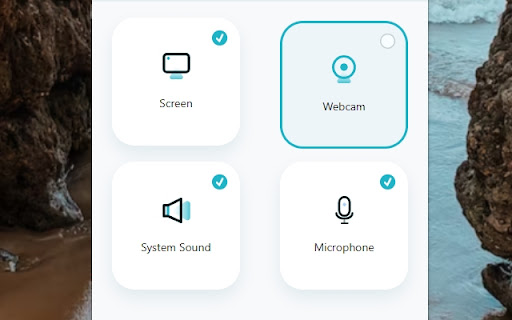
ApowerREC is a Chrome extension that provides screen recording capabilities. It allows users to capture desktop activities, specific application windows, or browser tabs while incorporating system sound and microphone audio.

Developer:Apowersoft
Version:2.0
Size:1.01MiB
Last updated:

Overview

Installs

10K+

Rating

3.4

82 reviews

Languages

7 locales

Includes Deutsch, English, español, français...

Market analysis

Review-backed positioning, friction, and market signals for this Chrome extension.

Backed by review samples

Macro category

Automation & Workflow Efficiency

Pricing friction

Low review signal

Complaint intensity

High review signal

Listing & review signals
Observed signals from store listing text and review samples.

Listing positioning

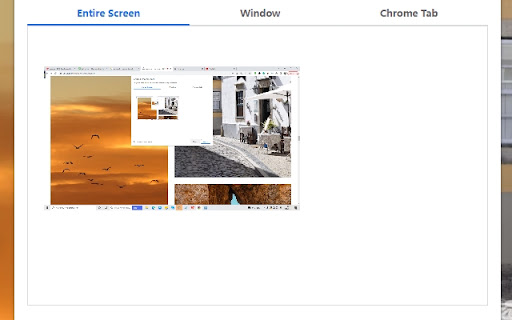
The product is positioned as a lightweight and flexible screen recording tool. It emphasizes one-click recording and the ability to customize capture areas, including specific browser tabs, windows, or the entire desktop.

Inferred product pattern

A feature-rich screen recording utility that currently struggles with significant technical instability and performance degradation in modern browser environments.

Review-backed pain points

Users report frequent Chrome crashes on Windows 11 and Ubuntu, significant lag during recording, video quality below 720p, and unintended disruptions to website layouts (CSS issues).

Observed feature gaps

Users expressed a need for higher resolution options like 1080p or 4K and better visibility/instructions regarding file saving locations.

Tags
Screen RecorderVideo CaptureBrowser RecorderWebcam Recorder
Target users

- Content creators

- Remote workers

- Students

- Meeting participants

Primary use cases

- Recording browser tabs

- Capturing webcam and screen simultaneously

- Recording online meetings

- Desktop activity capture

Positive themes

- Historical reliability for long-term users

Negative themes

- Browser instability and crashes

- Significant video lag

- Low video resolution

- Website CSS/layout disruption

- Difficulty finding saved files

Observed friction

- Performance complaints detected

- No specific pricing friction observed in reviews.

Evidence boundary: Analysis based on the Chrome Web Store listing and a sample of user reviews. The review sample size is small and predominantly contains low-rating feedback.
Complaint summaries
Review-backed complaint signals grouped by operational area.

Support

No support complaints were found in the provided review samples.

Reliability

High volume of complaints regarding Chrome crashing, recording stopping prematurely, and significant lag/glitches during use.

Privacy

No explicit privacy complaints were found, though one user expressed suspicion of malware due to browser instability.

Access & pricing

- No clear monetization signal

- No clear access signal

- No clear pricing signal

Store listing facts

Listing assets

- Screenshots: 3

- Videos: 0

- Languages: 7

Trust signals

- Privacy policy

- Developer contact

- Official website

- Support link

Store metadata

- Version: 2.0

- Size: 1.01MiB

- Last updated:

Listing SEO keywords

Search intent keywords
Keyword signals for evaluating how users may discover, compare, or search for this extension category.

Core discovery

screen recorder extensionrecord browser tabwebcam recorderdesktop screen capture

Comparison

Nimbus

Problem

chrome crashing recorderscreen recording laglow quality screen recorder

Alternative

screen recorder

Similar extensions

Jump to related discovery paths:

Screenshots

ApowerREC Screen Recorder screenshot

Links

Recommended Chrome extensions

Related listings from the same category, trending peers, and the same publisher portfolio.

Browse workflow