GA4 Internal Traffic Filter icon

GA4 Internal Traffic Filter Chrome Extension Analysis

SEO & Traffic Analytics

Chrome extension ID: ahfceiellmolahalngnmojcnhhlhhchi

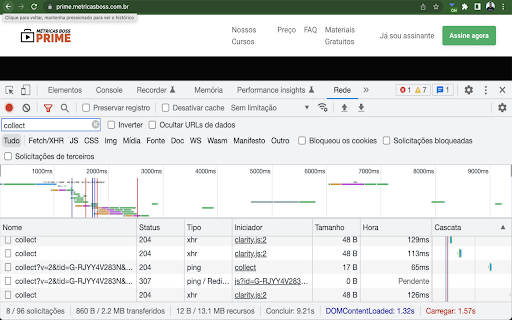
This tool automatically injects a 'traffic_type' parameter into GA4 hits to identify internal traffic. It works in conjunction with GA4's built-in data filters to allow users to separate internal employee activity from live site metrics.

Developer:Lucian Fialho
Version:1.1.2
Size:542KiB
Last updated:

Overview

Installs

748

Rating

4.2

9 reviews

Languages

1 locales

Includes English (United States)

Market analysis

Review-backed positioning, friction, and market signals for this Chrome extension.

Backed by review samples

Macro category

SEO & Traffic Analytics

Pricing friction

Low review signal

Complaint intensity

Moderate review signal

Listing & review signals
Observed signals from store listing text and review samples.

Listing positioning

The extension positions itself as a technical utility for Google Analytics 4 (GA4) users to filter internal team traffic. It focuses on solving data pollution issues without requiring complex IP-based filtering configurations.

Inferred product pattern

Single-purpose technical utility for analytics configuration.

Review-backed pain points

Users reported that the extension does not remain consistently active after restarting the browser, requiring manual re-enabling.

Observed feature gaps

The extension lacks a clear UI or onboarding documentation to explain its specific mechanism and integration with GA4 settings.

Tags
GA4Data AnalyticsTraffic FilteringMarketing Tools
Target users

- Digital Marketers

- Data Analysts

- Web Developers

- SEO Specialists

Primary use cases

- Filtering internal team traffic in GA4

- Ensuring data accuracy in analytics reporting

Positive themes

- Effective data cleansing

- Solves a specific reporting pain point

- Simplifies internal traffic management

Negative themes

- Persistence issues after browser restart

- Lack of clear instructions or onboarding

- Functionality failure for some users

Observed friction

- Performance complaints detected

- No pricing friction identified; the tool appears to be free.

Evidence boundary: Analysis based on public store description and user reviews highlighting utility for analytics data integrity alongside minor usability complaints regarding persistence. Review sample size is small, and specific browser environment dependencies are not fully detailed.
Complaint summaries
Review-backed complaint signals grouped by operational area.

Support

No specific support or refund complaints identified.

Reliability

Users noted that the extension does not always persist across browser restarts, impacting reliability.

Privacy

No privacy or security complaints identified.

Access & pricing

- Free usage observed

- No account requirement observed

- Free plan or free usage claimed

Store listing facts

Listing assets

- Screenshots: 1

- Videos: 0

- Languages: 1

Trust signals

- Developer contact

- Official website

Store metadata

- Version: 1.1.2

- Size: 542KiB

- Last updated:

Listing SEO keywords

Search intent keywords
Keyword signals for evaluating how users may discover, compare, or search for this extension category.

Core discovery

GA4 internal trafficexclude internal traffic GA4Google Analytics 4 data filterGA4 traffic type parameter

Comparison

GA4 IP filter alternativeexclude team visits from GA4

Problem

dirty analytics dataGA4 data pollution

Alternative

GA4 data filter extensionanalytics traffic manager

Similar extensions

Jump to related discovery paths:

Screenshots

GA4 Internal Traffic Filter screenshot

Links

Recommended Chrome extensions

Related listings from the same category, trending peers, and the same publisher portfolio.

Browse developer