Form Solver Chrome Extension Analysis
AI & Writing AssistantsChrome extension ID: bcpmdhffpajbbmnndnipoohmoiahbgdj
Form Solver is a browser extension designed to automate the process of completing online tests and forms. By integrating AI models, it attempts to scan questions, process visual or textual inputs, and fill in correct answers automatically.
Overview
Installs
20K+
Rating
★ 2.7
100 reviews
Languages
1 locales
Includes English
Market analysis
Review-backed positioning, friction, and market signals for this Chrome extension.
Macro category
AI & Writing Assistants
Pricing friction
Moderate review signal
Complaint intensity
High review signal
Listing positioning
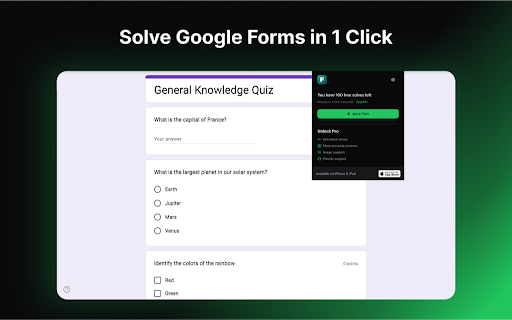
The store listing positions Form Solver as a reliable, one-click AI-powered extension to instantly solve Google Forms and Moodle quizzes. It claims to work seamlessly on both text and images to save users time and hassle during assignments. The developer highlights ease of use and offers a sample quiz link for immediate user testing.
Inferred product pattern
A high-friction AI form wrapper with aggressive limits, requiring Google authentication and targeting quick-fix academic markets.
Review-backed pain points
The most acute pain points are the severe inaccuracy of the AI engine which actively ruins user exams, critical integration bugs that block Google authentication, and broken account access states where paid subscriptions are not recognized, demanding users pay again.
Observed feature gaps
The extension lacks fallback LLM models for better accuracy control, functional payment-to-account synchronization mechanisms, and basic error recovery when the automated execution scripts fail to run on standard form elements.
- Students
- Online test takers
- Academic researchers
- Automatically answering Google Forms questions
- Solving Moodle quizzes using text and image analysis
- Acing academic assignments with quick AI-generated solutions
- No positive themes could be extracted as only low-rating reviews were available in the dataset
- High frequency of incorrect AI answers leading to failed exam scores
- Google authentication login failures displaying 'failed to fetch' errors
- Start button completely failing to trigger or autofill answers
- Paid subscribers getting locked out of accounts with false secondary purchase prompts
- Extreme limitation of free trials down to a single usage
- Free-tier complaints detected
- Account blocking complaints detected
- Performance complaints detected
- Users express frustration over the sudden reduction of the free tier from three trial uses to a single use. Additionally, those who pay criticize the product as a 'cash grab' due to the immediate payload errors and poor performance.
Support
Subscribers report complete failure when attempting to use their paid accounts, receiving prompts to sign in with separate accounts and purchase secondary subscriptions, indicating zero effective customer support or sync resolution.
Reliability
The core functionality frequently breaks, characterized by 'failed to fetch' errors on login, a non-responsive start button that fails to show 'thinking' or fill elements, and incorrect answer suggestions that drop test scores below passing rates.
Privacy
No explicit privacy or security complaints were present in the provided review data.
- Free entry with paid features
- Account required for core usage
- Limited free usage observed
Store listing facts
- Screenshots: 1
- Videos: 1
- Languages: 1
- Privacy policy
- Developer contact
- Official website
- Version: 7.2.2
- Size: 1003KiB
- Last updated:
Listing SEO keywords
Core discovery
Comparison
Problem
Alternative
Similar extensions
Jump to related discovery paths:
Screenshots