Modify Header Value (HTTP Headers) icon

Modify Header Value (HTTP Headers) Chrome Extension Analysis

Developer & Designer Tools

Chrome extension ID: cbdibdfhahmknbkkojljfncpnhmacdek

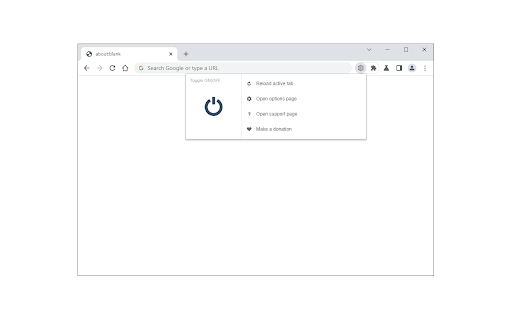
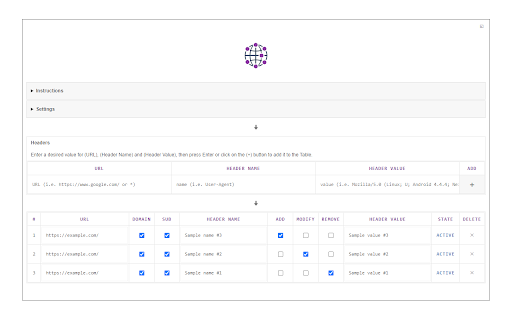
A browser extension that allows users to manipulate HTTP request headers. It features a management UI to handle multiple header items and a toolbar toggle for quick activation.

Developer:Grephy
Version:0.2.1
Size:103KiB
Last updated:

Overview

Installs

40K+

Rating

3.3

55 reviews

Languages

1 locales

Includes English

Market analysis

Review-backed positioning, friction, and market signals for this Chrome extension.

Backed by review samples

Macro category

Developer & Designer Tools

Pricing friction

Low review signal

Complaint intensity

Moderate review signal

Listing & review signals
Observed signals from store listing text and review samples.

Listing positioning

The product is positioned as a utility for app developers and website designers to test HTTP requests. It emphasizes the ability to add, modify, or remove request headers for specific domains or URLs.

Inferred product pattern

Developer utility for network request manipulation with a focus on simplicity and domain-specific rules.

Review-backed pain points

Users report the extension fails to modify headers for POST requests and triggers ERR_HTTP2_PROTOCOL_ERROR. Documentation is criticized for referencing numbered columns that are not labeled in the GUI.

Observed feature gaps

Reliable support for POST requests, full HTTP/2 protocol compatibility, and intuitive user onboarding/documentation.

Tags
HTTP Header EditorWeb DevelopmentAPI TestingNetwork Debugging
Target users

- App Developers

- Website Designers

- QA Engineers

- API Testers

Primary use cases

- Testing API request headers

- Debugging website headers

- Modifying request metadata for specific domains

Positive themes

- URL filtering capabilities

Negative themes

- Lack of POST request support

- HTTP/2 protocol incompatibility

- Poor UI/UX and confusing instructions

- Intermittent reliability

- Intrusive startup behavior

Observed friction

- Performance complaints detected

- No pricing friction observed; users identify the tool as free.

Evidence boundary: Analysis conducted using the store listing and a sample of 12 reviews. The provided review sample consists primarily of low-rating feedback, limiting the visibility of positive themes.
Complaint summaries
Review-backed complaint signals grouped by operational area.

Support

No direct complaints about support interactions, though users express frustration with the tool's failure to work as advertised.

Reliability

Significant reliability issues reported, including random cessation of functionality and failure to work on certain browsers like Brave Linux.

Privacy

No privacy complaints observed.

Access & pricing

- Free usage observed

- No account requirement observed

- Free plan or free usage claimed

Store listing facts

Listing assets

- Screenshots: 2

- Videos: 1

- Languages: 1

Trust signals

- Developer contact

- Official website

Store metadata

- Version: 0.2.1

- Size: 103KiB

- Last updated:

Listing SEO keywords

Search intent keywords
Keyword signals for evaluating how users may discover, compare, or search for this extension category.

Core discovery

modify http headerschrome extension add headerhttp request header editorcustom request headers browser

Comparison

Requestly alternativeModify Header Value vs Requestly

Problem

how to add custom header to chrome requestchrome extension post request header not workingchange request header for specific domain

Alternative

RequestlyHeader Editor

Similar extensions

Jump to related discovery paths:

Screenshots

Modify Header Value (HTTP Headers) screenshot

Links

Website: mybrowseraddon.com

Videos: Watch

Recommended Chrome extensions

Related listings from the same category, trending peers, and the same publisher portfolio.

Browse developer