Fyxit AI: IT Helpdesk Support & Device Diagnostics icon

Fyxit AI Chrome Extension Analysis

Automation & Workflow Efficiency

Store listing title: Fyxit AI: IT Helpdesk Support & Device Diagnostics

Chrome extension ID: cbfnbdgmjknfjeidohbhmpdliofaopne

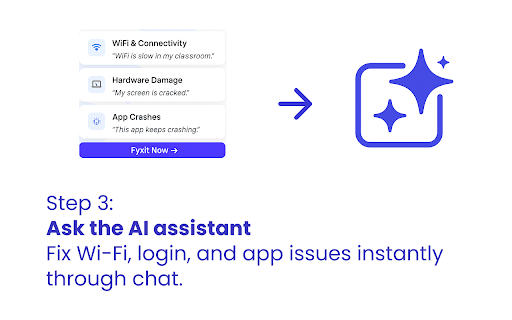
Fix-IT Mate is an AI-driven Chrome extension designed to automate the process of troubleshooting and resolving various technical problems. It features an internet speed test, Wi-Fi diagnostics, and AI assistance for fixing login issues, app crashes, and device health monitoring. The tool aims to provide quick, on-the-spot solutions for users.

Version:4.2.295
Size:951KiB
Last updated:

Overview

Installs

50K+

Rating

★ 3.9

20 reviews

Languages

1 locales

Includes English

Market analysis

Review-backed positioning, friction, and market signals for this Chrome extension.

Backed by review samples

Macro category

Automation & Workflow Efficiency

Pricing friction

Low review signal

Complaint intensity

Moderate review signal

Listing & review signals
Observed signals from store listing text and review samples.

Listing positioning

This Chrome extension is positioned as an AI-powered solution for diagnosing and fixing common tech issues, including Wi-Fi problems, login failures, and app crashes. It aims to provide instant, automated support for both everyday users and IT teams, reducing the need for manual intervention and support tickets.

Inferred product pattern

AI-powered diagnostic and troubleshooting tool for internet and device issues, integrated as a Chrome extension.

Review-backed pain points

Users report persistent, inaccurate notifications about internet connectivity issues. Another pain point is the extension repeatedly prompting users to install it even when it is already installed.

Observed feature gaps

The listing does not detail specific limitations of the AI's diagnostic capabilities or the range of issues it can truly fix automatically.

Tags
AI Tech SupportInternet Speed TestWiFi AnalyzerTroubleshooting Tool
Target users

- Everyday computer users

- IT support professionals

- Small business owners

Primary use cases

- Diagnosing internet connectivity issues

- Resolving Wi-Fi problems

- Troubleshooting login and account recovery

- Fixing application crashes

- Monitoring device health

Positive themes

- Offers a deeper look into internet health beyond typical speed tests

- Provides detailed analysis and optimization tips

Negative themes

- Persistent notifications about internet being offline when it is not

- Repeated prompts to add the extension despite it being installed

Observed friction

- No specific pricing friction identified in the provided data.

Evidence boundary: Listing details and user reviews were used. Reviews provided specific feedback on both positive aspects and functional issues. The number of reviews is small (21), and several of the 'helpful' or 'high_rating' reviews are identical positive statements, limiting the depth of positive sentiment analysis. Negative feedback is specific but also limited in quantity.
Complaint summaries
Review-backed complaint signals grouped by operational area.

Support

Users report issues with the AI prompting for installation when it's already installed, which could be construed as a functional support issue.

Reliability

One review indicates the extension falsely reports internet as offline, suggesting potential reliability issues with its diagnostic features.

Privacy

No privacy complaints were observed in the provided reviews or listing.

Access & pricing

- No clear monetization signal

- No clear access signal

- Free plan or free usage claimed

Store listing facts

Listing assets

- Screenshots: 5

- Videos: 0

- Languages: 1

Trust signals

- Privacy policy

- Developer contact

- Official website

Store metadata

- Version: 4.2.295

- Size: 951KiB

- Last updated:

Listing SEO keywords

Search intent keywords
Keyword signals for evaluating how users may discover, compare, or search for this extension category.

Core discovery

WiFi speed testInternet connection testerAI tech supportFix WiFi issuesTroubleshoot loginApp crash solverDevice health monitor

Comparison

Fast Internet Speed TestAccurate WiFi AnalyzerAutomated Tech Support

Problem

Slow internetUnstable WiFiLogin problemsApp not workingTech issues

Alternative

Internet speed checkerNetwork troubleshootingOnline support assistant

Similar extensions

Jump to related discovery paths:

Screenshots

Fyxit AI: IT Helpdesk Support & Device Diagnostics screenshot

Links

Recommended Chrome extensions

Related listings from the same category, trending peers, and the same publisher portfolio.

Browse developer
Speed Test & WiFi Monitor for All Your Devices by Speed Mate icon

Speed Test & WiFi Monitor for All Your Devices by Speed Mate

hiq-extension-admins

Free speedtest you can check from anywhere. Monitor your WiFi across every device and see it all in one place.

Installs

10K+

Rating

★ 4.6

TouchEn PC보안 확장 icon

TouchEn PC보안 확장

라온시큐어

브라우저에서 라온시큐어의 PC보안 기능을 사용하기 위한 확장 프로그램입니다.

Installs

8.0M+

Rating

★ 1.2

React Developer Tools icon

React Developer Tools

React Foundation

Adds React debugging tools to the Chrome Developer Tools. Created from revision 1d34f91dfd.

Installs

5.0M+

Rating

★ 3.5

ColorZilla icon

ColorZilla

colorzilla.com

Advanced Eyedropper, Color Picker, Gradient Generator and other colorful goodies

Installs

4.0M+

Rating

★ 4.7

Full Page Screenshot & PDF - Web Capture by FireShot icon

Full Page Screenshot & PDF - Web Capture by FireShot

Evgeny Vokilsus

Capture full-page screenshots. Save as PDF or image. Trusted since 2010. Your screenshots stay private. Minimal permissions.

Installs

3.0M+

Rating

★ 4.9

Meta Ads Data Advisor icon

Meta Ads Data Advisor

Meta

Meta Ads Data Advisor automates connecting your website and marketing data to Meta for better ad performance. No developers needed.

Installs

3.0M+

Rating

★ 2.0

Tag Assistant icon

Tag Assistant

Google

The Tag Assistant extension works with Tag Assistant to help troubleshoot installation of gtag.js and Google Tag Manager.

Installs

3.0M+

Rating

★ 3.5

Wappalyzer - Technology profiler icon

Wappalyzer - Technology profiler

Wappalyzer

Identify web technologies

Installs

3.0M+

Rating

★ 4.0

WhatFont icon

WhatFont

Chengyin Liu

The easiest way to identify fonts on web pages.

Installs

3.0M+

Rating

★ 3.8

Device Recovery Utility icon

Device Recovery Utility

google.com

Create recovery media for your Chromebook or Googlebook device.

Installs

2.0M+

Rating

★ 2.7