AutoQAI: AI Browser Testing via MCP icon

AutoQAI Chrome Extension Analysis

Developer & Designer Tools

Store listing title: AutoQAI: AI Browser Testing via MCP

Chrome extension ID: ckhlcnjibodidchnpeakjikkmpbpebep

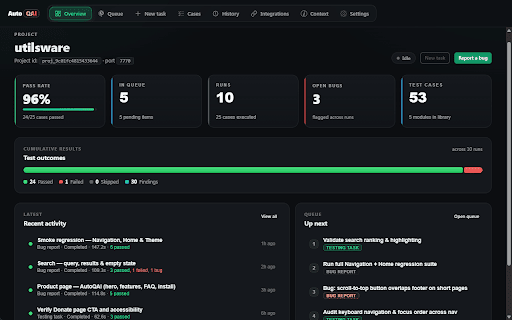
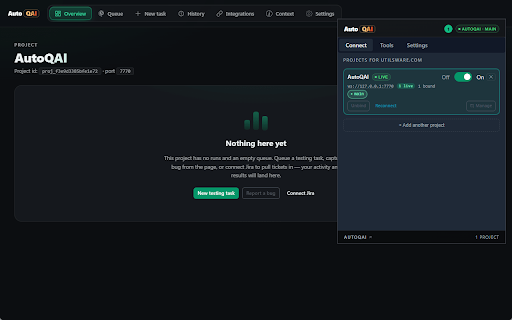
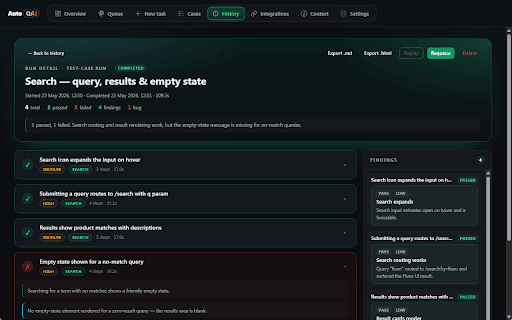
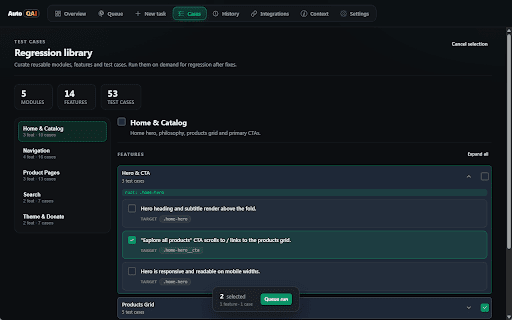
AutoQAI is a Chrome extension designed to enable AI CLI agents, such as Claude Code or Cursor, to interact directly with active browser tabs. It allows for automated testing, DOM reading, and debugging within a real, authenticated user session through a local MCP server.

Developer:Shridhar TL
Version:0.2.1
Size:332KiB
Last updated:

Overview

Installs

15

Rating

★ —

0 reviews

Languages

1 locales

Includes English (United Kingdom)

Market analysis

Review-backed positioning, friction, and market signals for this Chrome extension.

No review samples found

Macro category

Developer & Designer Tools

Pricing friction

Low review signal

Complaint intensity

Low review signal

Listing & review signals
Observed signals from store listing text and review samples.

Listing positioning

The product positions itself as a bridge between MCP-capable AI coding agents and a user's existing, authenticated browser session. It aims to eliminate the need for complex Selenium or Playwright setups by allowing AI agents to drive tabs that are already logged in via SSO or MFA.

Inferred product pattern

A developer utility that uses the Model Context Protocol to connect local AI agents to active browser sessions to bypass authentication hurdles in automated testing.

Review-backed pain points

review-backed data is not available

Observed feature gaps

review-backed data is not available

Tags
AI Browser TestingMCP ServerQA AutomationDeveloper ToolsBrowser Automation
Target users

- Software Developers

- QA Engineers

- AI Agent Users

Primary use cases

- Automated browser testing in authenticated environments

- AI-driven bug reproduction

- UI and DOM inspection via AI agents

Positive themes

- review-backed data is not available

Negative themes

- review-backed data is not available

Observed friction

- Pricing information is not provided in the store listing.

Evidence boundary: Data extracted from the product's Chrome Web Store listing and technical description. No user reviews were available to validate performance, pricing, or user satisfaction.
Complaint summaries
Review-backed complaint signals grouped by operational area.

Support

No support complaints found in the available data.

Reliability

No reliability complaints found in the available data.

Privacy

No privacy complaints found in the available data.

Access & pricing

- No clear monetization signal

- No clear access signal

- No clear pricing signal

Store listing facts

Listing assets

- Screenshots: 5

- Videos: 0

- Languages: 1

Trust signals

- Privacy policy

- Developer contact

- Official website

Store metadata

- Version: 0.2.1

- Size: 332KiB

- Last updated:

Listing SEO keywords

Search intent keywords
Keyword signals for evaluating how users may discover, compare, or search for this extension category.

Core discovery

AI browser testingMCP server extensionClaude Code testingAI agent browser automationauthenticated AI testing

Comparison

SeleniumPlaywright

Problem

AI agent login issuesunauthenticated browser testingMFA for AI agents

Alternative

browser automation toolsQA testing tools

Similar extensions

Jump to related discovery paths:

Screenshots

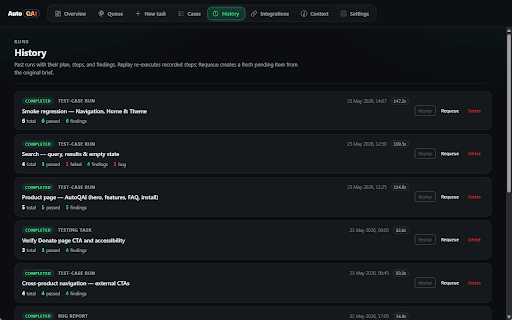
AutoQAI: AI Browser Testing via MCP screenshot

Links

Recommended Chrome extensions

Related listings from the same category, trending peers, and the same publisher portfolio.

Browse developer