

ImageAssistant Batch Image Downloader Chrome Extension Analysis
Video & Image DownloadersChrome extension ID: dbjbempljhcmhlfpfacalomonjpalpko
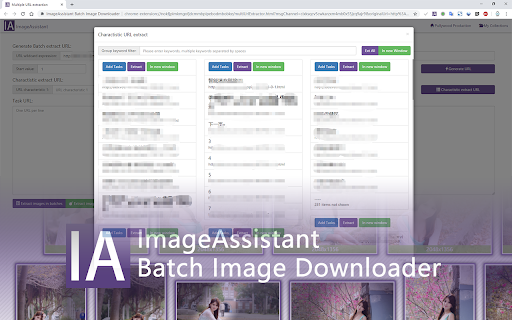
ImageAssistant is a Chrome extension designed to detect, analyze, and facilitate the batch download of images from various web pages. It claims robust compatibility, enabling the extraction of images even from dynamically loaded content.
Overview
Installs
600K+
Rating
★ 4.3
739 reviews
Languages
3 locales
Includes English, 中文(中国), 中文(台灣)
Market analysis
Review-backed positioning, friction, and market signals for this Chrome extension.
Macro category
Video & Image Downloaders
Pricing friction
Low review signal
Complaint intensity
High review signal
Listing positioning
The extension is positioned as an 'image extractor' for 'sniffing, analyzing and batch downloading images from web pages.' It highlights its 'good compatibility' with images loaded by technologies like Flash or AJAX, suggesting advanced extraction capabilities, and mentions an 'online favorite service.'
Inferred product pattern
A utility extension designed for batch downloading images from web pages, intended to offer advanced sniffing and extraction capabilities, even from dynamic content.
Review-backed pain points
Users express significant frustration over the extension's core image extraction capabilities failing, with reports of it not loading images at all or being too slow. Major pain points include incorrect or random file naming, high resource consumption (CPU/memory), and the critical issue of the extension interfering with and breaking other websites or browser functionalities.
Observed feature gaps
Reviews indicate a gap in consistent image extraction, with users reporting that not all images or videos are captured. There are also observed issues with the intended file naming and saving presets, suggesting a gap in fulfilling promised organizational features. The core 'sniffing' and 'analyzing' features are also reportedly failing.
- Users needing to save multiple images from websites efficiently
- Content creators and researchers
- Web developers for asset extraction
- Batch downloading images from online galleries
- Extracting embedded images from dynamic web content
- Saving product images from e-commerce sites
No positive theme data.
- Core functionality failure, such as not loading or extracting images effectively
- Issues with file naming conventions, leading to random or disorganized file names
- High CPU and memory usage, impacting browser performance
- Extension causing conflicts or breakage with other websites and browser functions (e.g., Google Drive, login pages)
- General instability and perceived lack of maintenance, especially after updates
- Performance complaints detected
- Review-backed pricing data is not available; the listing does not indicate any payment requirement.
Support
Reviews suggest a lack of ongoing maintenance and developer responsiveness, with users asking for fixes and implying that issues are not being addressed.
Reliability
There are widespread complaints about the extension's reliability, including failures to load images, high CPU usage, incorrect file naming, and causing severe interference that prevents other websites and browser functions (like Google Drive or logins) from working.
Privacy
Review-backed privacy data is not available.
- No clear monetization signal
- No account requirement observed
- No clear pricing signal
Store listing facts
- Screenshots: 1
- Videos: 0
- Languages: 3
- Privacy policy
- Developer contact
- Official website
- Version: 1.70.7
- Size: 3.27MiB
- Last updated:
Listing SEO keywords
Core discovery
Comparison
Problem
Alternative
Similar extensions
Jump to related discovery paths:
Screenshots
Links
Website: pullywood.com
Privacy policy: https://www.pullywood.com/ImageAssistant/privacy_en.md.txt





