Split Screen for Google Chrome icon

Split Screen for Google Chrome Chrome Extension Analysis

Tab & Bookmark Productivity

Chrome extension ID: dnollkdkikklpdganoecjcmmlddbennb

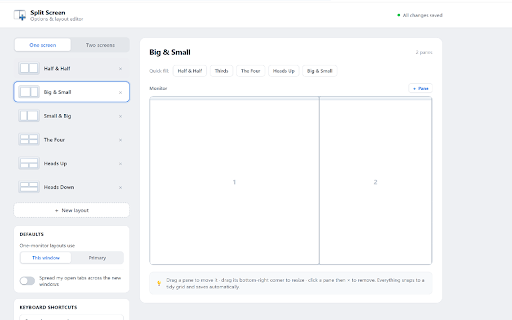
A browser extension that automates the resizing and positioning of Chrome windows into split-screen layouts. It allows users to quickly arrange their browser views into columns and rows to improve multitasking.

Version:3.2.0
Size:322KiB
Last updated:

Overview

Installs

200K+

Rating

3.7

406 reviews

Languages

41 locales

Includes Deutsch, English, Filipino, Indonesia...

Market analysis

Review-backed positioning, friction, and market signals for this Chrome extension.

Backed by review samples

Macro category

Tab & Bookmark Productivity

Pricing friction

Low review signal

Complaint intensity

High review signal

Listing & review signals
Observed signals from store listing text and review samples.

Listing positioning

The product is positioned as a tool to mimic a dual-monitor setup by splitting browser windows into customizable ratios. It specifically targets online teachers and presenters who need to see both their presentation and video call attendees (e.g., Google Meet, Zoom) simultaneously.

Inferred product pattern

Window layout automation for Chromium-based browsers.

Review-backed pain points

Users are highly frustrated that the extension does not provide a 'true' split-screen within one window, instead simply automating the creation of multiple windows, which they perceive as a native OS feature.

Observed feature gaps

Lack of a single-window split-view (internal tab splitting) and reported failures in correctly targeting non-primary monitors.

Tags
Split ScreenWindow ManagementProductivity ToolDual Monitor Setup
Target users

- Online Teachers

- Virtual Presenters

- Remote Workers

- Single-monitor users

Primary use cases

- Monitoring students via Google Meet grid mode while presenting materials

- Managing multiple browser views on a single screen

- Quickly adjusting window ratios for multitasking

Positive themes

- Review-backed positive data is not available in the provided samples.

Negative themes

- Misleading functionality (opens new windows instead of splitting a single window)

- Redundancy with native OS window management features

- Lack of true internal tab splitting

- Issues with multi-monitor screen placement

Observed friction

- No pricing friction observed in provided data.

Evidence boundary: Analysis based on the official store listing and a sample of 10 high-helpfulness, low-rating reviews. Provided review samples are exclusively 1-star, which does not represent the full sentiment distribution of the 398 total reviews.
Complaint summaries
Review-backed complaint signals grouped by operational area.

Support

No specific support interaction complaints; users primarily expressed dissatisfaction with product utility.

Reliability

Reports of the extension jumping to the primary screen even when a different screen is selected.

Privacy

No privacy complaints observed.

Access & pricing

- No clear monetization signal

- No account requirement observed

- Free plan or free usage claimed

Store listing facts

Listing assets

- Screenshots: 2

- Videos: 0

- Languages: 41

Trust signals

- Privacy policy

- Developer contact

- Official website

Store metadata

- Version: 3.2.0

- Size: 322KiB

- Last updated:

Listing SEO keywords

Search intent keywords
Keyword signals for evaluating how users may discover, compare, or search for this extension category.

Core discovery

Chrome split screendual monitor extensionsplit browser windowsGoogle Meet screen split

Comparison

Chrome vs Edge split screenSplit screen extension vs Windows Snap

Problem

how to split chrome screenview two tabs at once chromechrome dual window layout

Alternative

split screen alternativeswindow manager chrome extension

Similar extensions

Jump to related discovery paths:

Screenshots

Split Screen for Google Chrome screenshot

Links

Recommended Chrome extensions

Related listings from the same category, trending peers, and the same publisher portfolio.

Browse tools