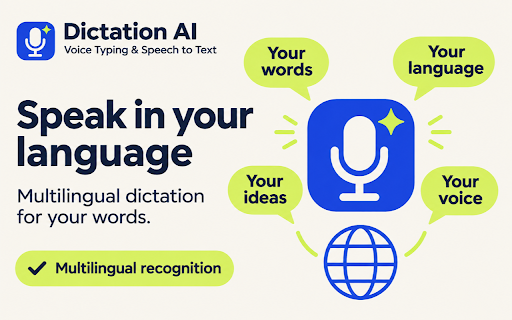
Dictation AI: Voice Typing & Speech to Text icon

Dictation AI Chrome Extension Analysis

AI & Writing Assistants

Store listing title: Dictation AI: Voice Typing & Speech to Text

Chrome extension ID: edcdiopgodhpogimhkpaoliohjcehjnj

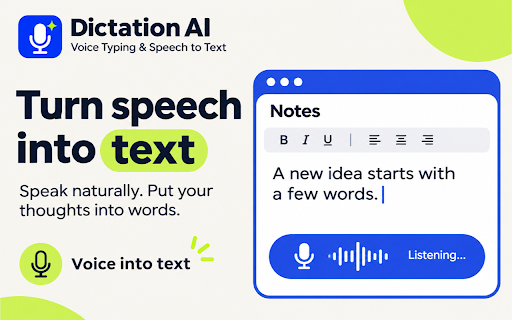
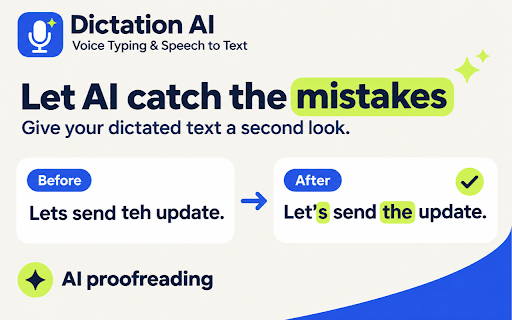
A Chrome extension that enables voice-to-text dictation directly within browser input fields. It includes features for spoken punctuation, smart formatting, and an AI-powered 'Polish' tool to clean up conversational filler and improve grammar.

Version:1.1.1
Size:66.5KiB
Last updated:

Overview

Installs

4

Rating

★ 5.0

1 reviews

Languages

5 locales

Includes Deutsch, English, español, français...

Market analysis

Review-backed positioning, friction, and market signals for this Chrome extension.

No review samples found

Macro category

AI & Writing Assistants

Pricing friction

Low review signal

Complaint intensity

Low review signal

Listing & review signals
Observed signals from store listing text and review samples.

Listing positioning

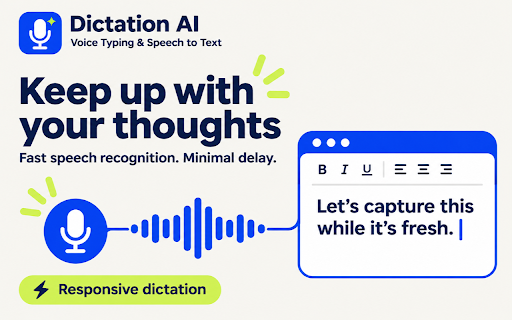
The product is positioned as a high-speed productivity tool that allows users to draft content at the speed of thought rather than manual typing. It emphasizes seamless integration into any web-based text field and features AI-driven text refinement.

Inferred product pattern

AI-powered browser utility for rapid voice-to-text transcription and grammatical refinement.

Review-backed pain points

Review-backed data is not available.

Observed feature gaps

No review data available to identify gaps.

Tags
Voice TypingSpeech To TextAI Writing AssistantDictation Tool
Target users

- Content writers

- Professionals with RSI or typing fatigue

- Busy office workers

- Students

Primary use cases

- Drafting long articles

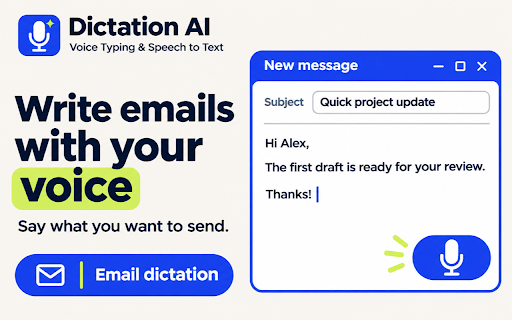
- Replying to emails and messages

- Capturing meeting notes and brainstorms

- Hands-free typing

Positive themes

No positive theme data.

Negative themes

No negative theme data.

Observed friction

- Pricing information is not explicitly provided in the store listing.

Evidence boundary: Data extracted from the product title, short description, and long description provided in the store listing. No user reviews were available to validate product claims or identify user-reported issues.
Complaint summaries
Review-backed complaint signals grouped by operational area.

Support

No support complaints observed as there are no reviews.

Reliability

No reliability complaints observed as there are no reviews.

Privacy

No privacy complaints observed as there are no reviews.

Access & pricing

- No clear monetization signal

- No account requirement observed

- No clear pricing signal

Store listing facts

Listing assets

- Screenshots: 5

- Videos: 0

- Languages: 5

Trust signals

- Privacy policy

- Developer contact

Store metadata

- Version: 1.1.1

- Size: 66.5KiB

- Last updated:

Listing SEO keywords

Search intent keywords
Keyword signals for evaluating how users may discover, compare, or search for this extension category.

Core discovery

voice typingspeech to textAI dictationvoice to text extensionAI grammar polish

Comparison

voice typing vs typingspeech to text vs manual typing

Problem

writer's blocktyping fatigueRSIslow typing

Alternative

speech recognition softwarevoice dictation tool

Similar extensions

Jump to related discovery paths:

Screenshots

Dictation AI: Voice Typing & Speech to Text screenshot

Links

Recommended Chrome extensions

Related listings from the same category, trending peers, and the same publisher portfolio.

Browse tools
Twitter X Viewer – Anonymous Profile & Tweet Viewer icon

Twitter X Viewer – Anonymous Profile & Tweet Viewer

Unknown developer

View Twitter (X) profiles and tweets anonymously. No login required, fast and private browsing.

Installs

354

Rating

★ 2.3

Tranzly — AI Web Page Translator & Bilingual Reader icon

Tranzly — AI Web Page Translator & Bilingual Reader

Unknown developer

Translate full web pages and websites in 1 click. Clean neural translation with layout preservation. Bilingual side-by-side mode.

Installs

174

Rating

★ 5.0

Lightshot (screenshot tool) icon

Lightshot (screenshot tool)

Skillbrains

Simple and convenient screenshot tool. Select an area, edit your screenshot and upload it to the server.

Installs

2.0M+

Rating

★ 3.4

Ruffle - Flash Emulator icon

Ruffle - Flash Emulator

ruffle

Puts Flash back on the web where it belongs.

Installs

1.0M+

Rating

★ 4.7

PrintFriendly: Print, PDF Editor & Full Page Screenshot icon

PrintFriendly: Print, PDF Editor & Full Page Screenshot

PrintFriendly

Print clean web pages, save as PDF, edit PDFs, and capture full-page screenshots. Integrates with ChatGPT, Claude, and Gemini.

Installs

1.0M+

Rating

★ 4.9

NaturalReader - AI Text to Speech icon

NaturalReader - AI Text to Speech

NaturalSoft Limited

NaturalReader reads text aloud on the pages you browse, including emails, online documents, PDFs and ebooks.

Installs

1.0M+

Rating

★ 4.1

Kimi icon

Kimi

Kimi

Kimi Browser Extension — for AI agents. AI can open pages, click, fill forms, extract info, and automate web tasks.

Installs

1.0M+

Rating

★ 3.9

Chat with all AI models (Gemini, Claude, DeepSeek…) & AI Agents | AITOPIA icon

Chat with all AI models (Gemini, Claude, DeepSeek…) & AI Agents | AITOPIA

AITOPIA AI Sidebar

AI Agent Marketplace & AI Sidebar with all AI models (Gemini, Claude, DeepSeek & more) and hundreds of AI Agents

Installs

1.0M+

Rating

★ 4.8

BlockSite Block Websites & Stay Focused icon

BlockSite Block Websites & Stay Focused

BlockSite

Stay focused and boost productivity: Custom blocklist, Scheduled site blocking, and Password protection.

Installs

1.0M+

Rating

★ 4.5

Screen Recorder & Screenshot App for Chrome | Scrnli icon

Screen Recorder & Screenshot App for Chrome | Scrnli

scrnli

Screen recorder for Chrome: capture, edit, share screenshots and videos instantly

Installs

1.0M+

Rating

★ 4.8