Productivity Owl icon

Productivity Owl Chrome Extension Analysis

Automation & Workflow Efficiency

Chrome extension ID: eoagmdboiealblmpaahjlhajggndaahi

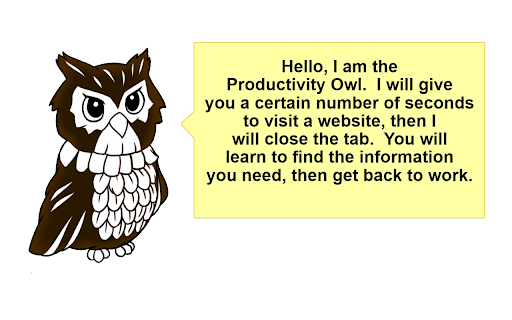
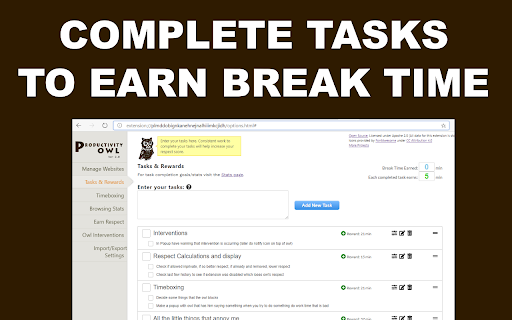
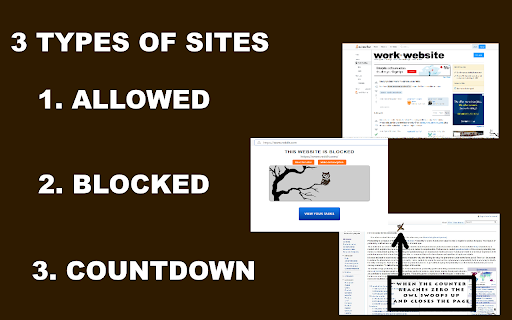
Productivity Owl is a Chrome extension designed to enhance user productivity by enforcing work habits. It features a strict owl persona that monitors website usage, allowing users to categorize sites as allowed, blocked, or countdown. The extension incorporates timeboxing, a task manager that rewards break time, and psychological exercises to guide users towards accomplishment.

Version:3.0.0
Size:4.13MiB
Last updated:

Overview

Installs

6K+

Rating

4.0

377 reviews

Languages

1 locales

Includes English

Market analysis

Review-backed positioning, friction, and market signals for this Chrome extension.

Backed by review samples

Macro category

Automation & Workflow Efficiency

Pricing friction

Low review signal

Complaint intensity

High review signal

Listing & review signals
Observed signals from store listing text and review samples.

Listing positioning

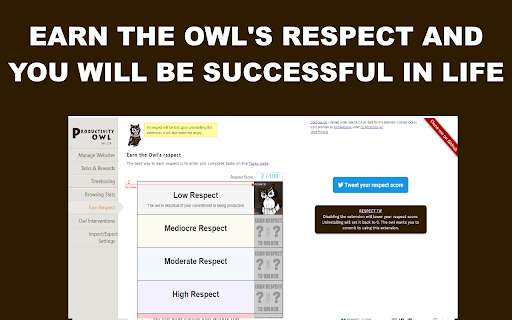
The Productivity Owl positions itself as a strict, even annoying, boss for users working from home who need to improve their productivity. It emphasizes a unique approach involving psychological exercises, task management, and a judgmental owl that 'berates and mocks' users, requiring them to 'earn' break time.

Inferred product pattern

Strict behavioral enforcement tool with gamified elements, utilizing an anthropomorphic persona to drive user adherence.

Review-backed pain points

Users express significant frustration with the extension's aggressive tab-closing mechanism, especially when dealing with necessary work or research sites. The requirement to manually whitelist an extensive list of frequently used websites is described as time-consuming and annoying. Some users also report that the core features, such as timeboxing and rewards for tasks, stop working after browser refreshes or updates.

Observed feature gaps

A clear desire for a simpler blacklist-only option is noted, rather than a mandatory whitelist for all non-blocked sites. Users also wish for a setting that only counts down tab timers when the tab is active, to avoid losing valuable research or work context.

Tags
Productivity OwlFocus AssistantTimeboxing Tool
Target users

- Remote workers

- Students

- Individuals struggling with procrastination

- Users seeking a gamified productivity approach

Primary use cases

- Website blocking

- Time management

- Task completion

- Focus enhancement

- Combating distractions

Positive themes

No positive theme data.

Negative themes

- Invasive tab closing behavior

- Annoying and time-consuming whitelisting process

- Difficulty in managing diverse website usage

- Unpredictable or unrewarding 'earn your free time' mechanics

- Features not working as expected after updates

Observed friction

- Performance complaints detected

- The extension is free to use and there are no reviews indicating pricing friction.

Evidence boundary: The analysis relies on user reviews extracted from the Chrome Web Store, including helpful and low-rating samples. No high-rating reviews were provided for analysis, limiting the ability to identify positive themes. The total number of reviews and their distribution is not fully represented.
Complaint summaries
Review-backed complaint signals grouped by operational area.

Support

No specific complaints regarding direct support were found in the provided reviews, though some users mentioned that features stopped working without explanation.

Reliability

Several users reported that core functionalities like timeboxing, limits, and task rewards suddenly stopped working after browser refreshes or updates, indicating reliability issues.

Privacy

The developer explicitly states there are no trackers or data collectors and the extension is open source, with no privacy complaints observed.

Access & pricing

- Free usage observed

- No clear access signal

- Free plan or free usage claimed

Store listing facts

Listing assets

- Screenshots: 4

- Videos: 0

- Languages: 1

Trust signals

- Privacy policy

- Developer contact

Store metadata

- Version: 3.0.0

- Size: 4.13MiB

- Last updated:

Listing SEO keywords

Search intent keywords
Keyword signals for evaluating how users may discover, compare, or search for this extension category.

Core discovery

productivity extensionfocus tooltime managementwebsite blockerwork from home productivitystudy focusavoid distractions

Comparison

alternative to distractionsproductivity appfocus software

Problem

procrastination helpeasily distractedlose focusunproductive online

Alternative

focus boostertime blocking appwebsite filter

Similar extensions

Jump to related discovery paths:

Screenshots

Productivity Owl screenshot

Links

Recommended Chrome extensions

Related listings from the same category, trending peers, and the same publisher portfolio.

Browse workflow