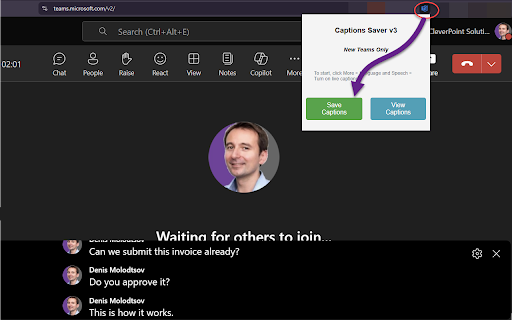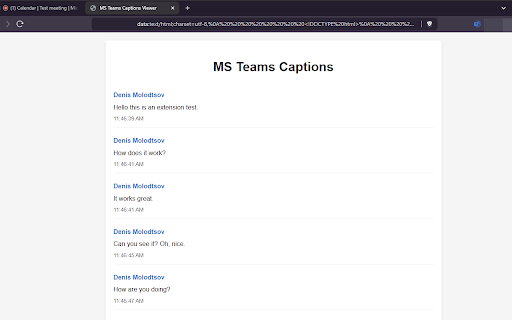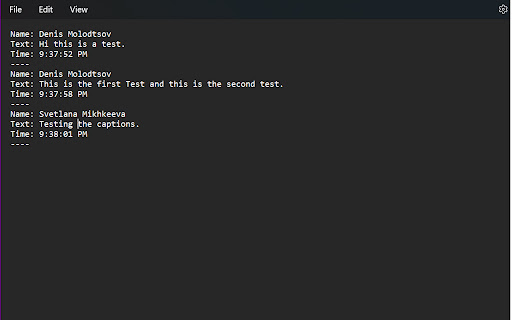
MS Teams Live Captions Saver icon

MS Teams Live Captions Saver Chrome Extension Analysis

Automation & Workflow Efficiency

Chrome extension ID: ffjfmokaelmhincapcajcnaoelgmpoih

A Chrome extension that records spoken text from Microsoft Teams meetings when live captions are enabled. It provides a clean interface for viewing and downloading meeting dialogue as transcripts.

Developer:Denis Molodtsov
Version:4.9.0
Size:53.87KiB
Last updated:

Overview

Installs

2K+

Rating

5.0

12 reviews

Languages

1 locales

Includes English

Market analysis

Review-backed positioning, friction, and market signals for this Chrome extension.

Backed by review samples

Macro category

Automation & Workflow Efficiency

Pricing friction

Low review signal

Complaint intensity

Low review signal

Listing & review signals
Observed signals from store listing text and review samples.

Listing positioning

The product is positioned as a utility to capture and save live captions from Microsoft Teams web meetings. It emphasizes the ability to download organized transcripts featuring speaker names and timestamps.

Inferred product pattern

A DOM-based caption scraper that enables transcription for meetings where official recording is disabled or unavailable.

Review-backed pain points

Users previously encountered duplicated sentences and chaotic text ordering following Teams updates, though these have been reported as fixed.

Observed feature gaps

Users have requested the ability to select specific download subfolders and the addition of automatic caption translation.

Tags
MS TeamsLive CaptionsMeeting TranscriptsProductivityTranscription
Target users

- Corporate employees using MS Teams

- Project managers

- Professionals dealing with vendors who restrict recording

Primary use cases

- Creating meeting summaries

- Generating process documentation from unrecordable meetings

- Reviewing meeting dialogue for reminders

Positive themes

- Effective AI prompt integration for summaries

- Clean UI/UX

- Responsiveness to technical bugs

- Utility in scenarios where recording is forbidden

Negative themes

- None observed in provided samples

Observed friction

- No pricing friction observed in the provided data.

Evidence boundary: Analysis based on the store listing and 8 five-star user reviews. Small review sample size and absence of explicit pricing details in the listing.
Complaint summaries
Review-backed complaint signals grouped by operational area.

Support

No support or account-related complaints observed.

Reliability

Past reliability issues regarding duplicated text were noted but resolved by the developer.

Privacy

No privacy or security complaints observed.

Access & pricing

- No clear monetization signal

- No account requirement observed

- Free plan or free usage claimed

Store listing facts

Listing assets

- Screenshots: 3

- Videos: 0

- Languages: 1

Trust signals

- Privacy policy

- Developer contact

- Official website

- Support link

Store metadata

- Version: 4.9.0

- Size: 53.87KiB

- Last updated:

Listing SEO keywords

Search intent keywords
Keyword signals for evaluating how users may discover, compare, or search for this extension category.

Core discovery

MS Teams captions saverdownload Teams transcriptsMicrosoft Teams live captions

Comparison

Teams caption saver vs native recordingbest Teams transcript extension

Problem

how to save MS Teams live captionsTeams meeting not recordable

Alternative

Microsoft Teams transcription alternativeTeams meeting notes tool

Similar extensions

Jump to related discovery paths:

Screenshots

MS Teams Live Captions Saver screenshot

Links

Recommended Chrome extensions

Related listings from the same category, trending peers, and the same publisher portfolio.

Browse communication