1Password Nightly – Password Manager icon

1Password Nightly Chrome Extension Analysis

Privacy, Security & Ad Blockers

Store listing title: 1Password Nightly – Password Manager

Chrome extension ID: gejiddohjgogedgjnonbofjigllpkmbf

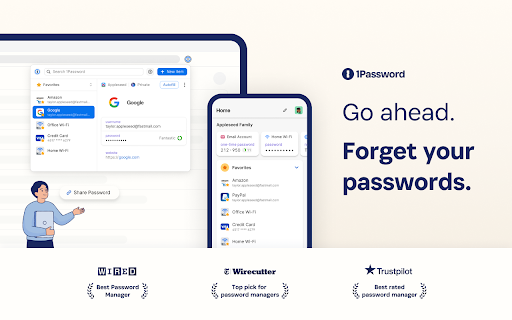
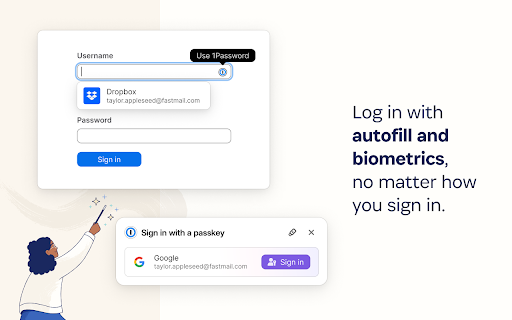
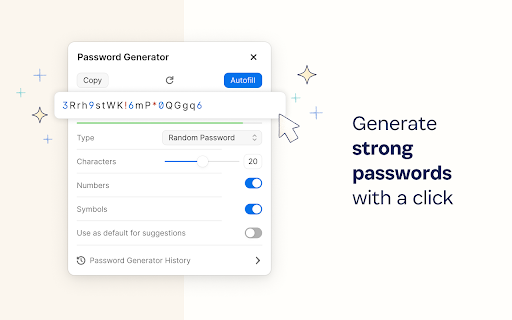
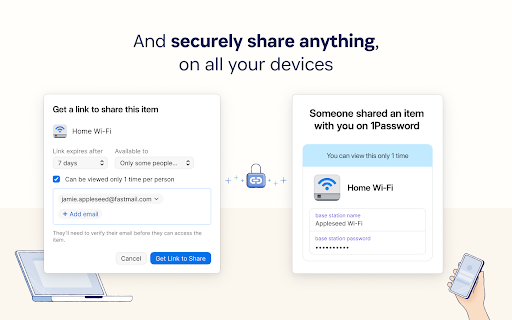
1Password Nightly is a Chrome extension offering early access to the latest, less-tested features of the 1Password password manager. It enables users to easily sign into websites, generate strong passwords, and securely store sensitive information directly within their browser, designed to be used alongside the nightly channel of the 1Password desktop app.

Developer:1Password
Version:8.12.44.2
Size:17.13MiB
Last updated:

Overview

Installs

300K+

Rating

★ 3.8

92 reviews

Languages

11 locales

Includes Deutsch, English, Nederlands, español...

Market analysis

Review-backed positioning, friction, and market signals for this Chrome extension.

Backed by review samples

Macro category

Privacy, Security & Ad Blockers

Pricing friction

Moderate review signal

Complaint intensity

High review signal

Listing & review signals
Observed signals from store listing text and review samples.

Listing positioning

This extension is positioned as the 'nightly' version of 1Password, explicitly targeting 'adventurous folks' who wish to experience cutting-edge features in their browser. It emphasizes easy sign-ins, password generation, and secure information storage, noting that a 1Password membership is required.

Inferred product pattern

A 'nightly' or beta build of a premium password manager, providing early access to experimental features for existing subscribers, which inherently comes with a higher risk of stability and usability issues compared to stable releases.

Review-backed pain points

Users frequently report severe functional issues including the extension crashing, displaying a blank white window, and failing to populate or update passwords. Other pain points include the extension losing connection to the desktop app, requiring constant re-login, and experiencing inconvenient new UI elements from updates.

Observed feature gaps

Reviewers noted that the extension requires users to open a new tab to create a new login for a site, a feature they feel could be integrated directly into the extension for better convenience, unlike many other password managers.

Tags
Password ManagerSecurityLogin ManagementProductivity
Target users

- Existing 1Password members

- Early adopters of software

- Users seeking cutting-edge password management features

- Users who utilize the 1Password desktop app nightly channel

Primary use cases

- Securely signing into websites with saved credentials

- Generating strong and unique passwords for new accounts

- Storing sensitive information and login details securely

- Testing unreleased features of 1Password

Positive themes

- Review-backed data is not available for positive themes as only low-rating reviews were provided in the sample.

Negative themes

- Frequent crashing of the extension

- Displaying a blank window when attempting to use the extension

- Failure to populate or update passwords correctly

- Inconvenient and unwanted UI changes, such as pop-ups or password field placement

- Frequent requests for re-authentication or re-login

- Loss of connection to the 1Password desktop application

Observed friction

- Payment required for meaningful usage

- Performance complaints detected

- The extension requires a 1Password membership, though a free trial is offered upon installation. While there are no direct complaints about pricing structure, significant functional issues with a paid service can indirectly contribute to user dissatisfaction.

Evidence boundary: This analysis is based on the Chrome Web Store listing (title, short and long descriptions), and a sample of 10 low-rated, helpful user reviews. The review sample is limited and predominantly consists of low-rating reviews, which may not represent the full spectrum of user experiences. No high-rating reviews were available to identify positive themes.
Complaint summaries
Review-backed complaint signals grouped by operational area.

Support

Review-backed data for specific support complaints is not available. User feedback primarily focuses on functional issues with the product.

Reliability

Reliability is a significant issue, with numerous reviews detailing persistent problems such as the extension crashing, displaying a blank window, failing to populate passwords, and losing connection to the desktop application, leading to an unreliable user experience.

Privacy

The store listing emphasizes a strong commitment to user privacy with a clear privacy policy. No privacy or security-related complaints were found in the provided reviews.

Access & pricing

- Subscription model observed

- Account required for core usage

- Trial or limited free usage before paid plan

Store listing facts

Listing assets

- Screenshots: 5

- Videos: 0

- Languages: 11

Trust signals

- Privacy policy

- Developer contact

- Official website

- Support link

Store metadata

- Version: 8.12.44.2

- Size: 17.13MiB

- Last updated:

Listing SEO keywords

Search intent keywords
Keyword signals for evaluating how users may discover, compare, or search for this extension category.

Core discovery

1Password extensionpassword manager Chromesecure loginpassword generator browserbrowser password manager1Password security

Comparison

1Password vs LastPass1Password vs Bitwardenbest password manager Chromepassword security tools

Problem

password manager crashing1Password not workingpassword extension blank screenChrome password manager issuesforgot password helper

Alternative

LastPass alternativeBitwarden alternativeKeeper Security alternativepassword manager alternatives

Similar extensions

Jump to related discovery paths:

Screenshots

1Password Nightly – Password Manager screenshot

Links

Recommended Chrome extensions

Related listings from the same category, trending peers, and the same publisher portfolio.

Browse workflow
1Password – Password Manager icon

1Password – Password Manager

1Password

The best way to experience 1Password in your browser. Easily sign in to sites, generate passwords, and store secure information.

Installs

7.0M+

Rating

★ 3.1

Адаптер Рутокен Коннект icon

Адаптер Рутокен Коннект

АО "Актив-Софт"

Защищенное TLS-соединение в браузере по ГОСТу с Рутокен

Installs

2.0M+

Rating

★ 1.6

Pop up blocker for Chrome™ - Poper Blocker icon

Pop up blocker for Chrome™ - Poper Blocker

dingosolutions

Block popups, ads, cookie requests, trackers, notifications, ads on social media & more. A clean browsing experience starts today.

Installs

2.0M+

Rating

★ 4.8

AI Grammar Checker & Paraphraser – LanguageTool icon

AI Grammar Checker & Paraphraser – LanguageTool

lt-extension-publisher

Instantly Enhance Your Texts with LanguageTool’s Grammar Checker and Paraphrasing Tool

Installs

2.0M+

Rating

★ 4.7

Momentum icon

Momentum

Momentum

Transform your browser into a beautifully designed tab that helps you feel calm, keep focus, and stay energized.

Installs

2.0M+

Rating

★ 4.5

My Apps Secure Sign-in Extension icon

My Apps Secure Sign-in Extension

Microsoft

My Apps Secure Sign-in Extension

Installs

2.0M+

Rating

★ 2.2

Web Signer icon

Web Signer

Softplan Websigner Developers

Extensão para assinatura digital no browser

Installs

2.0M+

Rating

★ 3.0

Sound Booster - increase volume up icon

Sound Booster - increase volume up

Sound-ultimate.com

Volume Booster helps boost sound video or music on any tab! Increase volume and bass booster, equalizer. Volume control.

Installs

2.0M+

Rating

★ 4.5

Evernote Web Clipper icon

Evernote Web Clipper

Evernote

Use the Evernote extension to save things you see on the web into your Evernote account.

Installs

2.0M+

Rating

★ 4.7

Google Scholar PDF Reader icon

Google Scholar PDF Reader

scholar-chrome-extensions

Supercharge your paper reading: follow references, skim outline, jump to figures, cite and save.

Installs

2.0M+

Rating

★ 4.1