

Save Emails to Drive by cloudHQ Chrome Extension Analysis
Automation & Workflow EfficiencyChrome extension ID: glgaegbgegomicnedooifcbnmppmofkf
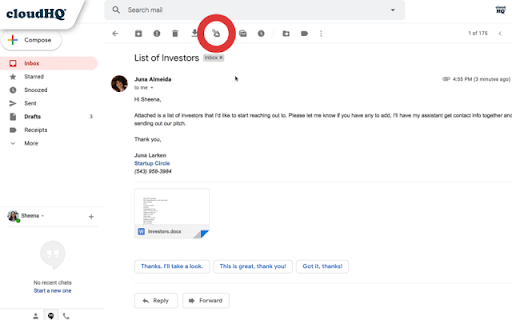
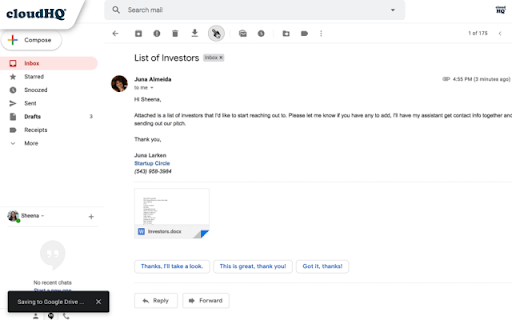
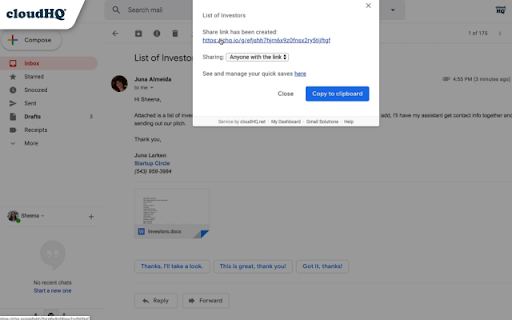
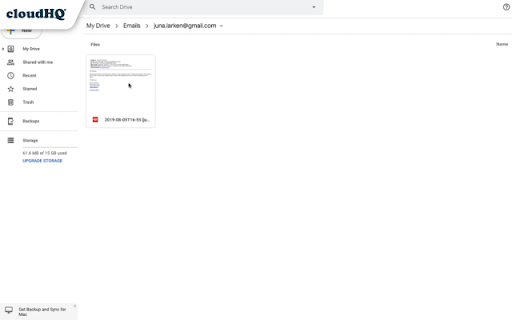
This extension automates the transfer of Gmail emails into formats like PDF, HTML, EML, or TXT within Google Drive. It provides options for individual email saving or automated label-based archiving.
Overview
Installs
50K+
Rating
★ 4.4
163 reviews
Languages
11 locales
Includes Deutsch, English, Nederlands, español...
Market analysis
Review-backed positioning, friction, and market signals for this Chrome extension.
Macro category
Automation & Workflow Efficiency
Pricing friction
High review signal
Complaint intensity
Moderate review signal
Listing positioning
The listing positions the product as a seamless, one-click solution for archiving Gmail messages and attachments directly to Google Drive. It highlights support for team collaboration, Google Shared Drives, and administrative controls for Google Workspace environments.
Inferred product pattern
Standard freemium utility that bridges two Google Workspace services, currently suffering from maintenance debt and user-base friction regarding pricing/permissions.
Review-backed pain points
Users frequently report frustration with the 50-email monthly cap, high subscription costs, and perceived over-reaching permission requests. Technical issues include login loops, UI glitches, and failures to save specific emails or labels correctly.
Observed feature gaps
Lack of granular control over saved file types (specifically requesting Google Doc format over PDF), difficulties with delegated Gmail accounts, and inconsistent toolbar icon visibility.
- Legal professionals
- Real estate firms
- Business teams
- Individuals managing email backups
- Archiving client correspondence
- Backing up emails to shared team drives
- Automating inbox cleanup
- Creating offline records of email threads
- Initial ease of use
- Useful core functionality for email archiving
- Potential for high-efficiency workflow automation
- High price points
- Excessive permission requirements
- UI bugs and breakage after browser updates
- Inconsistent sync functionality
- Limited free tier usage
- Payment required for meaningful usage
- Free-tier complaints detected
- Account blocking complaints detected
- Performance complaints detected
- Privacy complaints detected
- Users criticize the 'free' labeling given the strict 50-email/month limit and the $14.99/mo premium price point, which many find excessive.
Support
Users report difficulty reporting bugs to developers and frustration with broken support links provided in automated emails.
Reliability
Frequent complaints regarding authentication loops, broken UI overlays in Gmail, and failures to sync emails, especially after Chrome browser updates.
Privacy
Significant concern regarding the broad scope of permissions required, specifically the ability to delete emails and manage drive files, which users perceive as unnecessary.
- Free entry with paid features
- Account required for core usage
- Limited free usage observed
Store listing facts
- Screenshots: 4
- Videos: 1
- Languages: 11
- Privacy policy
- Developer contact
- Official website
- Support link
- Version: 1.0.2.27
- Size: 1.4MiB
- Last updated:
Listing SEO keywords
Core discovery
Comparison
Problem
Alternative
Similar extensions
Jump to related discovery paths:
Screenshots
Links
Website: save-emails-to-google-drive.com
Privacy policy: https://www.cloudhq.net/privacy
Support links: https://support.cloudhq.net/category/browser/save-emails-to-google-drive/
Videos: Watch


