Downloads Folder Launcher icon

Downloads Folder Launcher Chrome Extension Analysis

Tab & Bookmark Productivity

Chrome extension ID: gmhianpphjibhflcnebkmkkdojjigbjd

Downloads Folder Launcher is a lightweight Chrome extension that provides instant access to the user's default downloads directory. It is designed to bypass the need to navigate through menus or slow system file explorers.

Developer:BrowserNative
Version:1.0.0
Size:11.94KiB
Last updated:

Overview

Installs

10K+

Rating

4.5

31 reviews

Languages

1 locales

Includes English

Market analysis

Review-backed positioning, friction, and market signals for this Chrome extension.

Backed by review samples

Macro category

Tab & Bookmark Productivity

Pricing friction

Low review signal

Complaint intensity

Low review signal

Listing & review signals
Observed signals from store listing text and review samples.

Listing positioning

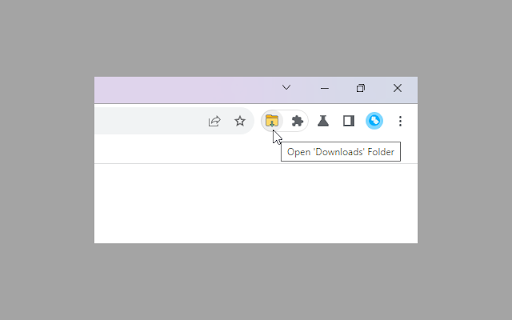
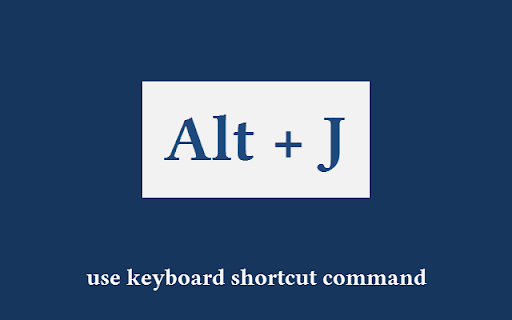
The extension positions itself as a high-speed utility to access the default Downloads folder. It emphasizes convenience through a toolbar button and a specific keyboard shortcut (Alt+J).

Inferred product pattern

A micro-utility extension focused on a single, high-frequency workflow optimization task.

Review-backed pain points

Users expressed a desire for the extension to trigger the native OS 'Files' app rather than loading files within the Chrome browser environment.

Observed feature gaps

Lack of direct integration with the native operating system's file explorer (e.g., ChromeOS Files app).

Tags
Folder LauncherFile ManagementKeyboard ShortcutsProductivity Tool
Target users

- Chromebook users

- Power users

- File management enthusiasts

Primary use cases

- Quickly opening the downloads folder

- Accessing files via keyboard shortcuts

Positive themes

- Speed and efficiency

- Simplicity and lightweight design

- Improved workflow for Chromebook users

Negative themes

- Preference for native system file apps over Chrome-based viewing

Observed friction

- No pricing information or friction observed in the provided data.

Evidence boundary: Data extracted from the store listing description and a sample of 10 user reviews. The review sample size is limited to 10 entries out of 31 total reviews.
Complaint summaries
Review-backed complaint signals grouped by operational area.

Support

No support complaints observed.

Reliability

No reliability or performance complaints observed.

Privacy

No privacy complaints observed.

Access & pricing

- No clear monetization signal

- No account requirement observed

- No clear pricing signal

Store listing facts

Listing assets

- Screenshots: 2

- Videos: 0

- Languages: 1

Trust signals

- Privacy policy

- Developer contact

- Official website

Store metadata

- Version: 1.0.0

- Size: 11.94KiB

- Last updated:

Listing SEO keywords

Search intent keywords
Keyword signals for evaluating how users may discover, compare, or search for this extension category.

Core discovery

downloads folder launcheropen downloads folder shortcutchrome extension downloads

Comparison

native files appchromebook files app

Problem

slow file managerhard to find downloads

Alternative

folder shortcut extensionquick file access

Similar extensions

Jump to related discovery paths:

Screenshots

Downloads Folder Launcher screenshot

Links

Recommended Chrome extensions

Related listings from the same category, trending peers, and the same publisher portfolio.

Browse tools