Save in ClickUp-Email,Screenshot,Task,Time,Schedule,Tags,Assignee,Capacity icon

Save in ClickUp-Email,Screenshot,Task,Time,Schedule,Tags,Assignee,Capacity Chrome Extension Analysis

Automation & Workflow Efficiency

Chrome extension ID: gpejhhojldpbgeekmkeodfljnbeggkjc

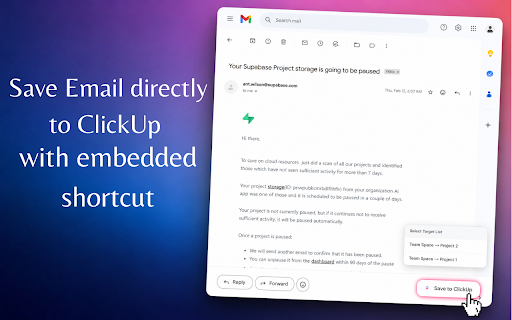
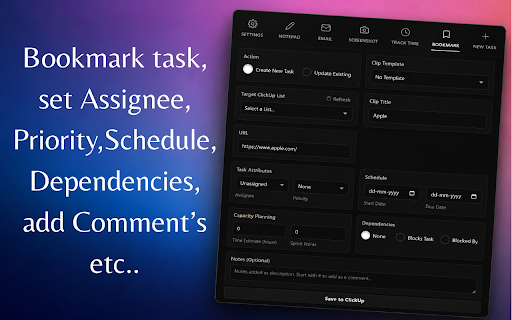
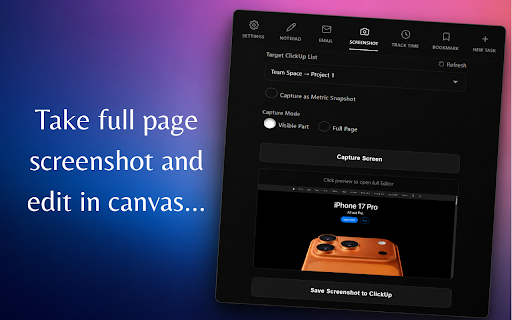
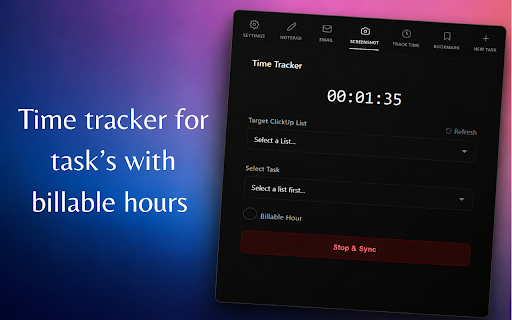
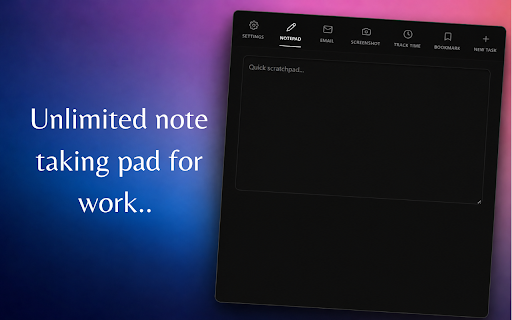
U Clipper is a Chrome extension that allows users to send web content, Gmail threads, and annotated screenshots directly to ClickUp as tasks. It features a built-in background timer for billable hours and a persistent local scratchpad for notes.

Version:24.0
Size:1.1MiB
Last updated:

Overview

Installs

30

Rating

★ 5.0

1 reviews

Languages

1 locales

Includes English (United States)

Market analysis

Review-backed positioning, friction, and market signals for this Chrome extension.

No review samples found

Macro category

Automation & Workflow Efficiency

Pricing friction

Low review signal

Complaint intensity

Low review signal

Listing & review signals
Observed signals from store listing text and review samples.

Listing positioning

The product positions itself as an all-in-one toolkit for ClickUp power users to eliminate tab-switching. It emphasizes a frictionless workflow by integrating Gmail, screenshots, and time tracking directly into the browser interface.

Inferred product pattern

Third-party productivity bridge for a major SaaS platform designed to reduce context-switching via API integration.

Review-backed pain points

Review-backed data is not available.

Observed feature gaps

Review-backed data is not available.

Tags
ClickUp IntegrationWeb ClipperTime TrackingTask ManagementProductivity Tool
Target users

- ClickUp power users

- Freelancers and consultants

- Project managers

- Software development teams

- Operations and marketing teams

Primary use cases

- Converting Gmail threads into ClickUp tasks

- Capturing and annotating full-page screenshots for bug reports or metrics

- Tracking billable hours in the background

- Clipping URLs as tasks with priority and assignee metadata

Positive themes

No positive theme data.

Negative themes

No negative theme data.

Observed friction

- Review-backed data is not available.

Evidence boundary: Extraction based on store listing description and metadata. No user reviews are available to verify performance or user satisfaction.
Complaint summaries
Review-backed complaint signals grouped by operational area.

Support

Review-backed data is not available.

Reliability

Review-backed data is not available.

Privacy

Review-backed data is not available.

Access & pricing

- No clear monetization signal

- Account required for core usage

- No clear pricing signal

Store listing facts

Listing assets

- Screenshots: 5

- Videos: 0

- Languages: 1

Trust signals

- Privacy policy

- Developer contact

- Official website

Store metadata

- Version: 24.0

- Size: 1.1MiB

- Last updated:

Listing SEO keywords

Search intent keywords
Keyword signals for evaluating how users may discover, compare, or search for this extension category.

Core discovery

ClickUp web clippersave Gmail to ClickUpClickUp time tracker extensionClickUp screenshot tool

Comparison

ClickUp clipper alternativesbest ClickUp chrome extensions

Problem

ClickUp tab switchinghow to save email to ClickUpClickUp billable hours tracker

Alternative

ClickUp automationClickUp productivity tools

Similar extensions

Jump to related discovery paths:

Screenshots

Save in ClickUp-Email,Screenshot,Task,Time,Schedule,Tags,Assignee,Capacity screenshot

Links

Recommended Chrome extensions

Related listings from the same category, trending peers, and the same publisher portfolio.

Browse workflow
AI Upload Booster icon

AI Upload Booster

automatic.self.attendance

Combine multiple images, PDFs, and documents into a single optimized file to maximize AI upload limits

Installs

245

Rating

★ 4.2

AI Chat Transfer – Export, Import, Continue Conversations Across All AI icon

AI Chat Transfer – Export, Import, Continue Conversations Across All AI

automatic.self.attendance

Save and continue conversations / Memory across all the AI platforms

Installs

89

Rating

★ 5.0

TeraBox Download Assistant icon

TeraBox Download Assistant

terabox-developers

Supports screenshots, uploads, and other TeraBox features

Installs

3.0M+

Rating

★ 2.4

夸克网盘-网页嗅探 icon

夸克网盘-网页嗅探

广州市动悦信息技术有限公司

识别到网页资源时,可一键存夸克网盘

Installs

3.0M+

Rating

★ 1.6

Mendeley Web Importer icon

Mendeley Web Importer

Mendeley

Fast, convenient import of references and PDFs to your Mendeley Reference Manager library.

Installs

3.0M+

Rating

★ 2.0

Enable local file links icon

Enable local file links

Takashi Sugimoto (tksugimoto)

Make it possible to open by click a link to a local file that is disabled by Chrome.

Installs

3.0M+

Rating

★ 3.9

Microsoft Defender Browser Protection icon

Microsoft Defender Browser Protection

Microsoft Corporation

Protect yourself against online threats, like phishing and malicious websites, with real-time protection from Microsoft.

Installs

3.0M+

Rating

★ 3.1

Content Server Browser Web Extension icon

Content Server Browser Web Extension

OpenText Corporation

Content Server Browser Web Extension for Chrome

Installs

3.0M+

Rating

★ 2.8

Scribe: AI Documentation, SOPs & Process Intelligence icon

Scribe: AI Documentation, SOPs & Process Intelligence

chrome-store-admins

Turn any workflow into documentation your teams and AI agents can follow. Save each team member 35 hours/month.

Installs

2.0M+

Rating

★ 4.5

Evernote Web Clipper icon

Evernote Web Clipper

Evernote

Use the Evernote extension to save things you see on the web into your Evernote account.

Installs

2.0M+

Rating

★ 4.5