Le Chat Suite · File Chats, Save Prompts, Export Markdown icon

Le Chat Suite · File Chats, Save Prompts, Export Markdown Chrome Extension Analysis

AI & Writing Assistants

Chrome extension ID: gpffghfcljgjjkpehnmhholdahkigbef

This browser extension provides a suite of tools for managing Mistral Le Chat interactions locally. Features include a folder-based filing system for threads, a prompt library for recurring inputs, and a Markdown export function for saved conversations.

Version:1.0.3
Size:98.19KiB
Last updated:

Overview

Installs

25

Rating

★ —

0 reviews

Languages

1 locales

Includes English

Market analysis

Review-backed positioning, friction, and market signals for this Chrome extension.

No review samples found

Macro category

AI & Writing Assistants

Pricing friction

Low review signal

Complaint intensity

Low review signal

Listing & review signals
Observed signals from store listing text and review samples.

Listing positioning

Le Chat Suite positions itself as a privacy-focused enhancement layer for the Mistral Le Chat interface. It promises to improve workflow by adding local filing, prompt management, and export capabilities without modifying existing platform data.

Inferred product pattern

Local-first productivity overlay for specific SaaS AI interfaces.

Review-backed pain points

Review-backed data is not available.

Observed feature gaps

Review-backed data is not available.

Tags
AI Chat ManagerPrompt LibraryMistral AIMarkdown ExportFolder Organization
Target users

- Mistral Le Chat power users

- AI prompt engineers

- Content creators

Primary use cases

- Organizing chat history into folders

- Inserting reusable prompts via a shortcut library

- Exporting AI conversations to Markdown files

Positive themes

No positive theme data.

Negative themes

No negative theme data.

Observed friction

- Pricing friction is not currently observable as no user reviews exist to comment on the freemium threshold or value proposition.

Evidence boundary: Evidence is derived solely from the store listing description provided by the developer. Review-backed data is not available as the extension currently has no public reviews.
Complaint summaries
Review-backed complaint signals grouped by operational area.

Support

No support complaints found.

Reliability

No reliability complaints found.

Privacy

No privacy complaints found; the listing explicitly claims local-only, zero data collection behavior.

Access & pricing

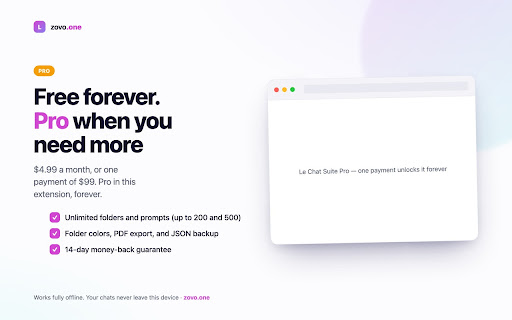
- Free entry with paid features

- No account requirement observed

- Limited free usage observed

Store listing facts

Listing assets

- Screenshots: 5

- Videos: 0

- Languages: 1

Trust signals

- Privacy policy

- Developer contact

- Support link

Store metadata

- Version: 1.0.3

- Size: 98.19KiB

- Last updated:

Listing SEO keywords

Search intent keywords
Keyword signals for evaluating how users may discover, compare, or search for this extension category.

Core discovery

Mistral Le Chat foldersAI prompt manager extensionLe Chat Markdown export

Comparison

Mistral AI chat enhancementsChrome extension for Le Chat

Problem

organize Mistral chatssave Le Chat prompts

Alternative

Le Chat power toolsAI workspace organizer

Similar extensions

Jump to related discovery paths:

Screenshots

Le Chat Suite · File Chats, Save Prompts, Export Markdown screenshot

Links

Recommended Chrome extensions

Related listings from the same category, trending peers, and the same publisher portfolio.

Browse tools
Auto Admit Pro for Google Meet icon

Auto Admit Pro for Google Meet

Unknown developer

Automatically admit waiting-room guests in Google Meet — no hovering, no click-babysitting. Not affiliated with Google.

Installs

75

Rating

★ —

MarkGrab — Copy Page as Markdown icon

MarkGrab — Copy Page as Markdown

Unknown developer

Copy any page or selection as clean GitHub-flavored Markdown in one click, with an AI-ready paste mode for ChatGPT and Claude.

Installs

56

Rating

★ —

Lightshot (screenshot tool) icon

Lightshot (screenshot tool)

Skillbrains

Simple and convenient screenshot tool. Select an area, edit your screenshot and upload it to the server.

Installs

2.0M+

Rating

★ 3.4

Ruffle - Flash Emulator icon

Ruffle - Flash Emulator

ruffle

Puts Flash back on the web where it belongs.

Installs

1.0M+

Rating

★ 4.7

PrintFriendly: Print, PDF Editor & Full Page Screenshot icon

PrintFriendly: Print, PDF Editor & Full Page Screenshot

PrintFriendly

Print clean web pages, save as PDF, edit PDFs, and capture full-page screenshots. Integrates with ChatGPT, Claude, and Gemini.

Installs

1.0M+

Rating

★ 4.9

NaturalReader - AI Text to Speech icon

NaturalReader - AI Text to Speech

NaturalSoft Limited

NaturalReader reads text aloud on the pages you browse, including emails, online documents, PDFs and ebooks.

Installs

1.0M+

Rating

★ 4.1

Kimi icon

Kimi

Kimi

Kimi Browser Extension — for AI agents. AI can open pages, click, fill forms, extract info, and automate web tasks.

Installs

1.0M+

Rating

★ 3.9

Chat with all AI models (Gemini, Claude, DeepSeek…) & AI Agents | AITOPIA icon

Chat with all AI models (Gemini, Claude, DeepSeek…) & AI Agents | AITOPIA

AITOPIA AI Sidebar

AI Agent Marketplace & AI Sidebar with all AI models (Gemini, Claude, DeepSeek & more) and hundreds of AI Agents

Installs

1.0M+

Rating

★ 4.8

BlockSite Block Websites & Stay Focused icon

BlockSite Block Websites & Stay Focused

BlockSite

Stay focused and boost productivity: Custom blocklist, Scheduled site blocking, and Password protection.

Installs

1.0M+

Rating

★ 4.5

Screen Recorder & Screenshot App for Chrome | Scrnli icon

Screen Recorder & Screenshot App for Chrome | Scrnli

scrnli

Screen recorder for Chrome: capture, edit, share screenshots and videos instantly

Installs

1.0M+

Rating

★ 4.8