JSON Formatter icon

JSON Formatter Chrome Extension Analysis

Developer & Designer Tools

Chrome extension ID: gpmodmeblccallcadopbcoeoejepgpnb

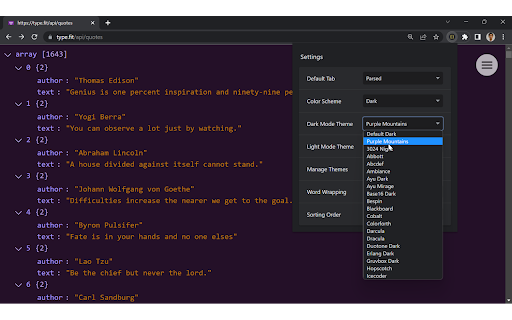
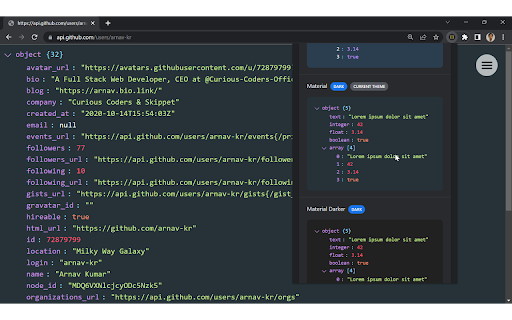
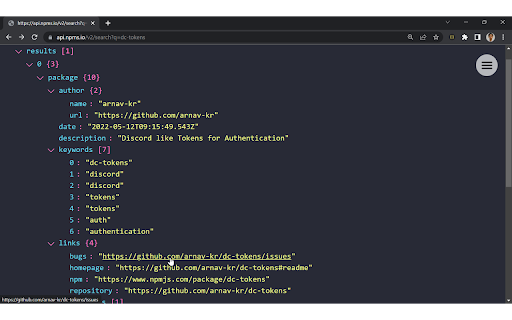
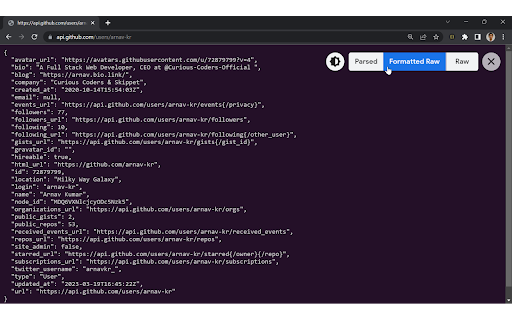
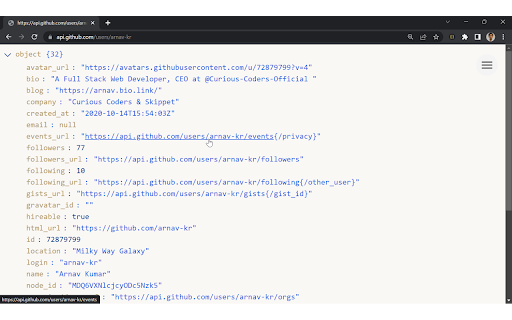
An open-source browser extension that automatically formats and highlights JSON content on webpages. It offers Parsed, Formatted Raw, and Raw viewing modes, along with offline functionality and extensive theme support.

Developer:Arnav Kumar
Version:v2.2.0
Size:213KiB
Last updated:

Overview

Installs

40K+

Rating

4.4

44 reviews

Languages

1 locales

Includes English

Market analysis

Review-backed positioning, friction, and market signals for this Chrome extension.

Backed by review samples

Macro category

Developer & Designer Tools

Pricing friction

Low review signal

Complaint intensity

Moderate review signal

Listing & review signals
Observed signals from store listing text and review samples.

Listing positioning

The product is positioned as an open-source utility that automatically prettifies JSON data in Chrome. It emphasizes visual customization with over 60 themes and efficiency through multiple viewing modes and keyboard shortcuts.

Inferred product pattern

Open-source developer utility focusing on the visual presentation of structured data.

Review-backed pain points

Users report frustration with the extension taking over the right-click menu, non-closeable update banners, and bugs where URLs in Parsed view are rendered as HTML code.

Observed feature gaps

Lack of custom font-family settings and absence of alphabetical sorting for large JSON objects.

Tags
JSON FormatterSyntax HighlightingDeveloper ToolsAPI DebuggingJSON Viewer
Target users

- Web Developers

- API Developers

- QA Engineers

- Data Analysts

Primary use cases

- Reading API responses in the browser

- Debugging structured JSON data

- Viewing raw JSON files with syntax highlighting

Positive themes

- Effective JSON formatting

- Generally high utility for its core purpose

Negative themes

- Intrusive UI elements

- Rendering bugs in Parsed mode

- Theme consistency issues

- Lack of font customization

Observed friction

- Performance complaints detected

- Privacy complaints detected

- No pricing friction observed as the product is open source and free.

Evidence boundary: Analysis based on the official store listing and a sample of 10 user reviews. The provided review sample is heavily weighted toward lower ratings, which may not fully reflect the overall 4.4-star average.
Complaint summaries
Review-backed complaint signals grouped by operational area.

Support

No specific support or refund complaints; users primarily use GitHub for bug reports.

Reliability

Some reports of layout breakage on Brave/Linux and issues accessing local JSON files on Windows 11.

Privacy

One user expressed concern over the presence of an analytics ingestion endpoint without explicit consent.

Access & pricing

- Free usage observed

- No account requirement observed

- Free plan or free usage claimed

Store listing facts

Listing assets

- Screenshots: 5

- Videos: 0

- Languages: 1

Trust signals

- Developer contact

- Official website

- Support link

Store metadata

- Version: v2.2.0

- Size: 213KiB

- Last updated:

Listing SEO keywords

Search intent keywords
Keyword signals for evaluating how users may discover, compare, or search for this extension category.

Core discovery

JSON formatter chromeJSON prettifier extensionsyntax highlight JSON browser

Comparison

JSON Formatter vs JSON Viewerbest chrome extension for JSON

Problem

how to format JSON in chromeread raw JSON API responseprettify JSON data

Alternative

JSON viewer alternativeJSON lint browser extension

Similar extensions

Jump to related discovery paths:

Screenshots

JSON Formatter screenshot

Links

Recommended Chrome extensions

Related listings from the same category, trending peers, and the same publisher portfolio.

Browse developer