Black Menu for Wikipedia icon

Black Menu for Wikipedia Chrome Extension Analysis

Tab & Bookmark Productivity

Chrome extension ID: hdghceafmahkdiaoenecabpfokplecfi

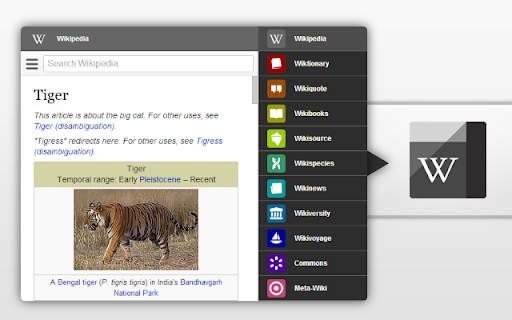
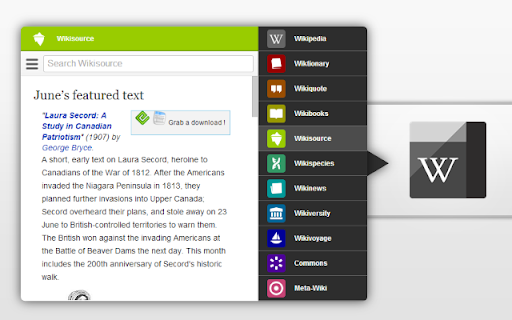
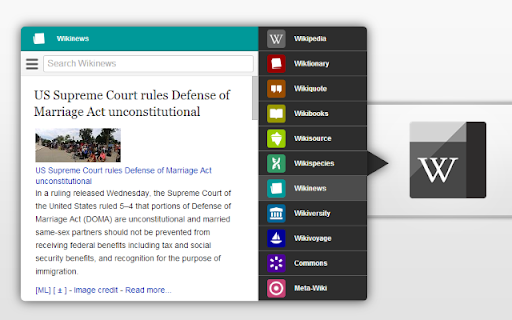
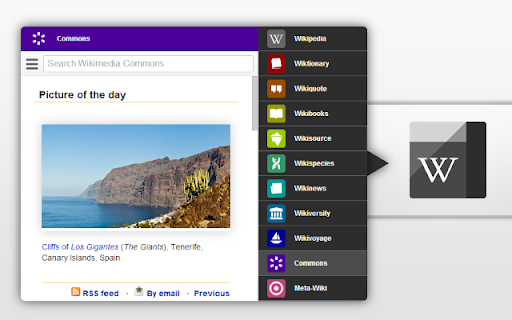
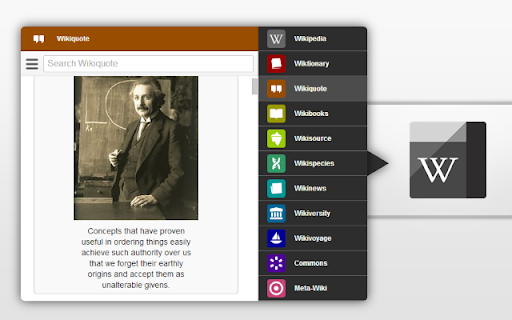
A browser extension that provides a popup menu for searching and navigating various Wikimedia projects including Wikipedia, Wiktionary, and Wikivoyage. It integrates search boxes and displays featured daily content from these platforms.

Version:7.0.0
Size:90.7KiB
Last updated:

Overview

Installs

3K+

Rating

4.5

78 reviews

Languages

69 locales

Includes Deutsch, English, English (Australia), English (United Kingdom)...

Market analysis

Review-backed positioning, friction, and market signals for this Chrome extension.

Backed by review samples

Macro category

Tab & Bookmark Productivity

Pricing friction

Low review signal

Complaint intensity

Low review signal

Listing & review signals
Observed signals from store listing text and review samples.

Listing positioning

The store listing positions the product as a comprehensive and convenient gateway to the entire Wikimedia Foundation ecosystem. It emphasizes easy access to multiple projects via a simple, centralized menu.

Inferred product pattern

A navigation hub extension that aggregates multiple related web services into a single accessible popup menu.

Review-backed pain points

Users report that specific menu options such as settings, login, and edit history are non-functional. There is also frustration that the search bar is not automatically selected upon opening the popup.

Observed feature gaps

Lack of keyboard shortcuts for tab navigation and the absence of a persistent default language setting.

Tags
Wikipedia ToolKnowledge ManagementReference UtilityWikimedia Access
Target users

- Students

- Researchers

- Wikipedia power users

- General knowledge seekers

Primary use cases

- Quickly searching across multiple Wikimedia projects

- Accessing featured articles and the word of the day

- Navigating Wikimedia services without typing URLs

Positive themes

- Efficient search suggestions

- Powerful research tool

- Convenient centralized access

Negative themes

- Broken menu options

- UX friction regarding search focus

- Occasional slow loading

Observed friction

- Performance complaints detected

- No pricing friction observed as the product is free.

Evidence boundary: Analysis based on store listing data and 10 provided review samples. Small review sample size; some negative feedback is dated from 2013.
Complaint summaries
Review-backed complaint signals grouped by operational area.

Support

No support or account-related complaints found in review samples.

Reliability

Some reliability issues noted regarding broken internal links (settings, login) and occasional slow load times.

Privacy

One historical review mentioned a security software flag, but no systemic privacy concerns are present.

Access & pricing

- Free usage observed

- No account requirement observed

- Free plan or free usage claimed

Store listing facts

Listing assets

- Screenshots: 5

- Videos: 0

- Languages: 69

Trust signals

- Privacy policy

- Developer contact

- Official website

- Support link

Store metadata

- Version: 7.0.0

- Size: 90.7KiB

- Last updated:

Listing SEO keywords

Search intent keywords
Keyword signals for evaluating how users may discover, compare, or search for this extension category.

Core discovery

Wikipedia extensionWikimedia menuWiki search toolWikipedia shortcut

Comparison

best Wikipedia extensionBlack Menu for Google vs Wikipedia

Problem

how to search Wikipedia fastereasy access to Wiktionary

Alternative

Wikipedia bookmarksWiki search shortcuts

Similar extensions

Jump to related discovery paths:

Screenshots

Black Menu for Wikipedia screenshot

Links

Recommended Chrome extensions

Related listings from the same category, trending peers, and the same publisher portfolio.

Browse education
Black Menu for Google™ icon

Black Menu for Google™

Carlos Jeurissen

The easiest access to the Google universe with Gemini AI and sidebar support

Installs

200K+

Rating

4.6

Shortcuts for Google™ icon

Shortcuts for Google™

Carlos Jeurissen

Choose from 1000+ Google™ shortcuts to show up as buttons in a space-saving popup

Installs

90K+

Rating

4.8

edpuzzle icon

edpuzzle

Edpuzzle

Import your favorite educational YouTube video into Edpuzzle with a click!

Installs

300K+

Rating

4.2

Revision History: Writing Process Visibility for Google Docs & Slides icon

Revision History: Writing Process Visibility for Google Docs & Slides

Revision History

Built for teachers: See how students write, not just what they wrote. View the writing process in Google Docs & Slides.

Installs

200K+

Rating

3.7

rikaikun icon

rikaikun

Erek Speed

rikaikun shows the reading and English definition of Japanese words when you hover over Japanese text in the browser.

Installs

200K+

Rating

4.7

Mouse Tooltip Translator - PDF & Netflix YouTube dual subs icon

Mouse Tooltip Translator - PDF & Netflix YouTube dual subs

ttop324

Mouse Tooltip Translator translate mouseover text using google translate. Support OCR, TTS, manga translator & pdf translator.

Installs

200K+

Rating

4.6

Paperpile Extension icon

Paperpile Extension

Paperpile

Collect, organize, annotate and cite your research papers in Chrome.

Installs

200K+

Rating

4.6

ExCITATION – Journal Ranking & Impact Factor for Google Scholar™ icon

ExCITATION – Journal Ranking & Impact Factor for Google Scholar™

Excitation Journal

Show SJR, ABS & ABDC journal rankings in Google Scholar. Sort by citations, detect predatory journals & preview abstracts — free.

Installs

200K+

Rating

4.5

OpenDyslexic for Chrome icon

OpenDyslexic for Chrome

OpenDyslexic

Format pages using the OpenDyslexic font and low contrast help

Installs

200K+

Rating

4.1

Reverso – Translation, dictionary icon

Reverso – Translation, dictionary

Reverso Technologies Inc.

Translate and learn languages while reading or watching movies online. It's free.

Installs

200K+

Rating

4.6