Easy Auto Scroll icon

Easy Auto Scroll Chrome Extension Analysis

Automation & Workflow Efficiency

Chrome extension ID: jaaiechclhbgnifboamkoifkippfiplo

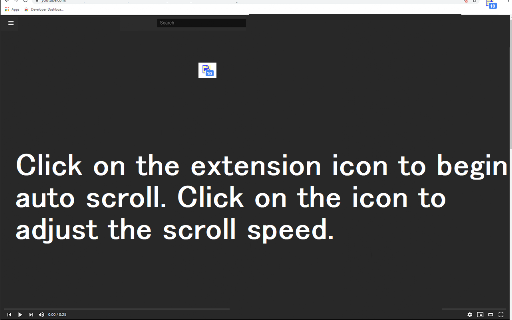
Easy Auto Scroll allows users to automate the scrolling of web pages at various speeds. It operates as a lightweight browser utility that helps users read long-form content by maintaining a steady scroll pace.

Version:3.1.0
Size:108KiB
Last updated:

Overview

Installs

6K+

Rating

3.7

15 reviews

Languages

41 locales

Includes Deutsch, English, Filipino, Indonesia...

Market analysis

Review-backed positioning, friction, and market signals for this Chrome extension.

Backed by review samples

Macro category

Automation & Workflow Efficiency

Pricing friction

Low review signal

Complaint intensity

Moderate review signal

Listing & review signals
Observed signals from store listing text and review samples.

Listing positioning

The extension positions itself as a simple, user-friendly utility for adding customizable autoscrolling to web pages. It highlights the ability to toggle between three distinct speed modes and emphasizes its ease of use.

Inferred product pattern

Utility-first browser extension with a simplistic, feature-limited approach.

Review-backed pain points

Users frequently express frustration with hard-coded speed presets, noting a desire for manual speed adjustment, and cite issues with functionality on specific sites (Google, image-heavy websites).

Observed feature gaps

Lack of granular speed control, failure to execute on specific web domains (as stated by the developer), and occasional initialization issues requiring browser restarts.

Tags
Auto ScrollReading AidBrowser UtilityProductivity Tool
Target users

- Casual readers

- Long-form content consumers

- Users needing accessibility assistance

Primary use cases

- Hands-free reading of long articles

- Automating page scrolling on text-heavy sites

Positive themes

- Ease of use

- Effective functionality on general web pages

- Valuable for slow reading paces

Negative themes

- Limited compatibility with image-heavy sites

- Incompatibility with Google domains

- Platform-specific issues (Linux/Ubuntu)

- Rigid speed settings

Observed friction

- Performance complaints detected

- None observed; the product is free.

Evidence boundary: Evidence is derived from Chrome Web Store user reviews detailing functional limitations, desired feature additions, and positive feedback regarding the extension's simplicity. Review sample size is small, and feedback is highly subjective, particularly regarding ideal scroll speeds.
Complaint summaries
Review-backed complaint signals grouped by operational area.

Support

No specific support complaints, though users mention technical bugs with platform compatibility.

Reliability

Some users report the extension failing to initialize or function on specific sites and browser environments.

Privacy

None identified.

Access & pricing

- Free usage observed

- No account requirement observed

- Free plan or free usage claimed

Store listing facts

Listing assets

- Screenshots: 1

- Videos: 0

- Languages: 41

Trust signals

- Privacy policy

- Developer contact

- Official website

Store metadata

- Version: 3.1.0

- Size: 108KiB

- Last updated:

Listing SEO keywords

Search intent keywords
Keyword signals for evaluating how users may discover, compare, or search for this extension category.

Core discovery

auto scroll chrome extensionautomatic page scrollerscrolling tool for chrome

Comparison

autoscroll vs manual scrollbest auto scroll extension

Problem

scrolling too slowpage not scrollingextension not working

Alternative

scrolling pluginbrowser reading automation

Similar extensions

Jump to related discovery paths:

Screenshots

Easy Auto Scroll screenshot

Links

Recommended Chrome extensions

Related listings from the same category, trending peers, and the same publisher portfolio.

Browse workflow