Hover inspector icon

Hover inspector Chrome Extension Analysis

Developer & Designer Tools

Chrome extension ID: jbhnejndccdjigppalbbiphlbaaehpln

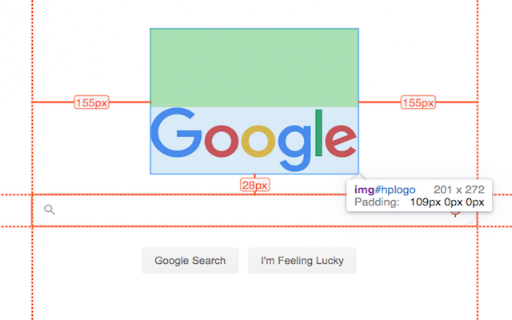
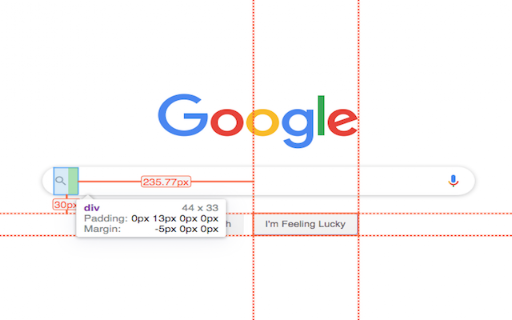
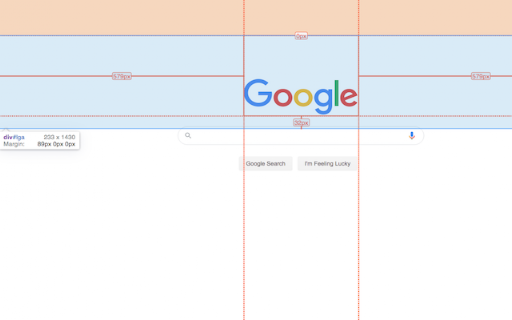
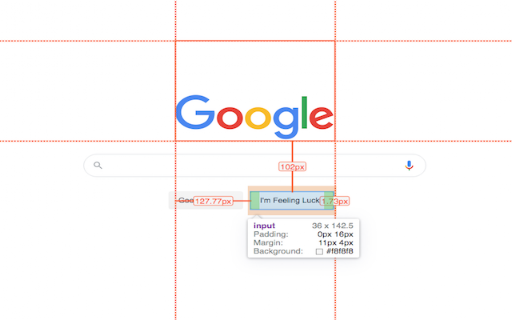
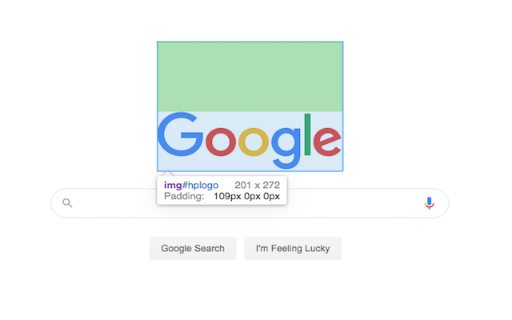
This extension provides an on-page overlay that allows users to hover over elements to see dimensions and click elements to view specific CSS properties like padding, margin, font details, and colors. It serves as a lightweight visual helper for front-end inspection without requiring the full Chrome DevTools suite.

Developer:Liubomyr Kozak
Version:3.2.3
Size:1.25MiB
Last updated:

Overview

Installs

8K+

Rating

★ 4.8

33 reviews

Languages

1 locales

Includes English

Market analysis

Review-backed positioning, friction, and market signals for this Chrome extension.

Backed by review samples

Macro category

Developer & Designer Tools

Pricing friction

Low review signal

Complaint intensity

Moderate review signal

Listing & review signals
Observed signals from store listing text and review samples.

Listing positioning

The store listing positions this extension as a streamlined alternative to complex DevTools, designed to mimic the inspection behavior found in professional design software like Zeplin and Figma. It emphasizes its utility for designers and QA professionals who need to quickly measure distances and view CSS styling properties.

Inferred product pattern

Utility-focused browser overlay for visual web inspection.

Review-backed pain points

Users struggle with the lack of onboarding, tutorials, or documentation, leading to confusion about how to activate and toggle the extension. Some users report frustration with the extension remaining active after an attempted shutdown.

Observed feature gaps

Reviews indicate a desire for more comprehensive style definitions, such as border width and color, and better tab-navigation stability.

Tags
Design InspectorWeb DevelopmentFrontend ToolsCSS DebuggingUI Design
Target users

- Web Designers

- Frontend Developers

- QA Testers

- Product Managers

Primary use cases

- Measuring distances between DOM elements

- Quickly inspecting CSS styles (margins, padding, fonts)

- Validating front-end implementation against design specs

Positive themes

- Valued as a lightweight alternative to Chrome DevTools

- Helps quickly verify element specs without diving into code

- Highly functional for non-developer roles like Product Managers

Negative themes

- Poor discoverability due to lack of documentation or manuals

- User interface confusion regarding how to activate and deactivate features

- Occasional difficulty with toggling the extension off

Observed friction

- None identified; the product is free.

Evidence boundary: Evidence is derived from Chrome Web Store user reviews and developer change logs, which verify the tool's core functionality, occasional UI friction, and lack of external documentation. Review data is limited to a small sample size (32 comments), which may not represent the entire user base.
Complaint summaries
Review-backed complaint signals grouped by operational area.

Support

Primary complaints center on the total absence of documentation or manual, making the tool difficult for new users to adopt.

Reliability

Occasional issues reported with toggling the extension state and minor bugs when navigating between browser tabs.

Privacy

No privacy complaints observed.

Access & pricing

- Free usage observed

- No account requirement observed

- Free plan or free usage claimed

Store listing facts

Listing assets

- Screenshots: 5

- Videos: 1

- Languages: 1

Trust signals

- Privacy policy

- Developer contact

- Official website

Store metadata

- Version: 3.2.3

- Size: 1.25MiB

- Last updated:

Listing SEO keywords

Search intent keywords
Keyword signals for evaluating how users may discover, compare, or search for this extension category.

Core discovery

Chrome inspect element extensionweb design inspector toolmeasure web elementsCSS property inspector

Comparison

Zeplin alternativeFigma inspect toolChrome DevTools alternative

Problem

hard to inspect web elementsDevTools too complicatedcheck padding and margin on website

Alternative

web design inspection pluginsfrontend design helper

Similar extensions

Jump to related discovery paths:

Screenshots

Hover inspector screenshot

Links

Recommended Chrome extensions

Related listings from the same category, trending peers, and the same publisher portfolio.

Browse developer
GoFullPage - Full Page Screen Capture icon

GoFullPage - Full Page Screen Capture

GoFullPage

Capture a screenshot of your current page in entirety and reliably—without requesting any extra permissions!

Installs

11.0M+

Rating

★ 4.9

TouchEn PC보안 확장 icon

TouchEn PC보안 확장

라온시큐어

브라우저에서 라온시큐어의 PC보안 기능을 사용하기 위한 확장 프로그램입니다.

Installs

8.0M+

Rating

★ 1.2

React Developer Tools icon

React Developer Tools

React Foundation

Adds React debugging tools to the Chrome Developer Tools. Created from revision 1d34f91dfd.

Installs

5.0M+

Rating

★ 3.5

ColorZilla icon

ColorZilla

colorzilla.com

Advanced Eyedropper, Color Picker, Gradient Generator and other colorful goodies

Installs

4.0M+

Rating

★ 4.7

Full Page Screenshot & PDF - Web Capture by FireShot icon

Full Page Screenshot & PDF - Web Capture by FireShot

Evgeny Vokilsus

Capture full-page screenshots. Save as PDF or image. Trusted since 2010. Your screenshots stay private. Minimal permissions.

Installs

3.0M+

Rating

★ 4.9

Meta Ads Data Advisor icon

Meta Ads Data Advisor

Meta

Meta Ads Data Advisor automates connecting your website and marketing data to Meta for better ad performance. No developers needed.

Installs

3.0M+

Rating

★ 2.0

Tag Assistant icon

Tag Assistant

Google

The Tag Assistant extension works with Tag Assistant to help troubleshoot installation of gtag.js and Google Tag Manager.

Installs

3.0M+

Rating

★ 3.5

Wappalyzer - Technology profiler icon

Wappalyzer - Technology profiler

Wappalyzer

Identify web technologies

Installs

3.0M+

Rating

★ 4.0

WhatFont icon

WhatFont

Chengyin Liu

The easiest way to identify fonts on web pages.

Installs

3.0M+

Rating

★ 3.8

Device Recovery Utility icon

Device Recovery Utility

google.com

Create recovery media for your Chromebook or Googlebook device.

Installs

2.0M+

Rating

★ 2.7