Tab Activate icon

Tab Activate Chrome Extension Analysis

Tab & Bookmark Productivity

Chrome extension ID: jlmadbnpnnolpaljadgakjilggigioaj

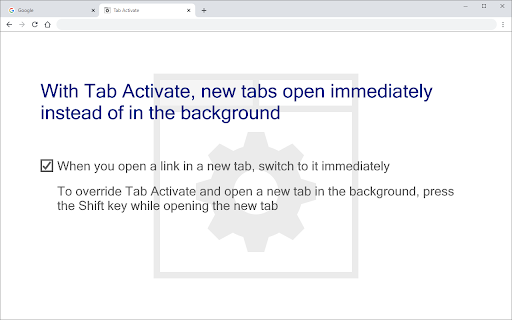
An extension that automatically switches focus to newly opened tabs immediately rather than loading them in the background. It aims to streamline web browsing by eliminating the need to manually click on new tabs. Users can temporarily bypass this behavior by holding down the Shift key.

Developer:Tab Activate
Version:4.0.0
Size:6.29KiB
Last updated:

Overview

Installs

50K+

Rating

★ 4.1

278 reviews

Languages

1 locales

Includes English (United States)

Market analysis

Review-backed positioning, friction, and market signals for this Chrome extension.

Backed by review samples

Macro category

Tab & Bookmark Productivity

Pricing friction

Low review signal

Complaint intensity

Moderate review signal

Listing & review signals
Observed signals from store listing text and review samples.

Listing positioning

Tab Activate positions itself as a lightweight utility that reverses Chrome's default behavior of opening new tabs in the background. It ensures new tabs are immediately focused when opened. The listing explicitly addresses permission concerns, explaining that broad read/write permissions are required solely for Shift-key detection to temporarily override the extension.

Inferred product pattern

Single-purpose browser behavior override utility.

Review-backed pain points

Users report that the extension causes Chrome to attempt to load all tabs at startup, occasionally leading to severe unresponsiveness or freezing. Others note conflicts with tab positioning extensions and issues with bookmark clicks.

Observed feature gaps

Lack of native configuration options to exclude certain actions (like bookmarks) or to prevent it from triggering on browser startup which causes bulk loading of tabs. No built-in setting to adjust the placement of the new tab (e.g., opening at the end of the tab strip vs. next to the current tab).

Tags
Tab ManagementFocus New TabBrowser NavigationWorkflow Efficiency
Target users

- Heavy web browsers

- Users preferring immediate tab focus

- Keyboard-driven navigators

Primary use cases

- Automatically switching focus to a new tab when clicking a link

- Overriding immediate focus by holding Shift to load in background

Positive themes

- Extremely simple implementation

- Works as advertised for immediate tab focusing when functional

- Clean and auditable codebase free of tracking

Negative themes

- Causes Chrome to load all tabs/collapsed tab groups on browser restart

- Causes slow browser launch or unresponsiveness on startup

- Compatibility issues with other tab management extensions

- Incompatibility or bugs on specific browser versions like Edge or Vivaldi

Observed friction

- Performance complaints detected

- No pricing friction observed as the extension is entirely free.

Evidence boundary: Based on the public Chrome Web Store listing details, Manifest V3 updates, and 13 user review samples highlighting performance-related startup freezing, version compatibility, and feature gaps. Review-backed data is limited to the available sample of 13 reviews, which skew toward troubleshooting and technical bugs rather than a complete distribution of the user base.
Complaint summaries
Review-backed complaint signals grouped by operational area.

Support

No formal support channel complaints, but reviewers note a lack of response or updates regarding reported bugs with bookmarks and newer Chrome updates.

Reliability

Significant performance complaints highlight that Chrome becomes sluggish or freezes on startup because the extension triggers a load sequence for all tabs. Users also report intermittent failures following Chrome version updates.

Privacy

While the extension requests broad 'read and change your data' permissions, reviewers who audited the code verified that no data is collected or changed, mirroring the developer's listing claims.

Access & pricing

- Free usage observed

- No account requirement observed

- Free plan or free usage claimed

Store listing facts

Listing assets

- Screenshots: 1

- Videos: 0

- Languages: 1

Trust signals

- Developer contact

Store metadata

- Version: 4.0.0

- Size: 6.29KiB

- Last updated:

Listing SEO keywords

Search intent keywords
Keyword signals for evaluating how users may discover, compare, or search for this extension category.

Core discovery

open chrome tabs in foregroundswitch to new tab chrome extensionfocus new tab automatically chrome

Comparison

Tabs to Front v2Switch to New TabOpen Tabs In Foreground

Problem

chrome tabs load in backgroundhow to open tabs in foreground chromedisable background tab loading

Alternative

Tab Activate alternativeTab Activate v2

Similar extensions

Jump to related discovery paths:

Screenshots

Tab Activate screenshot

Recommended Chrome extensions

Related listings from the same category, trending peers, and the same publisher portfolio.

Browse workflow
金山收藏助手 icon

金山收藏助手

金山收藏助手

一键收藏,永久保存网页正文或片段到金山文档

Installs

2.0M+

Rating

★ 4.7

Evernote Web Clipper icon

Evernote Web Clipper

Evernote

Use the Evernote extension to save things you see on the web into your Evernote account.

Installs

2.0M+

Rating

★ 4.5

Scribe: AI Documentation, SOPs & Process Intelligence icon

Scribe: AI Documentation, SOPs & Process Intelligence

chrome-store-admins

Turn any workflow into documentation your teams and AI agents can follow. Save each team member 35 hours/month.

Installs

2.0M+

Rating

★ 4.4

Momentum icon

Momentum

Momentum

Transform your browser into a beautifully designed tab that helps you feel calm, keep focus, and stay energized.

Installs

2.0M+

Rating

★ 4.2

Google Scholar PDF Reader icon

Google Scholar PDF Reader

scholar-chrome-extensions

Supercharge your paper reading: follow references, skim outline, jump to figures, cite and save.

Installs

2.0M+

Rating

★ 4.0

Pop up blocker for Chrome™ - Poper Blocker icon

Pop up blocker for Chrome™ - Poper Blocker

dingosolutions

Block popups, ads, cookie requests, trackers, notifications, ads on social media & more. A clean browsing experience starts today.

Installs

2.0M+

Rating

★ 4.5

AI Grammar Checker & Paraphraser – LanguageTool icon

AI Grammar Checker & Paraphraser – LanguageTool

lt-extension-publisher

Instantly Enhance Your Texts with LanguageTool’s Grammar Checker and Paraphrasing Tool

Installs

2.0M+

Rating

★ 3.3

Адаптер Рутокен Коннект icon

Адаптер Рутокен Коннект

АО "Актив-Софт"

Защищенное TLS-соединение в браузере по ГОСТу с Рутокен

Installs

2.0M+

Rating

★ 1.5

MasteryConnect LockDown Browser icon

MasteryConnect LockDown Browser

Respondus Inc

LockDown Browser is a custom browser that locks down the exam environment within specific learning and assessment systems

Installs

2.0M+

Rating

★ 1.5

My Apps Secure Sign-in Extension icon

My Apps Secure Sign-in Extension

Microsoft

My Apps Secure Sign-in Extension

Installs

2.0M+

Rating

★ 1.3