TestCase Studio - Selenium IDE icon

TestCase Studio Chrome Extension Analysis

Developer & Designer Tools

Store listing title: TestCase Studio - Selenium IDE

Chrome extension ID: loopjjegnlccnhgfehekecpanpmielcj

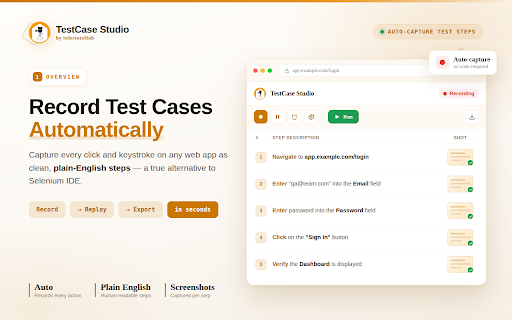
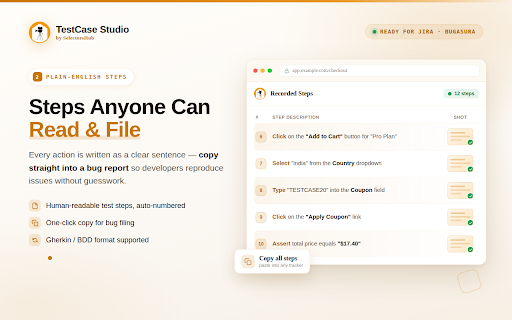
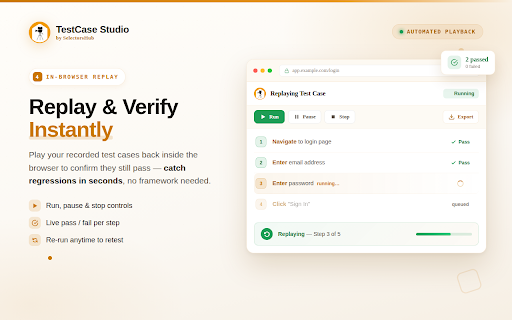
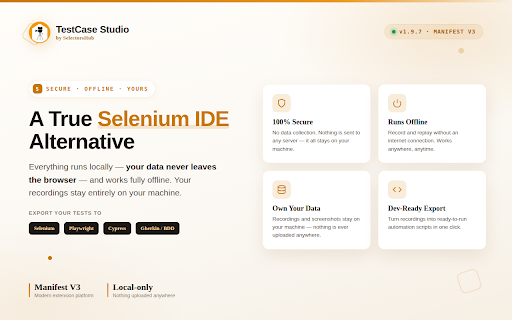
TestCase Studio is a browser extension designed for software testers and QA engineers to automate the documentation of manual test cases. It records web interactions in real-time, generates XPaths, and supports BDD formats to streamline bug reporting and test planning.

Version:2.0.4
Size:848KiB
Last updated:

Overview

Installs

80K+

Rating

4.9

208 reviews

Languages

1 locales

Includes English

Market analysis

Review-backed positioning, friction, and market signals for this Chrome extension.

Backed by review samples

Macro category

Developer & Designer Tools

Pricing friction

Low review signal

Complaint intensity

Moderate review signal

Listing & review signals
Observed signals from store listing text and review samples.

Listing positioning

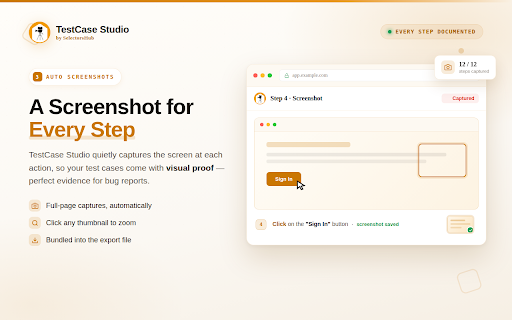
The product positions itself as a superior alternative to Selenium IDE, focusing on recording user actions and converting them into readable English sentences. It emphasizes efficiency in creating test cases, screenshots, and automation code to save time for QA professionals.

Inferred product pattern

A developer utility that automates the transition from manual browser interaction to structured testing documentation.

Review-backed pain points

Users have reported intrusive ads that interfere with the UI and claims that the tool captures screenshots but fails to properly record the intended test scenarios.

Observed feature gaps

Some users perceive a gap in the tool's ability to accurately capture the full test scenario as promised in the listing.

Tags
QA TestingTest Case GeneratorSelenium AlternativeAutomation ToolBug Reporting
Target users

- QA Engineers

- Manual Testers

- Automation Engineers

- Business Analysts

Primary use cases

- Creating manual test cases from user actions

- Documenting steps to reproduce bugs

- Generating XPath and automation code

- Bridging communication between technical and non-technical stakeholders

Positive themes

- Significant reduction in manual documentation time

- High utility for exploratory testing and bug filing

- Ease of converting interactions into readable steps

- Strong support for sprint planning and execution

Negative themes

- Intrusive advertisements overlapping the user interface

- Discrepancy between promised functionality and actual performance

- General usability issues

Observed friction

- The listing promotes a Pro version for advanced features, but there are no specific user complaints regarding the pricing tiers in the provided samples.

Evidence boundary: Analysis based on the Chrome Web Store listing and a representative sample of high and low rating reviews. Review sample size is limited and may not represent the total distribution of the 205 comments.
Complaint summaries
Review-backed complaint signals grouped by operational area.

Support

No specific support, account, or refund complaints were observed in the review samples.

Reliability

A small number of users reported the tool as unusable or failing to perform its primary promised function of scenario recording.

Privacy

No privacy or security complaints were observed in the review samples.

Access & pricing

- Free entry with paid features

- No clear access signal

- Limited free usage observed

Store listing facts

Listing assets

- Screenshots: 5

- Videos: 1

- Languages: 1

Trust signals

- Privacy policy

- Developer contact

- Official website

- Support link

Store metadata

- Version: 2.0.4

- Size: 848KiB

- Last updated:

Listing SEO keywords

Search intent keywords
Keyword signals for evaluating how users may discover, compare, or search for this extension category.

Core discovery

TestCase StudioSelenium IDE alternativetest case recorderautomated test case generator

Comparison

TestCase Studio vs Selenium IDEbest manual test case recorder

Problem

how to automate test case writingrecording steps for bug reportsautomatic xpath generator

Alternative

Selenium IDE alternativeQA documentation tool

Similar extensions

Jump to related discovery paths:

Screenshots

TestCase Studio - Selenium IDE screenshot

Links

Recommended Chrome extensions

Related listings from the same category, trending peers, and the same publisher portfolio.

Browse developer