BetterBugs: Create precise bug reports with 1-click icon

BetterBugs Chrome Extension Analysis

Developer & Designer Tools

Store listing title: BetterBugs: Create precise bug reports with 1-click

Chrome extension ID: mdljmlgokccncglfobogbfjgcijldnaj

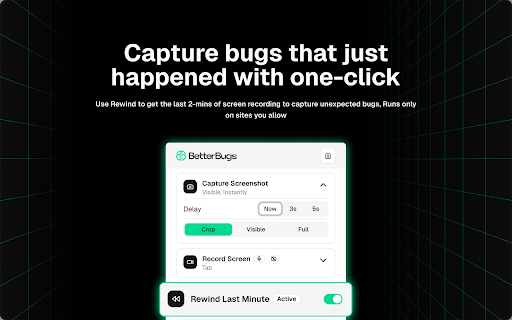
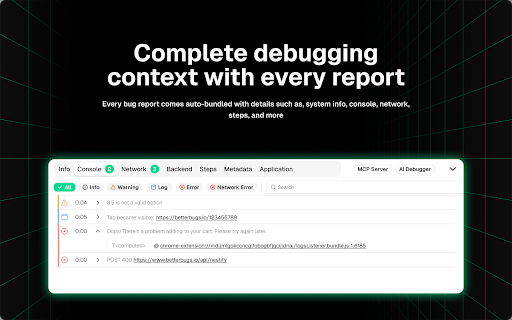
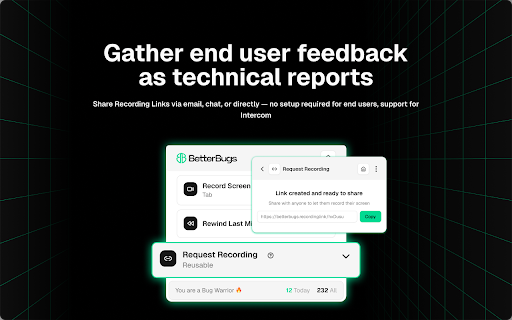
BetterBugs is a browser utility designed to simplify web debugging by capturing visual and technical data in single-click reports. It automatically aggregates screen recordings, retroactive screenshots, system information, and console logs into shareable formats. This allows testing teams and end-users to provide developers with instant, context-rich details to reproduce and fix bugs.

Version:1.1.6
Size:8.33MiB
Last updated:

Overview

Installs

10K+

Rating

4.9

167 reviews

Languages

1 locales

Includes English

Market analysis

Review-backed positioning, friction, and market signals for this Chrome extension.

Backed by review samples

Macro category

Developer & Designer Tools

Pricing friction

Low review signal

Complaint intensity

Moderate review signal

Listing & review signals
Observed signals from store listing text and review samples.

Listing positioning

The store listing positions BetterBugs as a fast, one-click visual bug reporting and tracking tool built specifically for QA teams, developers, and project managers. It highlights automated capture of critical technical data like console and network logs alongside screen recordings and screenshots. The positioning focuses on eliminating back-and-forth communication to drastically speed up bug turnaround times.

Inferred product pattern

An integrated browser-capturing widget that syncs to a cloud-based dashboard with optional AI-driven analysis capabilities.

Review-backed pain points

The most significant user pain points focus on the extension's update behavior, where users find the automatic opening of 'update screens' on browser startup highly disruptive, especially when synced across multiple devices. A localized performance issue involving high CPU usage was also highlighted on Ubuntu.

Observed feature gaps

Review data suggests minor feature gaps within the media capture tool, specifically the lack of basic video editing modes, time-lapse captures, and precise timer/seconds markers.

Tags
Bug ReportingQA TestingDeveloper ToolsAI DebuggingScreen Recording
Target users

- QA Engineers

- Web Developers

- Product Managers

- SEO Specialists

- Beta Testers

Primary use cases

- Automating technical metadata collection for QA reports

- Recording visual bug walks with console and network state

- Gathering instant website audits and UX layout feedback

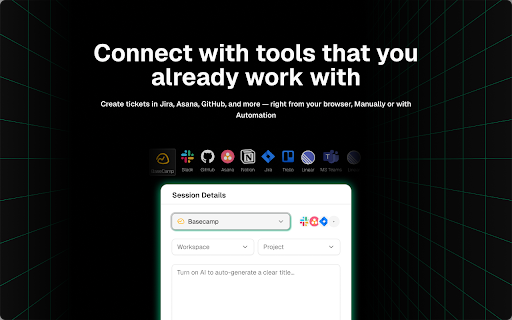
- Streamlining bug ticket submission to developers

Positive themes

- Seamless automatic capture of console logs and network data

- Significant time savings during manual bug reporting workflows

- Improved communication and clarity between QA and development teams

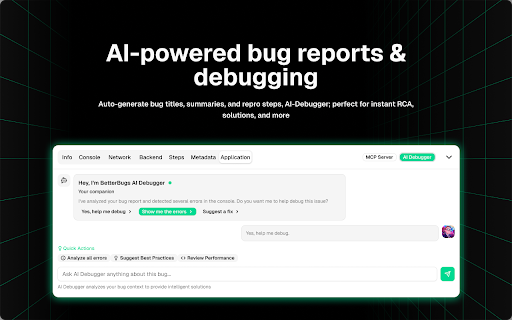
- Intelligent bug summaries and root-cause analysis provided by the AI debugger

Negative themes

- Annoying update pop-ups that repeatedly open tabs across synced browsers

- Performance issues such as high CPU usage and system lag on Linux environments

- Missing video editor features including time lapse and seconds markers

Observed friction

- Performance complaints detected

- Pricing friction is exceptionally low in the reviewed sample. The only notable financial mention is a positive recommendation encouraging other users to try out their free trial.

Evidence boundary: The findings are compiled from official Chrome Web Store metadata for BetterBugs alongside review samples ranging from late 2023 to early 2026. User signals consist of 14 key reviews reporting on both high-value productivity gains and occasional operational nuisances. The analysis is constrained to the reviews and details available publicly on the web store. Technical complaints (such as Ubuntu CPU issues) are based on isolated feedback and have not been validated across diverse operating systems.
Complaint summaries
Review-backed complaint signals grouped by operational area.

Support

No support-specific or refund-related complaints were detected in the reviewed feedback.

Reliability

Performance concerns are rare but present, characterized by a single detailed complaint about local system lag and high CPU usage on Ubuntu. No frequent crashes or global data loss events were mentioned.

Privacy

There are no privacy-related complaints or security warnings raised by users in the review sample.

Access & pricing

- Free entry with paid features

- Login needed for core features

- Limited free usage observed

Store listing facts

Listing assets

- Screenshots: 5

- Videos: 0

- Languages: 1

Trust signals

- Privacy policy

- Developer contact

- Official website

Store metadata

- Version: 1.1.6

- Size: 8.33MiB

- Last updated:

Listing SEO keywords

Search intent keywords
Keyword signals for evaluating how users may discover, compare, or search for this extension category.

Core discovery

chrome bug reporter extensionvisual feedback toolscreen recorder for QAautomated bug logging tool

Comparison

BetterBugs vs JamBetterBugs vs LoomBetterBugs vs Marker.io

Problem

how to export chrome console logs easilyspeed up QA report filingcapture network logs during page crash

Alternative

Jam alternativeLoom alternative for QAMarker.io alternative

Similar extensions

Jump to related discovery paths:

Screenshots

BetterBugs: Create precise bug reports with 1-click screenshot

Links

Recommended Chrome extensions

Related listings from the same category, trending peers, and the same publisher portfolio.

Browse developer