TestCase Studio Pro icon

TestCase Studio Pro Chrome Extension Analysis

Developer & Designer Tools

Chrome extension ID: nbikaeclldnpbfeffmhakhfaekkbfjel

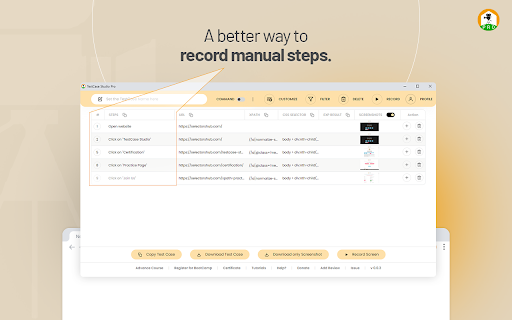
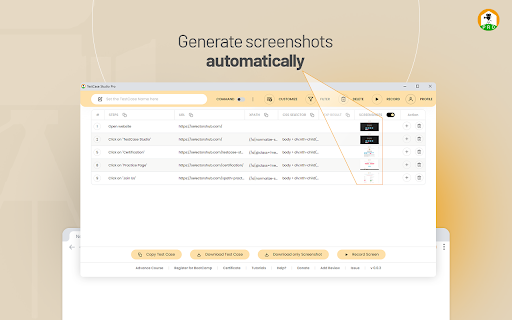
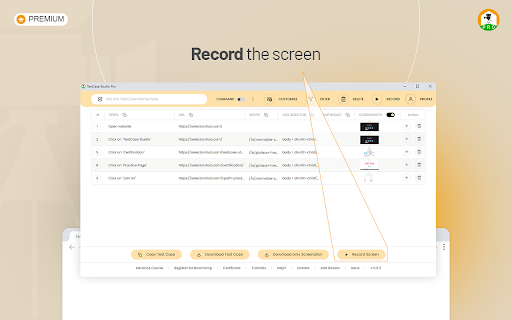
TestCase Studio Pro is a browser extension that records user interactions on web applications, automatically converting actions into written English steps. It captures companion screenshots and screen recordings during the session, allowing users to easily save or copy the generated data for bug reporting or documentation.

Developer:Sanjay Kumar
Version:2.6.3
Size:1.16MiB
Last updated:

Overview

Installs

1K+

Rating

5.0

7 reviews

Languages

1 locales

Includes English

Market analysis

Review-backed positioning, friction, and market signals for this Chrome extension.

Backed by review samples

Macro category

Developer & Designer Tools

Pricing friction

Moderate review signal

Complaint intensity

Low review signal

Listing & review signals
Observed signals from store listing text and review samples.

Listing positioning

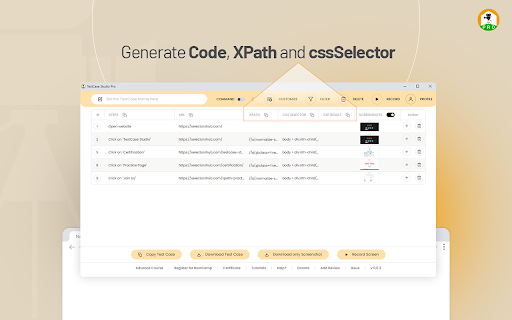
TestCase Studio Pro positions itself as an automated productivity plugin for QA professionals and web developers to record user actions on web applications in plain English sentences. The listing highlights its ability to generate step-by-step instructions, capture automatic screenshots, and record screens to save testing time. Setup requires choosing a plan and logging in with emailed credentials after starting a free trial.

Inferred product pattern

A commercial browser recorder for QA specialists that translates actions into test cases and generates supporting media assets.

Review-backed pain points

No negative review-backed pain points were observed in the provided high-rating review samples.

Observed feature gaps

No feature gaps were identified in the provided review samples or listing description.

Tags
QA TestingTest Case RecorderScreenshot CaptureDeveloper Tools
Target users

- QA Engineers

- Software Testers

- Web Developers

- Product Managers

Primary use cases

- Automatically generating step-by-step manual test cases

- Recording and documenting web application bugs with screenshots

- Capturing user journey flows for QA testing

Positive themes

- Fast, simple, and organized test case creation

- Helpful automatic screenshot feature

- Supportive and quick customer response times

Negative themes

No negative theme data.

Observed friction

- Payment required for meaningful usage

- No pricing friction was identified in the reviews. The listing explicitly states that users must select a subscription plan and obtain emailed credentials to log in and use the extension.

Evidence boundary: The analysis is based on the official Chrome Web Store listing metadata, functional descriptions of the subscription-based workflow, and three 5-star review samples highlighting ease of use, screenshot automation, and customer support. The review-based analysis is constrained by a very small sample of highly positive reviews (3 samples), offering no visibility into potential negative feedback or user friction.
Complaint summaries
Review-backed complaint signals grouped by operational area.

Support

No support complaints were observed. Available reviews praise the developer for quick and supportive replies.

Reliability

No reliability, performance, or bug-related complaints were found in the available review samples.

Privacy

No privacy or security concerns were raised in the provided review samples.

Access & pricing

- Subscription model observed

- Account required for core usage

- Trial or limited free usage before paid plan

Store listing facts

Listing assets

- Screenshots: 4

- Videos: 1

- Languages: 1

Trust signals

- Privacy policy

- Developer contact

- Official website

Store metadata

- Version: 2.6.3

- Size: 1.16MiB

- Last updated:

Listing SEO keywords

Search intent keywords
Keyword signals for evaluating how users may discover, compare, or search for this extension category.

Core discovery

test case recorder chrome extensionautomate test case writingbrowser action recorder for QAselectorshub testcase studio

Comparison

TestCase Studio Pro vs SeleniumTestCase Studio Pro vs manual test writing

Problem

how to write test cases fastrecord web actions to English sentencesgenerate QA screenshots automatically

Alternative

TestCase Studio alternativesQA test recorder alternative

Similar extensions

Jump to related discovery paths:

Screenshots

TestCase Studio Pro screenshot

Links

Recommended Chrome extensions

Related listings from the same category, trending peers, and the same publisher portfolio.

Browse developer