Flowchart Maker icon

Flowchart Maker Chrome Extension Analysis

Automation & Workflow Efficiency

Chrome extension ID: npiiinidjjddnffoiopbkncedkkhhbia

This Chrome extension provides a workspace for users to design and visualize processes directly within their browser. It offers a library of shapes, templates, and export capabilities to support documentation, education, and software development tasks.

Developer:pseko.warjovica
Version:3.7.0
Size:288KiB
Last updated:

Overview

Installs

3K+

Rating

★ 4.9

8 reviews

Languages

52 locales

Includes Deutsch, English, English (United Kingdom), English (United States)...

Market analysis

Review-backed positioning, friction, and market signals for this Chrome extension.

Backed by review samples

Macro category

Automation & Workflow Efficiency

Pricing friction

Low review signal

Complaint intensity

Low review signal

Listing & review signals
Observed signals from store listing text and review samples.

Listing positioning

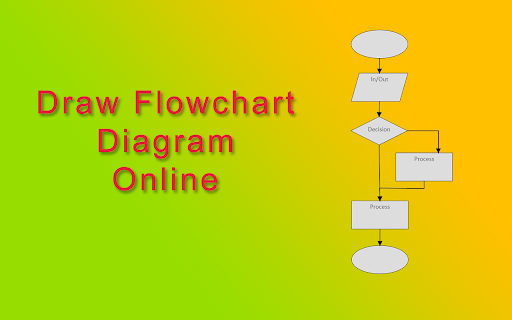
Flowchart Maker positions itself as an intuitive, drag-and-drop tool for creating professional diagrams, including flowcharts, DFDs, and BPMN models. It highlights AI-assisted arrangement and accessibility for both beginners and experts to optimize workflows and project management.

Inferred product pattern

Simple, browser-based utility for rapid diagramming and process visualization.

Review-backed pain points

Users struggle with core usability features like copying/pasting elements and identifying how to export diagrams as images.

Observed feature gaps

Lack of advanced object manipulation (copy/paste), limited text styling/typography controls, and missing intuitive export workflows.

Tags
DiagrammingFlowchartVisualizationUMLProductivity
Target users

- Project Managers

- Students

- Software Developers

- Business Analysts

- Educators

Primary use cases

- Process modeling

- Project planning

- Visualizing goals

- Creating educational materials

- Software workflow design

Positive themes

- User-friendly interface

- Simplicity

- Helpful for goal visualization

- Useful for academic and teaching purposes

Negative themes

- Limited typography control

- Lack of copy-paste functionality

- Difficulties finding/executing export options

- Missing automatic object alignment

Observed friction

- No pricing friction reported; users appreciate the simplicity of the tool.

Evidence boundary: Evidence is gathered from user reviews and the Chrome Web Store listing. Reviews highlight ease of use while pointing out specific missing utility features. The sample size of reviews is small, which may not represent the experience of the entire user base.
Complaint summaries
Review-backed complaint signals grouped by operational area.

Support

No direct support complaints, though users express confusion regarding the location of export features.

Reliability

Users suggest that missing quality-of-life features like automatic alignment reduce efficiency.

Privacy

No privacy-related complaints found.

Access & pricing

- No clear monetization signal

- No account requirement observed

- Free plan or free usage claimed

Store listing facts

Listing assets

- Screenshots: 1

- Videos: 1

- Languages: 52

Trust signals

- Privacy policy

- Developer contact

- Official website

Store metadata

- Version: 3.7.0

- Size: 288KiB

- Last updated:

Listing SEO keywords

Search intent keywords
Keyword signals for evaluating how users may discover, compare, or search for this extension category.

Core discovery

flowchart makeronline diagram toolcreate UML diagramprocess flow builderBPMN chrome extension

Comparison

flowchart maker alternativesimple diagramming tool

Problem

how to create flowchartmake data flow diagram

Alternative

Lucidchart alternativedraw.io alternative

Similar extensions

Jump to related discovery paths:

Screenshots

Flowchart Maker screenshot

Links

Recommended Chrome extensions

Related listings from the same category, trending peers, and the same publisher portfolio.

Browse tools
Audio Trimmer icon

Audio Trimmer

pseko.warjovica

This is an audio trimmer that will help cut mp3 file. Using mp3 cutter feature allows you to edit audio tracks quickly and easily.

Installs

1K+

Rating

★ 5.0

Screen Recorder & Screenshot App for Chrome | Scrnli icon

Screen Recorder & Screenshot App for Chrome | Scrnli

scrnli

Screen recorder for Chrome: capture, edit, share screenshots and videos instantly

Installs

1.0M+

Rating

★ 4.8

AIPRM for ChatGPT icon

AIPRM for ChatGPT

AIPRM

AIPRM is your cheat code for ChatGPT. Adds a list of curated prompt templates and advanced features. Try today.

Installs

1.0M+

Rating

★ 4.4

Britannica School Insights icon

Britannica School Insights

Encyclopædia Britannica

Are you a Britannica School subscriber?

Installs

1.0M+

Rating

★ 3.1

Transpose: pitch ▸ speed ▸ loop icon

Transpose: pitch ▸ speed ▸ loop

Transpose

Change pitch and speed, loop sections and practice music directly on YouTube, Spotify and other supported sites.

Installs

1.0M+

Rating

★ 4.2

Keywords Everywhere - Keyword Tool icon

Keywords Everywhere - Keyword Tool

Axeman Technology Solutions LLP

Keyword search volume, cpc and competition for 15+ websites like Google™ Search Console, YouTube™, Amazon™ & more

Installs

1.0M+

Rating

★ 3.3

CSFloat Market Checker icon

CSFloat Market Checker

CSFloat Inc.

Shows the float value, paint seed, and more of Counter-Strike (CS:GO & CS2) items on the Steam Market or Inventories

Installs

1.0M+

Rating

★ 4.1

Citrix Experience Insights icon

Citrix Experience Insights

Cloud Software Group, Inc.

Enables Citrix Experience Insights to collect web app usage and performance data (e.g., foreground tab) from Chrome.

Installs

1.0M+

Rating

★ 3.0

Ecosia - The search engine that plants trees icon

Ecosia - The search engine that plants trees

Ecosia GmbH

This extension sets your search engine to Ecosia and customizes your new tab page so you can plant trees with every search.

Installs

1.0M+

Rating

★ 4.4

Enhancer for YouTube™ icon

Enhancer for YouTube™

Max RF

Take control of YouTube and boost your user experience!

Installs

1.0M+

Rating

★ 4.5