BugHerd: Visual Feedback & Bug Tracking Tool icon

BugHerd Chrome Extension Analysis

Developer & Designer Tools

Store listing title: BugHerd: Visual Feedback & Bug Tracking Tool

Chrome extension ID: popigpemobhbfkhnnkllkjgkaabedgpb

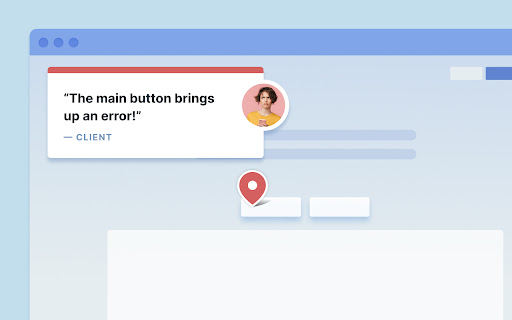
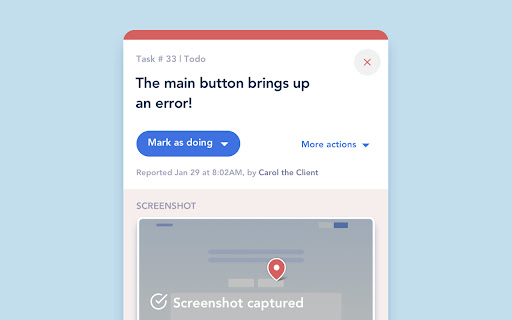
A Chrome extension designed to facilitate website QA and client collaboration. It allows users to drop pins on web elements to create trackable tasks with attached technical metadata.

Developer:BugHerd
Version:3.0.5846
Size:4.67MiB
Last updated:

Overview

Installs

80K+

Rating

★ 4.3

45 reviews

Languages

1 locales

Includes English

Market analysis

Review-backed positioning, friction, and market signals for this Chrome extension.

Backed by review samples

Macro category

Developer & Designer Tools

Pricing friction

Moderate review signal

Complaint intensity

Moderate review signal

Listing & review signals
Observed signals from store listing text and review samples.

Listing positioning

BugHerd positions itself as a visual feedback tool that simplifies the bug reporting process for clients. It emphasizes replacing endless email threads with a point-and-click interface that automatically captures technical details and screenshots.

Inferred product pattern

A visual overlay tool that converts on-page interactions into structured project management tasks for web development workflows.

Review-backed pain points

The extension's floating UI button can obstruct critical interface elements, such as 'Save' buttons in WordPress. Users also reported technical failures where the side navigation or the tool itself fails to appear on certain sites.

Observed feature gaps

Users requested the ability to capture browser alerts and suggested more descriptive iconography to guide non-technical clients.

Tags
Bug TrackingVisual FeedbackWeb QAProject Management
Target users

- Web Developers

- Project Managers

- QA Testers

- Digital Agencies

Primary use cases

- Website visual feedback collection

- Bug reporting and tracking

- Client-developer collaboration

Positive themes

- Ease of setup without requiring code snippets

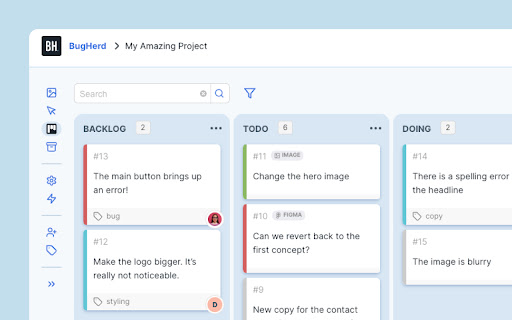
- Effective task organization via Kanban boards

- Automatic capture of technical environment details

Negative themes

- UI/UX interference with web editors

- Technical instability and disappearing interface

- High entry pricing for small teams

Observed friction

- Free-tier complaints detected

- Performance complaints detected

- Privacy complaints detected

- The starting price of $41/month is cited as a barrier for startups and small teams.

Evidence boundary: Data extracted from the official Chrome Web Store listing and a collection of user reviews covering usability, pricing, and technical performance. The review sample size is limited to 45 comments, which may not represent the entire user base.
Complaint summaries
Review-backed complaint signals grouped by operational area.

Support

No specific support or refund complaints were observed in the provided reviews.

Reliability

Users reported the extension disappearing or the collaboration UI failing to load on specific websites.

Privacy

Users expressed concern regarding the extension's requirement for extensive permissions to 'read and change all your data on all websites'.

Access & pricing

- Subscription model observed

- Login needed for core features

- Trial or limited free usage before paid plan

Store listing facts

Listing assets

- Screenshots: 3

- Videos: 1

- Languages: 1

Trust signals

- Privacy policy

- Developer contact

- Official website

- Support link

Store metadata

- Version: 3.0.5846

- Size: 4.67MiB

- Last updated:

Listing SEO keywords

Search intent keywords
Keyword signals for evaluating how users may discover, compare, or search for this extension category.

Core discovery

visual bug trackingwebsite feedback toolclient feedback extensionweb development QA

Comparison

BugHerd vs manual bug reportingvisual feedback tool alternatives

Problem

website bug reportingclient feedback emailsweb design QA

Alternative

JiraTrelloAsanamanual screenshotting

Similar extensions

Jump to related discovery paths:

Screenshots

BugHerd: Visual Feedback & Bug Tracking Tool screenshot

Links

Website: bugherd.com

Privacy policy: https://bugherd.com/privacy

Support links: https://support.bugherd.com/

Videos: Watch

Recommended Chrome extensions

Related listings from the same category, trending peers, and the same publisher portfolio.

Browse developer