
YuJa Verity Chrome Extension Chrome Extension Analysis
Automation & Workflow EfficiencyChrome extension ID: behjakjklighlhiefaoogbalmenhbjid
An online assessment proctoring extension used to monitor remote students during exams. It enforces academic integrity by requesting system permissions to record peripherals and screens during tests. The product is typically mandated by educational institutions rather than chosen voluntarily by individual consumers.
Overview
Installs
200K+
Rating
★ 1.2
159 reviews
Languages
1 locales
Includes English
Market analysis
Review-backed positioning, friction, and market signals for this Chrome extension.
Macro category
Automation & Workflow Efficiency
Pricing friction
Low review signal
Complaint intensity
High review signal
Listing positioning
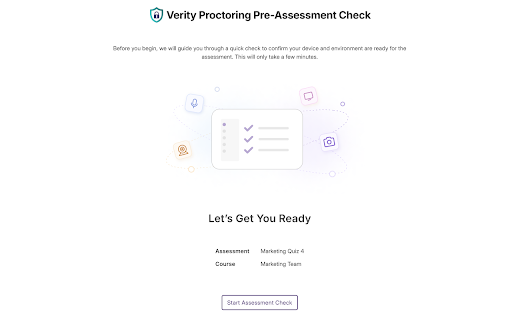
The YuJa Verity Chrome Extension is positioned as an essential companion utility for the YuJa Verity Test Proctoring Platform. It is designed to enable students and test-takers to securely access and complete proctored online assessments directly within their browser. The listing emphasizes integration with the parent platform to facilitate institutional testing compliance.
Inferred product pattern
Enterprise-mandated compliance tool requiring browser-level permission access to enforce security protocols.
Review-backed pain points
Students experience high-stakes stress due to technical failures that physically block them from taking or submitting graded exams. Common points of failure include endless spinner icons during camera verification, Canvas connection errors, and the extension failing to recognize its own installation. Users also report significant anxiety over the highly invasive system permissions required to initiate a test.
Observed feature gaps
The extension lacks robust self-diagnostic tools to help users troubleshoot peripheral connection failures before high-stakes exams. Additionally, there is a clear gap in offline state recovery or local-to-cloud session verification, as evidenced by completed tests failing to upload to professors without warning.
- College and university students
- Online test-takers
- Remote learners
- Educational institutions
- Completing secure university exams online
- Remote identity verification for testing
- System monitoring during online assessments
- No positive themes were identified in the provided review samples, which consist entirely of highly critical feedback.
- Infinite camera connection loading and connection timeouts
- Installation loops where the system continuously prompts to download the already-installed extension
- High CPU usage causing computers to overheat during exam runs
- Severe privacy anxiety regarding requirements for screen sharing, webcams, and photos of physical legal IDs
- Severe technical errors resulting in completed proctored sessions not registering for professors, causing grade deductions
- Account blocking complaints detected
- Performance complaints detected
- Privacy complaints detected
- While end-user students do not pay for the software directly, they face non-monetary friction in the form of academic jeopardy, graded point deductions, and the physical threat of course failure when the software fails to function.
Support
Users report that both university IT help desks and YuJa's direct technical support staff are unable to resolve recurring connection bugs, often scheduling multiple Zoom calls without fixing the underlying issues and leaving users without answers.
Reliability
Highly unstable performance is reported across multiple browser sessions. The software frequently crashes, fails to connect to the LMS (Canvas), displays infinite loading animations during hardware checks, and triggers heavy resource usage that causes hardware to overheat.
Privacy
Users widely express extreme discomfort and anger, calling the extension 'spyware' due to its strict mandates for continuous webcam recording, screen sharing, microphone monitoring, and physical government-issued ID photo captures.
- Subscription model observed
- Login needed for core features
- Paid-only usage observed
Store listing facts
- Screenshots: 1
- Videos: 0
- Languages: 1
- Privacy policy
- Developer contact
- Official website
- Support link
- Version: 2.8.7
- Size: 23.84MiB
- Last updated:
Listing SEO keywords
Core discovery
Comparison
Problem
Alternative
Similar extensions
Jump to related discovery paths:
Screenshots
Links
Website: yujacorp.developer
Privacy policy: https://www.yuja.com/documentation/privacy-policy/
Support links: https://support.yuja.com/