Mind Map icon

Mind Map Chrome Extension Analysis

Automation & Workflow Efficiency

Chrome extension ID: ekgkpdlpkbhonbbiimcbfhcfkehbocdf

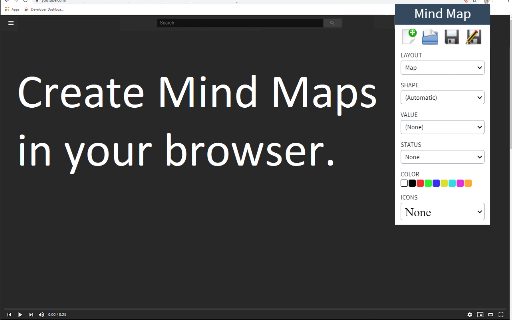
Mind Map is a Chrome extension that allows users to create visual diagrams to organize thoughts and information. It provides features such as image nodes, rich text support, and the ability to save work locally or to Google Drive.

Developer:Free Apps
Version:3.0.1
Size:852KiB
Last updated:

Overview

Installs

20K+

Rating

4.1

41 reviews

Languages

41 locales

Includes Deutsch, English, English (United States), Filipino...

Market analysis

Review-backed positioning, friction, and market signals for this Chrome extension.

Backed by review samples

Macro category

Automation & Workflow Efficiency

Pricing friction

Low review signal

Complaint intensity

Moderate review signal

Listing & review signals
Observed signals from store listing text and review samples.

Listing positioning

The product positions itself as a versatile tool for visually representing words, ideas, tasks, and other items through mind maps. It emphasizes flexibility by supporting cloud storage via Google Drive, offline capabilities, and rich media integration like images and videos.

Inferred product pattern

A lightweight, browser-based visual organization tool focused on simplicity and hybrid local/cloud storage workflows.

Review-backed pain points

Users report significant issues with data saving, specifically that files saved to Google Drive or local storage can become unreadable or display as symbols. There are also reported bugs with Korean language input and difficulty maintaining text formatting.

Observed feature gaps

Lack of drag-and-drop image support and limited ability to establish complex, non-hierarchical relationships between nodes compared to the web-based version.

Tags
Mind MappingDiagram ToolVisual Note TakingProductivity Tool
Target users

- Students

- Project Managers

- Visual Thinkers

- Note Takers

Primary use cases

- Brainstorming

- Organizing tasks

- Visualizing complex information

- Note taking

Positive themes

- Simple and lightweight interface

- Ad-free experience

- Ease of use

- Cross-platform accessibility

Negative themes

- Data integrity issues during saving

- Language input errors

- Limited node relationship flexibility

- Difficulty with image integration

Observed friction

- No pricing friction observed; users explicitly mention the tool is free.

Evidence boundary: Data extracted from the Chrome Web Store product description and user reviews covering usability and technical bugs. The review sample size is relatively small (41 reviews).
Complaint summaries
Review-backed complaint signals grouped by operational area.

Support

No support-related complaints were identified in the provided reviews.

Reliability

Significant reliability concerns exist regarding file saving and data corruption when using Google Drive or local storage.

Privacy

No privacy or security complaints were observed.

Access & pricing

- Free usage observed

- No account requirement observed

- Free plan or free usage claimed

Store listing facts

Listing assets

- Screenshots: 2

- Videos: 0

- Languages: 41

Trust signals

- Privacy policy

- Developer contact

- Official website

Store metadata

- Version: 3.0.1

- Size: 852KiB

- Last updated:

Listing SEO keywords

Search intent keywords
Keyword signals for evaluating how users may discover, compare, or search for this extension category.

Core discovery

mind map makervisual diagram toolbrainstorming extensiononline mind mapping

Comparison

mind map vs flowchartmind map vs note taking

Problem

organize ideasvisual brainstormingmap thoughts

Alternative

XMindMindMeisterLucidchart

Similar extensions

Jump to related discovery paths:

Screenshots

Mind Map screenshot
Mind Map screenshot

Links

Recommended Chrome extensions

Related listings from the same category, trending peers, and the same publisher portfolio.

Browse workflow