Obsidian AI Video Notes & Screenshots (YouTube, Udemy, etc) - HoverNotes icon

Obsidian AI Video Notes & Screenshots (YouTube, Udemy, etc) - HoverNotes Chrome Extension Analysis

AI & Writing Assistants

Chrome extension ID: fhdmbhgpabjkadpaafomaabbdckofphm

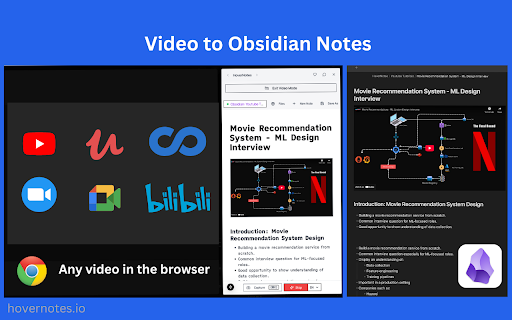
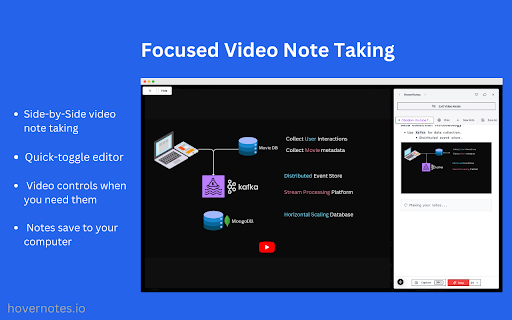
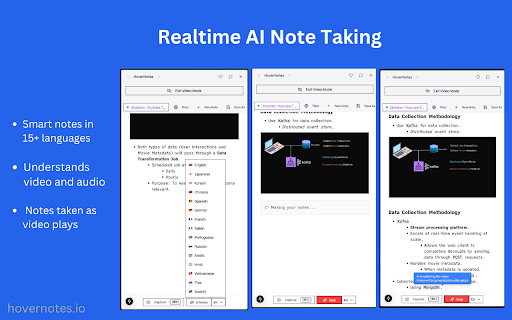
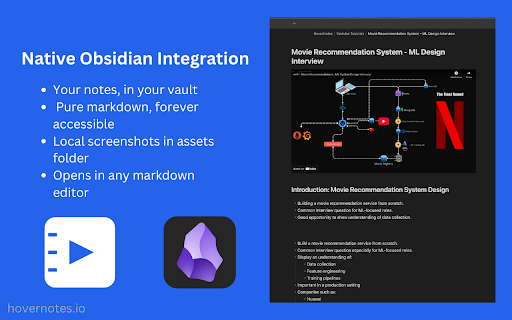
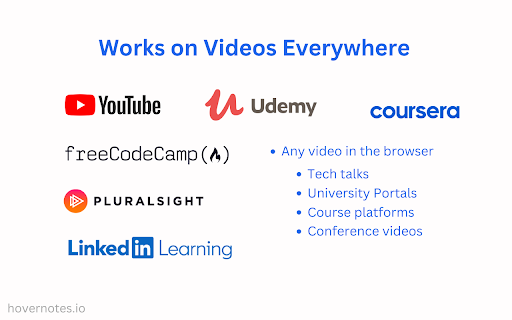
A browser extension that captures AI-generated notes and screenshots from platforms like YouTube, Udemy, and Coursera directly into a user's local Obsidian vault. It features a split-screen editor and supports over 15 languages.

Developer:HoverNotes LLC
Version:1.2.33
Size:2.96MiB
Last updated:

Overview

Installs

20K+

Rating

4.7

92 reviews

Languages

54 locales

Includes Deutsch, English, English (United Kingdom), English (United States)...

Market analysis

Review-backed positioning, friction, and market signals for this Chrome extension.

Backed by review samples

Macro category

AI & Writing Assistants

Pricing friction

Moderate review signal

Complaint intensity

Moderate review signal

Listing & review signals
Observed signals from store listing text and review samples.

Listing positioning

The product is positioned as a local-first AI assistant that transforms educational videos into structured markdown notes for Obsidian. It emphasizes the use of Gemini 2.0 to analyze visual elements like code and diagrams, rather than relying solely on transcripts.

Inferred product pattern

AI-powered content extraction pipeline bridging streaming video platforms and Personal Knowledge Management (PKM) software.

Review-backed pain points

Users expressed frustration over having to manually browse for their Obsidian vault and image folder every time, as well as the AI occasionally skipping critical information or stopping mid-note.

Observed feature gaps

Missing support for default vault/folder presets, customizable markdown templates for metadata properties, and timestamp accuracy issues on Bilibili.

Tags
AI Note-takingObsidian IntegrationVideo SummarizerStudy ToolsMarkdown
Target users

- Obsidian users

- Online students

- Developers learning via video

- Lifelong learners

- Academic researchers

Primary use cases

- Converting video tutorials into structured study notes

- Capturing visual context like code and diagrams from videos

- Summarizing long educational courses

- Cross-language video learning

Positive themes

- Superior visual AI analysis (beyond audio transcripts)

- Seamless integration with Obsidian

- Efficient split-screen workflow

- Strong multilingual support

- Responsive developer support

Negative themes

- Restrictive free tier limits

- Lack of default folder/vault persistence

- Inconsistent AI completion (skipping information)

- Limited template and property customization

Observed friction

- Free-tier complaints detected

- Performance complaints detected

- Some users find the free usage limits to be quite restrictive.

Evidence boundary: Data extracted from the official store listing and 13 user reviews. Limited review sample size; some review timestamps appear to be from future dates, suggesting potential data source anomalies.
Complaint summaries
Review-backed complaint signals grouped by operational area.

Support

No significant complaints; multiple high-rating reviews explicitly praise the developer support.

Reliability

Some reports of the AI 'spinning' without finishing notes, skipping critical spoken information, or failing to capture correct timestamps on Bilibili.

Privacy

No privacy complaints observed; users generally appreciate the local-first storage approach.

Access & pricing

- Free entry with paid features

- Account required for core usage

- Limited free usage observed

Store listing facts

Listing assets

- Screenshots: 5

- Videos: 1

- Languages: 54

Trust signals

- Privacy policy

- Developer contact

- Official website

- Support link

Store metadata

- Version: 1.2.33

- Size: 2.96MiB

- Last updated:

Listing SEO keywords

Search intent keywords
Keyword signals for evaluating how users may discover, compare, or search for this extension category.

Core discovery

AI video notesObsidian video extensionYouTube to ObsidianGemini 2.0 video notesautomatic video screenshots

Comparison

HoverNotes vs manual note takingbest AI notes for ObsidianAI video summarizer for students

Problem

how to take notes from YouTube to Obsidiancapture video screenshots to markdownautomated video summaries

Alternative

Obsidian video note alternativesAI video transcription for Obsidian

Similar extensions

Jump to related discovery paths:

Screenshots

Obsidian AI Video Notes & Screenshots (YouTube, Udemy, etc) - HoverNotes screenshot

Links

Recommended Chrome extensions

Related listings from the same category, trending peers, and the same publisher portfolio.

Browse education
Yomitan Popup Dictionary icon

Yomitan Popup Dictionary

yomidevs

Popup dictionary for language learning

Installs

100K+

Rating

4.8

Language Learning with Netflix & YouTube-AFL icon

Language Learning with Netflix & YouTube-AFL

App For Language

Language learning with Netflix: dual subtitles, YouTube support, AI mind maps & speaking coach for fast, fun progress.

Installs

100K+

Rating

3.9

Translate - Translator, Dictionary, TTS icon

Translate - Translator, Dictionary, TTS

uLanguage App

Accurate translate words, phrases and texts using Google Translate. Full page translator, dictionary and text to speech (TTS).

Installs

100K+

Rating

4.5

Dualsub - YouTube Subtitle Translator icon

Dualsub - YouTube Subtitle Translator

Dualsub Studio

Translate and display dual subtitles on YouTube and other video websites.

Installs

100K+

Rating

3.6

AnswerAI - Homework AI Tutor & Study Helper icon

AnswerAI - Homework AI Tutor & Study Helper

AnswerAI Team

Your AI assistant ChatGPT Plugin.Answer questions and get AI answers quickly,write emails,articles,chatbot,learning assistant.

Installs

100K+

Rating

4.9

Pix Companion icon

Pix Companion

web-extensions

Browser extension for Pix

Installs

100K+

Rating

1.4

Rememberry - Translate and Memorize with Flashcards icon

Rememberry - Translate and Memorize with Flashcards

rememberry

Translate words while browsing and turn them into spaced repetition flashcards to build foreign language vocabulary.

Installs

100K+

Rating

4.6

Talk & Comment - Voice notes anywhere icon

Talk & Comment - Voice notes anywhere

TalkandComment.com

Voice notes for classrooms and teams. Give feedback students actually hear.

Installs

100K+

Rating

4.1

Translator, dictionary - accurate translate icon

Translator, dictionary - accurate translate

Translate App

Translate text on any webpage instantly using Google Translate. Online Translator, accurate Translation.

Installs

100K+

Rating

4.4

QuestionAI Homework Powered AI Assistant icon

QuestionAI Homework Powered AI Assistant

D3 Dimension Technology

AI Copilot can answer screenshot queries and assist with writing, summarizing, translating, and grammar checking.

Installs

100K+

Rating

4.8