Website to PDF icon

Website to PDF Chrome Extension Analysis

Automation & Workflow Efficiency

Chrome extension ID: gkdcbpbinmenbpbnmihiddmmilgbahhe

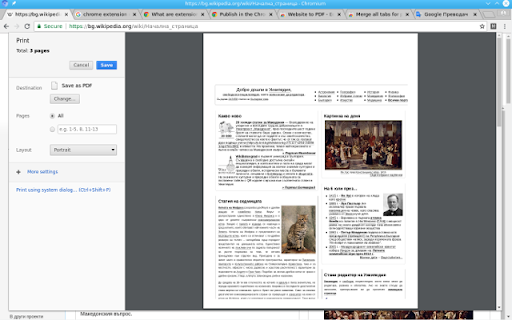
Website to PDF is a browser utility designed to capture web content as PDF documents. The extension claims to consolidate multiple pages or specific sections of a website into a single readable file format.

Developer:Nikolay Gechev
Version:1.4
Size:130KiB
Last updated:

Overview

Installs

9K+

Rating

2.3

48 reviews

Languages

1 locales

Includes English

Market analysis

Review-backed positioning, friction, and market signals for this Chrome extension.

Backed by review samples

Macro category

Automation & Workflow Efficiency

Pricing friction

Low review signal

Complaint intensity

Moderate review signal

Listing & review signals
Observed signals from store listing text and review samples.

Listing positioning

The store listing positions this product as a tool to convert entire websites into single PDF files or print them. It explicitly encourages users to provide specific URLs for section-based conversion if the standard functionality encounters issues.

Inferred product pattern

Utility-based legacy extension with significant abandonment or lack of maintenance.

Review-backed pain points

Users consistently report that the icon does not trigger any action, the extension lacks user instructions, and when it does function, the output layout is often broken with overlapping text.

Observed feature gaps

The extension lacks a clear UI, status indicators for ongoing processes, and advanced settings for depth control, causing it to perform identically to browser-native print functions.

Tags
Pdf ConverterWeb PrintingDocument Archiving
Target users

- Web Researchers

- Technical Documentation Readers

- Archivists

Primary use cases

- Saving multi-page online documentation

- Offline reading

- Webpage archiving

Positive themes

- Potential utility for large documentation conversion

- Attempts to provide a consolidated document view

Negative themes

- Complete lack of response on interaction

- Redundancy with built-in browser print-to-PDF functions

- Broken page rendering with overlapping content

- Lack of clear instructions or interface feedback

Observed friction

- Performance complaints detected

- No pricing friction reported; the product is free but suffers from severe functional failure.

Evidence boundary: Evidence is based on user reviews citing functional failures, including UI non-responsiveness and poor rendering, alongside the developer description. The evidence is derived from user feedback which highlights persistent functional defects; however, it does not reflect the developer's internal versioning or current codebase status.
Complaint summaries
Review-backed complaint signals grouped by operational area.

Support

Reviewers express frustration with the lack of developer response and the absence of user guidance for the tool.

Reliability

High; numerous reports state the tool fails to trigger, creates overlapping text, or fails to navigate multi-level links as expected.

Privacy

No privacy complaints observed in the provided data.

Access & pricing

- Free usage observed

- No account requirement observed

- Free plan or free usage claimed

Store listing facts

Listing assets

- Screenshots: 1

- Videos: 0

- Languages: 1

Trust signals

- Developer contact

Store metadata

- Version: 1.4

- Size: 130KiB

- Last updated:

Listing SEO keywords

Search intent keywords
Keyword signals for evaluating how users may discover, compare, or search for this extension category.

Core discovery

save website as pdfhtml to pdf converterweb page to pdf

Comparison

best website to pdf extensionchrome print to pdf vs extension

Problem

website to pdf not workingextension brokencannot save webpage to pdf

Alternative

web to pdf alternativespdf creator extension

Similar extensions

Jump to related discovery paths:

Screenshots

Website to PDF screenshot

Recommended Chrome extensions

Related listings from the same category, trending peers, and the same publisher portfolio.

Browse tools