Compress PDF icon

Compress PDF Chrome Extension Analysis

Automation & Workflow Efficiency

Chrome extension ID: hdnlnjpbggigfhjbconggiaceoenhlbl

A productivity tool designed to reduce the file size of PDF documents. The extension offers a straightforward workflow for compression and integrates with Google Drive for file storage.

Version:4.0.0
Size:207KiB
Last updated:

Overview

Installs

7K+

Rating

★ 3.2

13 reviews

Languages

41 locales

Includes Deutsch, English, English (United States), Filipino...

Market analysis

Review-backed positioning, friction, and market signals for this Chrome extension.

Backed by review samples

Macro category

Automation & Workflow Efficiency

Pricing friction

Low review signal

Complaint intensity

Moderate review signal

Listing & review signals
Observed signals from store listing text and review samples.

Listing positioning

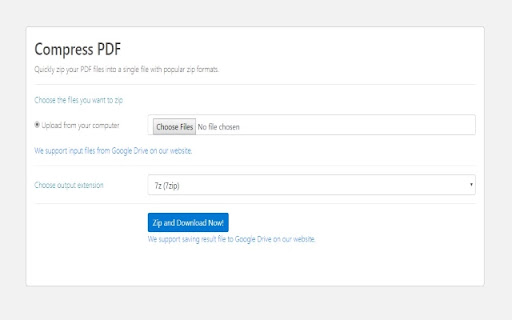
The extension positions itself as a free, instant utility for compressing PDF files without the need for user registration. It emphasizes convenience by allowing users to save compressed files directly to their local computer or Google Drive.

Inferred product pattern

A free utility extension that promises file compression but frequently fails to perform actual PDF optimization, often resulting in file archiving instead.

Review-backed pain points

Users report that the tool often fails to actually compress the PDF, frequently returning files of the same size or converting them into larger zip/7z archives.

Observed feature gaps

Lack of reliable PDF compression logic; the tool appears to default to archiving rather than true PDF optimization.

Tags
PDF CompressorFile ManagementFree Utility
Target users

- Students

- Office Professionals

- General Web Users

Primary use cases

- Reducing PDF file size for easier email attachments

- Saving compressed documents to Google Drive

Positive themes

- Simplicity and ease of use

- Helpfulness for immediate needs

Negative themes

- Failure to reduce file size

- Conversion to zip/7z archives instead of compressed PDFs

- Processing errors

Observed friction

- Performance complaints detected

- No pricing friction reported as the product is advertised as 100% free.

Evidence boundary: Analysis based on the store listing description and a collection of user reviews reporting functional failures. The review sample size is relatively small.
Complaint summaries
Review-backed complaint signals grouped by operational area.

Support

No support or account-related complaints were observed in the provided reviews.

Reliability

Significant reliability issues reported regarding the core functionality, specifically the failure to compress files and processing errors.

Privacy

No privacy or security complaints were observed.

Access & pricing

- Free usage observed

- No account requirement observed

- Free plan or free usage claimed

Store listing facts

Listing assets

- Screenshots: 1

- Videos: 0

- Languages: 41

Trust signals

- Developer contact

- Official website

Store metadata

- Version: 4.0.0

- Size: 207KiB

- Last updated:

Listing SEO keywords

Search intent keywords
Keyword signals for evaluating how users may discover, compare, or search for this extension category.

Core discovery

compress pdfpdf size reducerfree pdf compressorreduce pdf size

Comparison

SmallpdfIlovePDF

Problem

large pdf filepdf too bigcannot compress pdf

Alternative

pdf optimizerfile compressor

Similar extensions

Jump to related discovery paths:

Screenshots

Compress PDF screenshot

Links

Recommended Chrome extensions

Related listings from the same category, trending peers, and the same publisher portfolio.

Browse workflow