XPath Helper 2.0 icon

XPath Helper 2.0 Chrome Extension Analysis

Developer & Designer Tools

Chrome extension ID: nlfdopnkeodpiondihlgnhgpjieoopbj

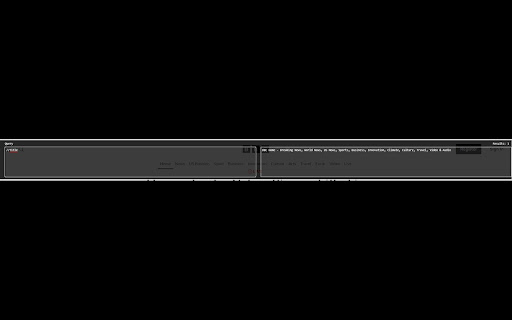
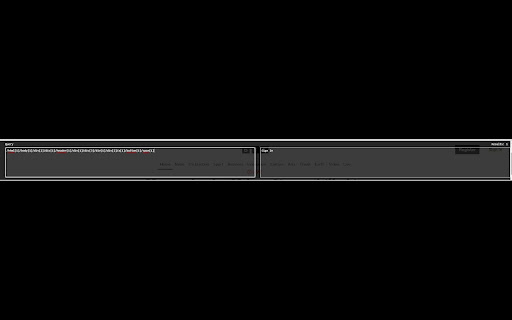
This extension provides an interactive interface for real-time XPath evaluation and generation directly within the browser. It allows users to inspect DOM elements and refine queries to assist with web data extraction tasks.

Version:1.3
Size:17.01KiB
Last updated:

Overview

Installs

10K+

Rating

4.4

11 reviews

Languages

1 locales

Includes English

Market analysis

Review-backed positioning, friction, and market signals for this Chrome extension.

Backed by review samples

Macro category

Developer & Designer Tools

Pricing friction

Low review signal

Complaint intensity

Moderate review signal

Listing & review signals
Observed signals from store listing text and review samples.

Listing positioning

XPath Helper 2.0 positions itself as a lightweight utility for developers, testers, and web scrapers to generate and test XPath expressions. It emphasizes ease of use through an intuitive toolbar and a shift-key shortcut for element targeting.

Inferred product pattern

Free utility tool for browser-based DOM manipulation and data extraction support.

Review-backed pain points

Users report that the automatic path generation relies too heavily on element indexing rather than unique identifiers, leading to fragile XPaths, and note inconsistent responsiveness when using the shift-key trigger.

Observed feature gaps

Lack of support for more advanced XPath functions like descendant-or-self axes or string manipulation functions; generated paths are often overly specific to tree structure.

Tags
XPathWeb ScrapingDeveloper ToolDOM Inspector
Target users

- Web Developers

- QA Testers

- Web Scrapers

Primary use cases

- XPath generation for web scraping

- Debugging DOM element selectors

- Testing XPath expressions on live web pages

Positive themes

- Appreciation for the free availability

- General utility for development tasks

- Positive reception of the 2.0 version update

Negative themes

- Issues with UI responsiveness when capturing elements

- Low-quality/verbose absolute path generation

- Difficulties with advanced XPath functions

Observed friction

- Performance complaints detected

- None; the product is free with an optional donation link.

Evidence boundary: Data derived from public Chrome Web Store listing and a sample set of user reviews covering functional performance and usability feedback. Review sample size is small, representing a mix of general user satisfaction and specific technical complaints about path generation quality.
Complaint summaries
Review-backed complaint signals grouped by operational area.

Support

No specific support complaints noted, though users have communicated bug reports via review text.

Reliability

Some users report that the capture mechanism is occasionally unresponsive or fails to trigger.

Privacy

No privacy or security concerns identified in reviews.

Access & pricing

- Free usage observed

- No account requirement observed

- Free plan or free usage claimed

Store listing facts

Listing assets

- Screenshots: 2

- Videos: 0

- Languages: 1

Trust signals

- Developer contact

Store metadata

- Version: 1.3

- Size: 17.01KiB

- Last updated:

Listing SEO keywords

Search intent keywords
Keyword signals for evaluating how users may discover, compare, or search for this extension category.

Core discovery

XPath generatortest XPath chrome extensionweb scraping tool

Comparison

XPath Helper alternativeChrome XPath tester

Problem

how to find XPathXPath not workingfragile XPath selectors

Alternative

SelectorsHubXPath Finder

Similar extensions

Jump to related discovery paths:

Screenshots

XPath Helper 2.0 screenshot

Recommended Chrome extensions

Related listings from the same category, trending peers, and the same publisher portfolio.

Browse developer
Multiple Screenshots icon

Multiple Screenshots

Radek Skolmowski

Capture multiple website screenshots automatically with custom options and save in various formats.

Installs

1K+

Rating

5.0

Detailed SEO Extension icon

Detailed SEO Extension

ahrefsseotoolbar

Get SEO insights at the click of a button to any website you're currently on. Built by full-time SEO's for daily analysis.

Installs

600K+

Rating

4.9

TikTok Pixel Helper icon

TikTok Pixel Helper

TikTok For Business

The TikTok Pixel Helper is a plug-in that monitors whether your TikTok Pixel is functioning properly.

Installs

600K+

Rating

2.6

Google Analytics Debugger icon

Google Analytics Debugger

Google Analytics

Prints useful information to the JavaScript console by enabling the debug version of the Google Analytics Javascript.

Installs

600K+

Rating

4.2

Salesforce Inspector Reloaded icon

Salesforce Inspector Reloaded

Thomas Prouvot

Productivity tools for Salesforce administrators and developers to inspect data and metadata directly from the Salesforce UI.

Installs

500K+

Rating

4.8

Tag Assistant Companion icon

Tag Assistant Companion

Google

The Tag Assistant Companion extension works with Tag Assistant to help troubleshoot installation of gtag.js and Google Tag Manager.

Installs

500K+

Rating

3.1

Axure RP Extension for Chrome icon

Axure RP Extension for Chrome

Axure Software Solutions, Inc.

An extension that allows viewing of locally published Axure RP prototypes (HTML files) from Google Chrome.

Installs

500K+

Rating

3.3

daily.dev | Where developers discover what's next icon

daily.dev | Where developers discover what's next

Daily Dev Ltd.

Developer news, personalized to your stack, in every new tab. Join 400,000+ developers. Free and open source.

Installs

400K+

Rating

4.8

Angular DevTools icon

Angular DevTools

Angular

Angular DevTools extends Chrome DevTools adding Angular specific debugging and profiling capabilities.

Installs

400K+

Rating

3.7

SelectorsHub icon

SelectorsHub

Sanjay Kumar | SelectorsHub Founder

Locators Plugin to Auto Generate and Verify Playwright Locators, XPath & CSS Selectors.

Installs

400K+

Rating

4.8